Photography Tutorial · 2025-06-01
Best AI Noise Reduction in 2025? LR vs PureRAW vs Topaz in Six Scenarios
Powerful AI noise reduction software has become an essential editing tool for many photographers.
In 2025, which software delivers the best AI noise reduction?
Today Thomas ran a head-to-head test of the AI noise reduction in Photoshop/Lightroom, Topaz, and DxO PureRAW — covering the Milky Way and starry skies, blue hour, city night scenes, wildlife, indoor portraits, and drone telephoto shots.

Video
▶ Watch the video tutorial on Bilibili
This is the fully illustrated companion to the video above. Two years into the AI denoise era, which tool is strongest as of June 2025? Thomas tested the built-in Adobe Lightroom/ACR denoise, DxO PureRAW and Topaz Photo AI across six high-noise scenarios — blue hour, indoor portrait, city night, wildlife, starry sky and drone telephoto. The five chapters below keep the video's screenshots and timestamps, and every verdict is based on 100% crops.
The spoiler first: the big winner is DxO PureRAW — stunning detail retention and the cleanest flat areas, plus built-in lens optical corrections; Topaz Photo AI keeps detail well but often leaves noise and occasional artifacts; and the most widely used built-in Adobe denoise finished last this time. Now the evidence.
01 Blue Hour: Judged by the Gaps Between Planks
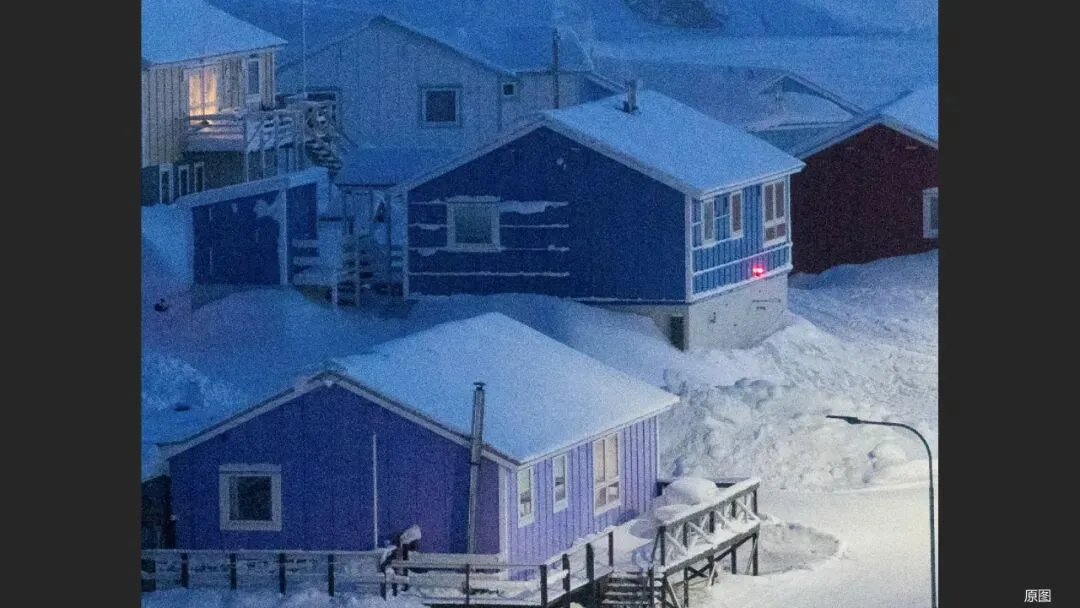
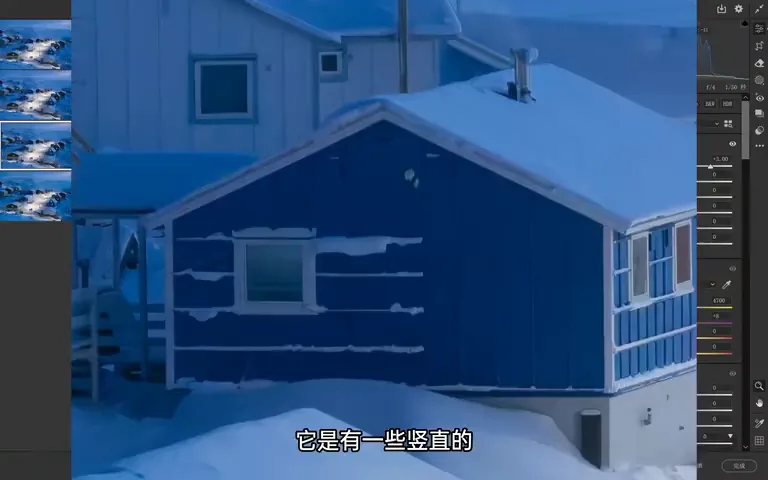
The first set is the hardest test: two award-winning blue-hour frames shot at ISO 3200 and lifted three stops in post. At 100% the original is almost unwatchable from noise (1:16 in the video) — an extreme base that exposes each algorithm's true quality.
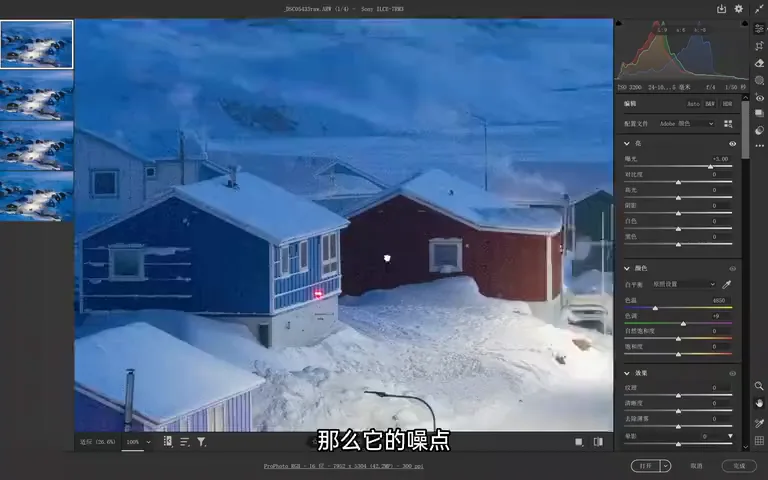
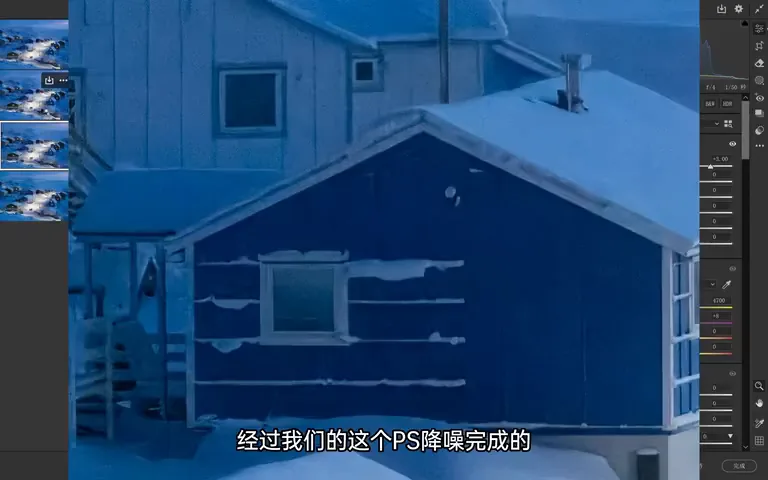
The Lightroom/PS AI denoise looks decent overall but over-smooths, losing serious detail (1:38 in the video). Zoom into the blue house and the gaps between planks are smeared into a blob, the wood feeling fake (2:07 in the video); the purple house keeps a hint of its gaps but loses the upper section.
DxO PureRAW's result is stunning: every plank's texture crisp, wall quality beautifully preserved, and the background denoised without that 'fake' feel of the PS version (2:23 in the video). Topaz keeps detail better than PS and the purple house's texture stays legible, but it trails DxO — the blue house's plank gaps are gone, noise lingers, and an unnatural graininess remains (2:49 in the video). Score for this round: DxO first, PS second, Topaz third.
02 Hands-On: How Each Tool Works
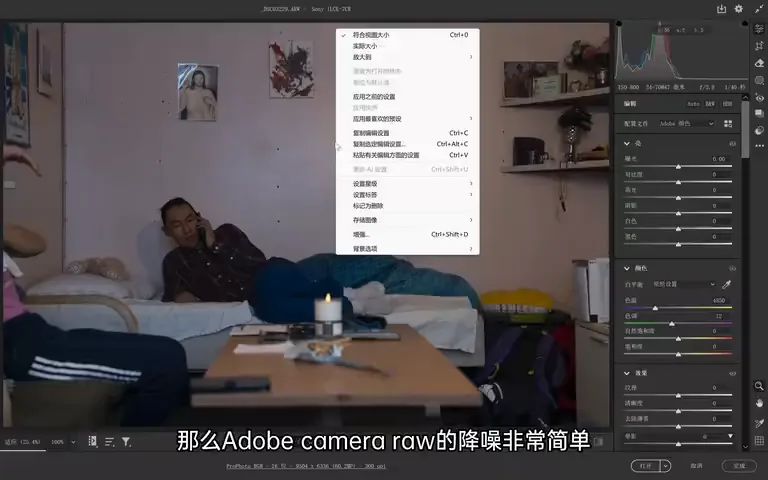
Using an indoor portrait from an island guesthouse (3:33 in the video), here is each tool's workflow. Adobe first: in Lightroom or ACR, right-click the photo and choose Enhance to open the denoise panel (3:45 in the video). It has a single Amount slider: lower keeps more noise but also more detail, higher gets cleaner but waxier — around 50+ is enough here, and after processing it automatically produces a denoised DNG (4:22 in the video).
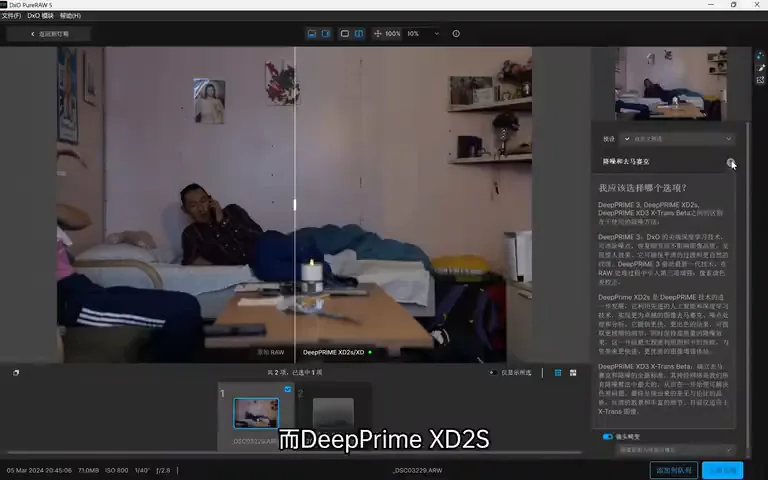
DxO PureRAW: add images on launch, tick 'process using preview' in the lower right to see the parameter panel (4:47 in the video). Denoising and demosaicing offer several models — DeepPRIME uses deep learning only, while DeepPRIME XD2s adds AI on top and is the usual recommendation (4:56 in the video). 'Luminance' is the denoise strength; 'Enhance details' further sharpens hair and fine textures with AI. Better still, it applies lens optical corrections — sharpness, vignetting, chromatic aberration and distortion — cleaning up the RAW in one click (5:31 in the video). Hit 'Process now' and out comes a DNG.
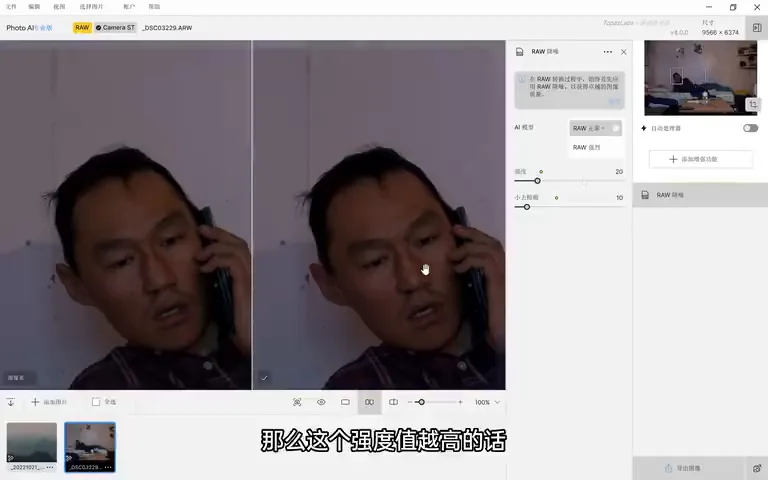
Topaz Photo AI is the integrated suite: the old Denoise AI, Sharpen AI and Gigapixel AI once lived in separate apps but now share one interface (5:58 in the video). It auto-detects the photo and applies a model; the AI noise model offers Normal and Strong; higher Strength means cleaner but blurrier; and the 'deblur' control below works the other way, reinforcing texture — push it up and the subject's eyes turn noticeably sharper (7:00 in the video).
One crucial rule: denoise must be the very first step of your edit (8:19 in the video). These models are trained per camera model on untouched RAW; if you have already applied sharpening or clarity, the noise gets amplified with them, and later denoising loses much of its effect.
03 Flat Areas Are the Litmus Test: Portrait and City Nights
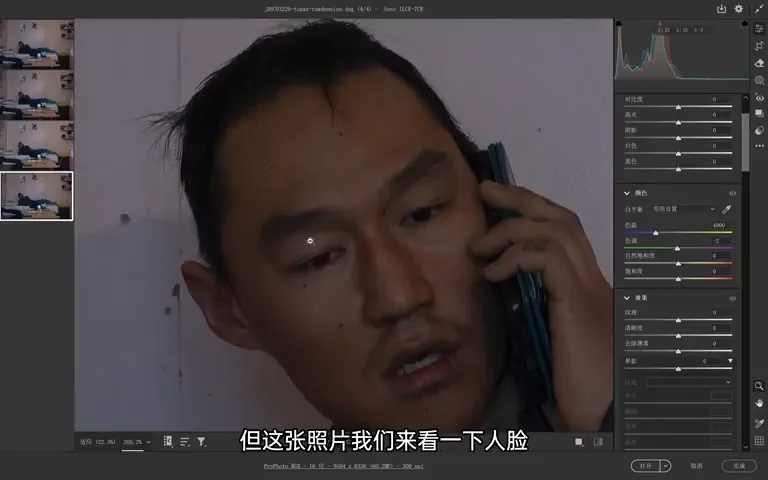
Back to the portrait. Turn off ACR's default color noise reduction and the original is actually covered in chroma noise (7:10 in the video). The PS result keeps a veil of blur over the subject; DxO's is very natural with rich detail, and its denoised wall is the cleanest wall Thomas has ever seen (7:43 in the video).
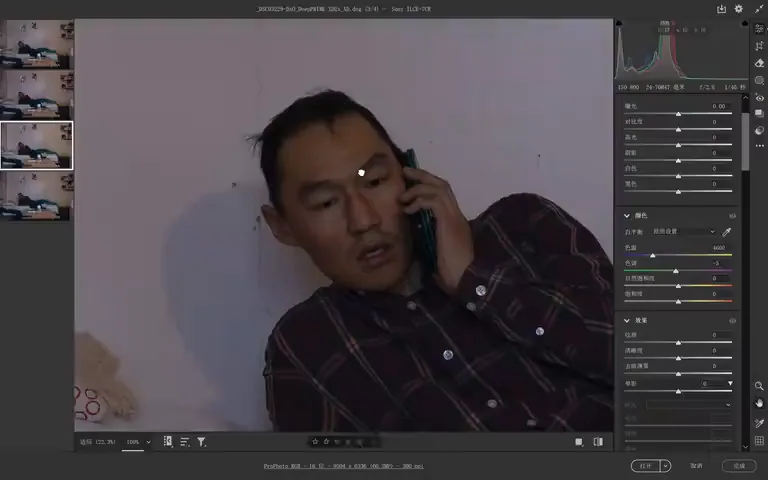
Topaz's sorest spot is flat backgrounds: the wall still carries lots of noise plus an unnatural grain (7:52 in the video). Yet the face amazes — with the deblur control, hair turns sharper while the denoise stays natural (8:04 in the video). It is the lopsided student: full marks on subjects, deductions on backgrounds.
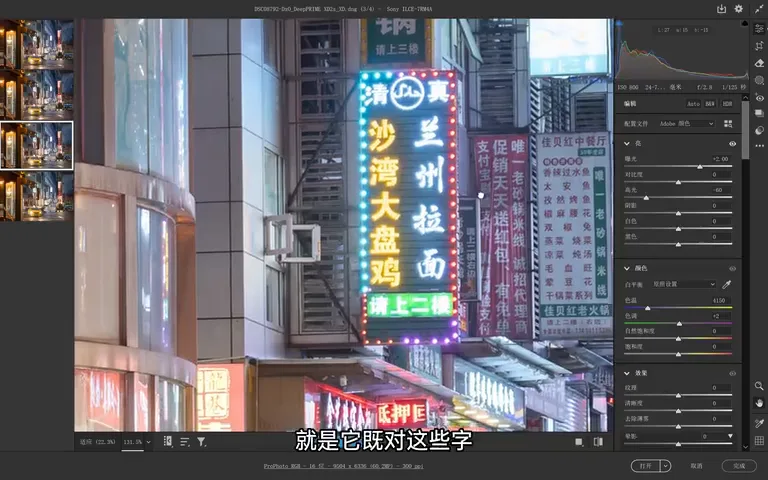
The neon-lit shop signs of a city night are another litmus test. The original's brick wall is awash in noise; after PS, obvious red chroma noise still sits on the characters (8:52 in the video); DxO sharpens the lettering while the bricks show zero noise traces (8:57 in the video); Topaz looks decent overall, but zoom in and the flat bricks carry sharp, one-by-one grain that grates (9:16 in the video). DxO's transitions stay soft and pleasant — another runaway win.
04 Wildlife and Starry Skies: Fur, Clouds and Foregrounds
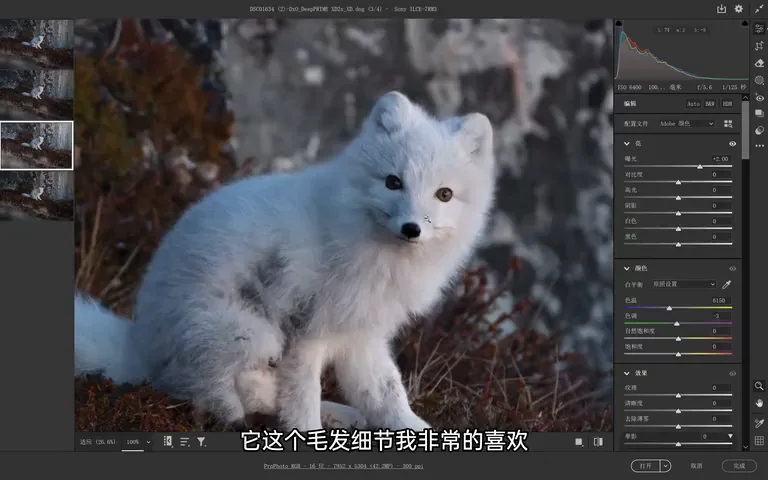
Wildlife is the scenario most viewers care about — this Arctic fox was shot at ISO 6400 and the original is wildly noisy (9:52 in the video). PS comes out with an AI-smoothed feel; DxO's fur detail is delightful with a clean background (10:06 in the video); Topaz's fur is equally strong, but its flat — even blurred — backgrounds pick up many artificial marks (10:13 in the video). Interestingly DxO's background also shows some dots, yet they distribute with an almost geometric elegance, like a bit of black magic (10:33 in the video).
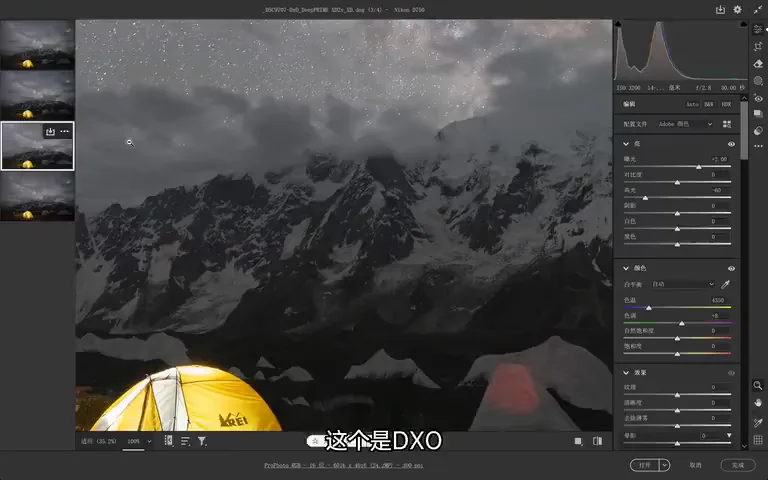
In the starry-sky round PS finally shines: its denoise is genuinely satisfying (10:52 in the video). DxO's clouds turn remarkably pure and the stars are fine, though the foreground gets slightly mushy (10:57 in the video); Topaz leaves lots of noise in the clouds and the ground fares even worse, unnaturally noisier (11:05 in the video) — broad gradient night skies remain Topaz's weak spot.
05 Drone Telephoto and the Final Ranking
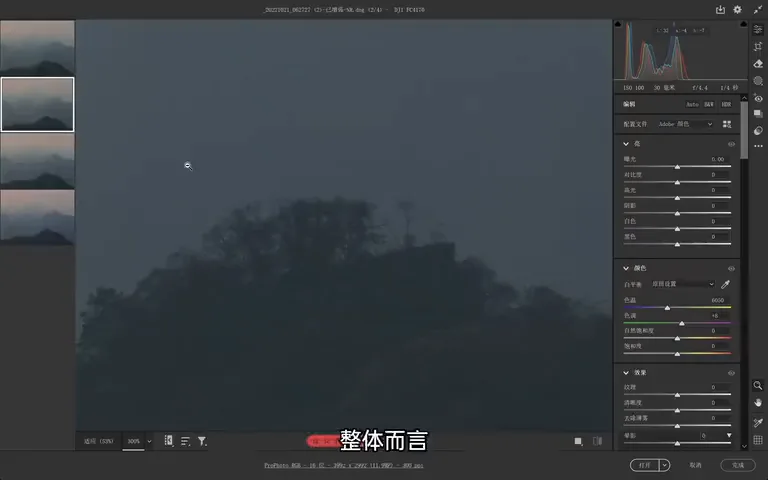
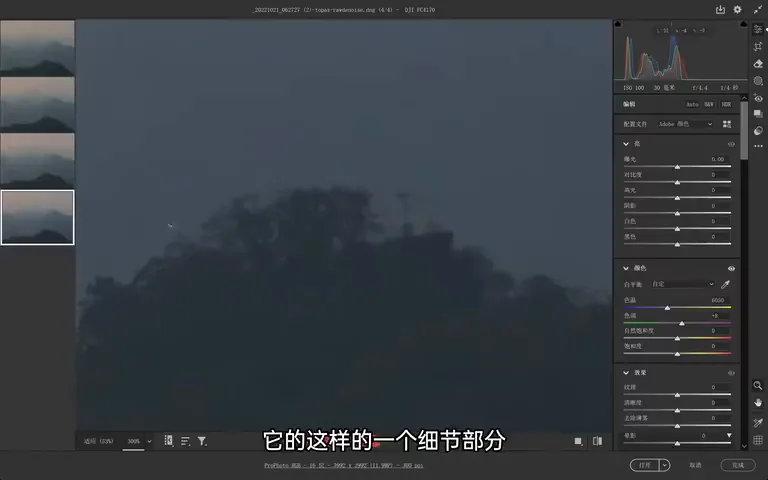
Last comes a 7x drone telephoto: the original is grainy and harsh (11:16 in the video). The PS result holds up overall — noise cut heavily, detail soft but vastly better than the original (11:24 in the video); DxO performs about the same with better bottom-frame detail; and Topaz stumbles this time, spawning plenty of strange textures in the detail areas (11:46 in the video).
1. The overall 2025 ranking: DxO PureRAW wins by a mile — best detail retention and enhancement, the purest flat backgrounds, plus built-in lens optical corrections; Topaz Photo AI excels at detail and fur but leaves noise on flat areas and occasional artifacts; the built-in Lightroom/PS AI denoise finishes last, waxy and still noisy. 2. In DxO pick the DeepPRIME XD2s model, control strength with Luminance, boost fur with Enhance Details, and export a DNG. 3. In Topaz, raising Deblur sharpens hair and eyes — but go easy on night skies. 4. Whichever you choose, denoise first, on untouched RAW, for the best results.