Photography Tutorial · 2018-04-29
How to Analyze and Emulate a Photographer's Shooting & Editing Style
Thomas Chu Photo
One in-depth tutorial every week — making photography easier to learn
Using the work of Benjamin Everett — 2018 Hasselblad Masters landscape winner — as an example, this article shows how to systematically analyze and learn from a photographer's style, and weave it into your own shooting and post-processing.
This is a long read (about 20 minutes) — consider sharing and saving it first.
1
Content Analysis / Felt Experience
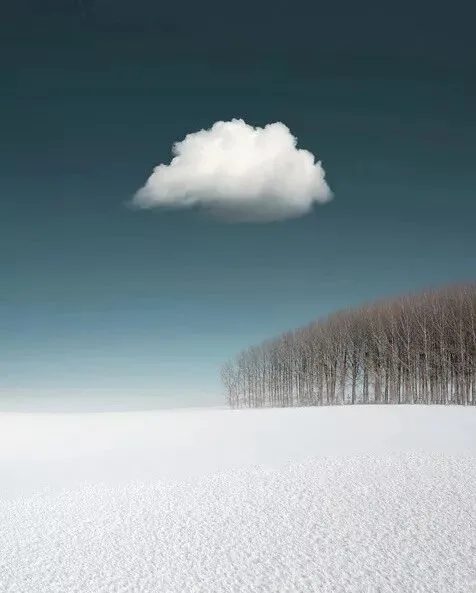
When analyzing a mature photographer, never start from surface traits like color, composition or technique. Start from what they are expressing — ideally their background, school of thought and worldview — and from your own felt response. Only then can you grasp the whole picture.
In my book Foundations of Landscape Photography Post-Processing, I wrote that a photograph has four layers: gear, technique, form, and content.
Gear serves technique, technique serves form, and form serves content — never the other way around.
Only when you understand what a photographer's content is — what they want to express — can you truly see why they grade colors this way, compose that way, or choose a certain type of gear and technique.
So what is the 'content' of an image?
Content is the scene an image records, the story it tells, the mood, atmosphere and emotion it conveys, and the ideas, reflections and worldview the artist expresses.
Let's take a quick look at Benjamin Everett's portfolio: https://www.bejamin.gallery — no need to study each image closely, just get an overall feel.
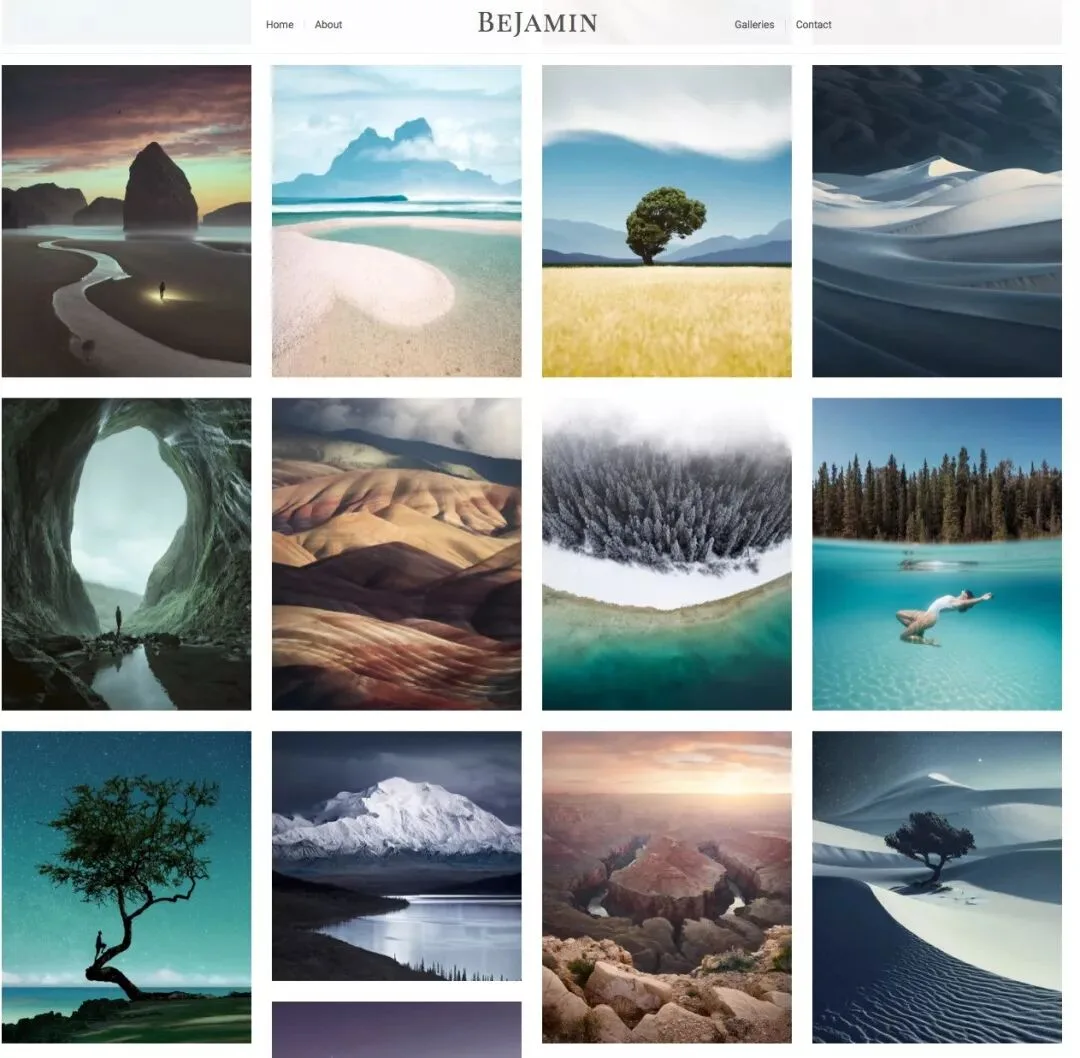
Benjamin's photographic and digitally composited works all depict natural scenery — mostly landscapes, often with animals or people woven in. Viewing his work gives me a sense of natural grace and far-reaching tranquility, almost a state of 'unity between man and nature.'
Although he uses contemporary Western techniques and digital post-production design, what I feel most when browsing his portfolio is an ancient Chinese artistic conception.
If you slipped a Max Rive image or one of mine — or a city nightscape — into his portfolio, it would feel jarringly out of place.
But insert a few ink-wash paintings — a Taoist sage wandering among the clouds, or a monk meditating in a bamboo grove — and it feels perfectly harmonious. Ink painting and Benjamin's work differ enormously in medium, era, technique and expression, yet their spiritual core is the same: different in 'form,' alike in 'spirit.'
Now let's read the artist's own statement — the 'About' page on his website:
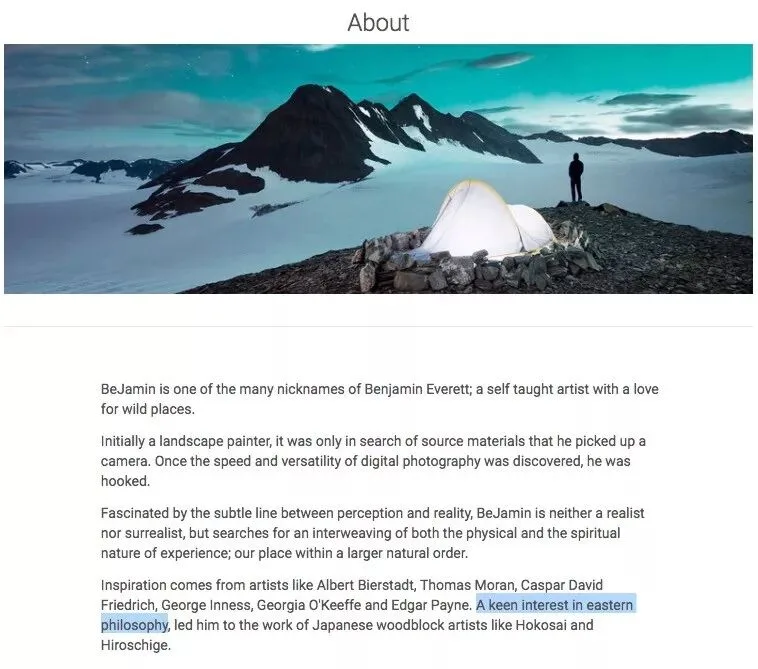
'A keen interest in eastern Philosophy' — his own words. He thinks this way, expresses it through visual language, and we (especially as Chinese viewers) can feel it readily.
Only after understanding this layer can you truly analyze his work: why the monochrome/duotone palettes? Why the reduced saturation? Why the preference for medium-to-long focal lengths? Why these elements in the frame?
As the ancients said: 'see the whole before the parts,' 'all roads lead to the same end,' 'a thousand changes never depart from the core.' Understand the 'Tao,' and you can understand the artist's 'techniques' — the visual language of his style.
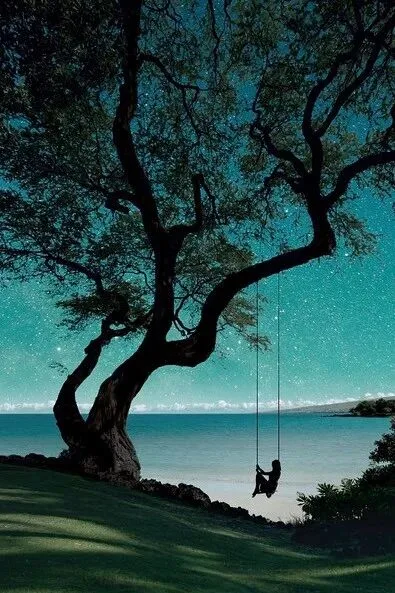
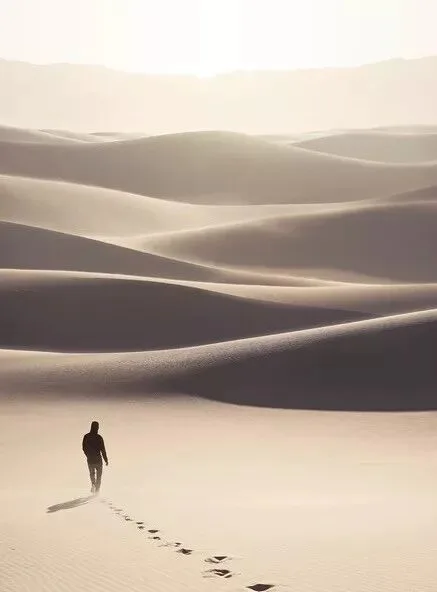
A simple example: take the shared motif of 'a person in nature.' You'll notice Benjamin's work and mine feel quite different.
Benjamin's work:

Thomas Chu Photo's work:
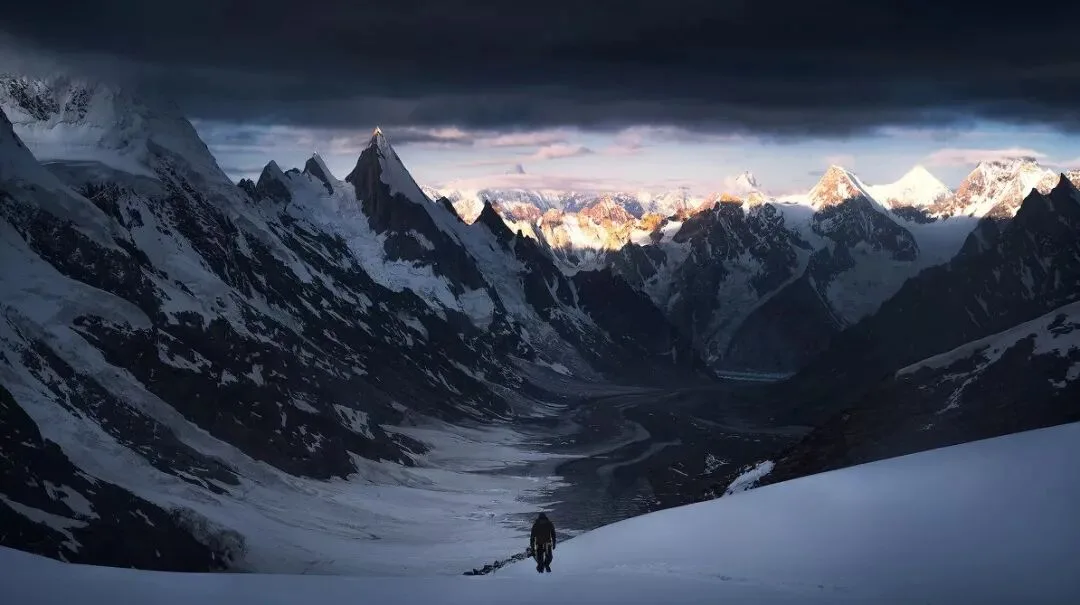
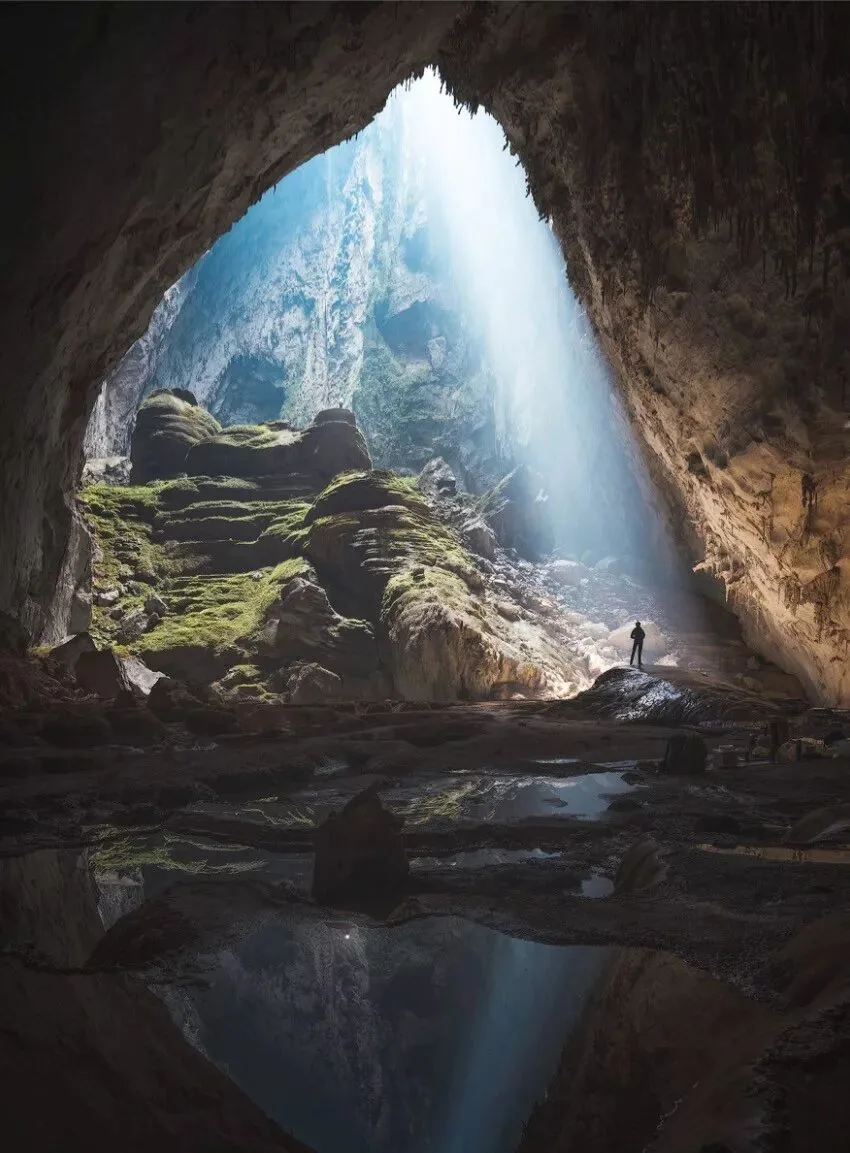
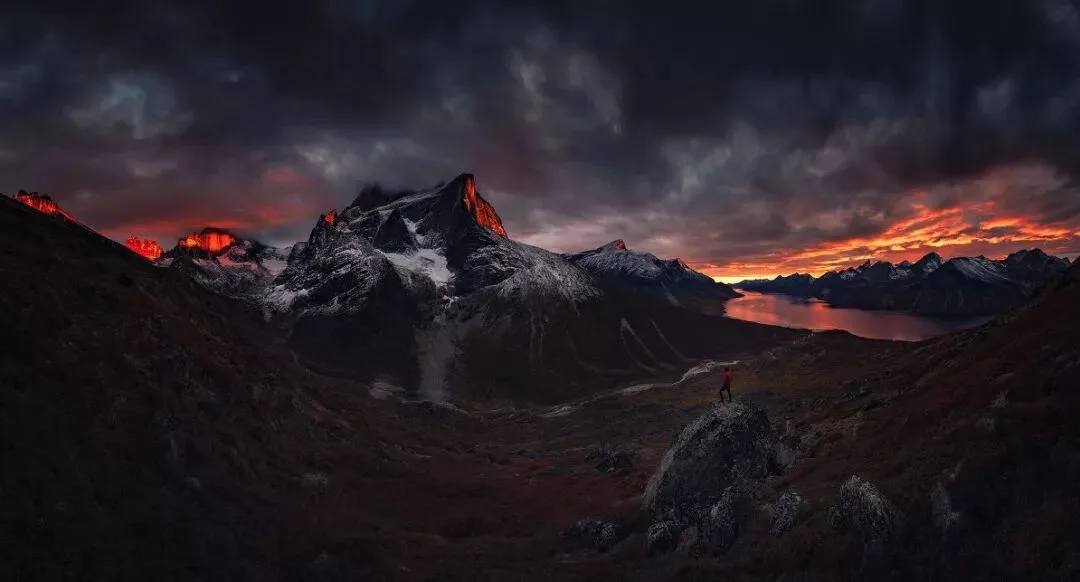
Both are figures in a landscape, yet what we express differs.
I'm Chinese, but years of studying abroad and traveling steeped me in mountaineering and expedition culture. So the people in my frames are usually outsiders — 'explorers' arriving from elsewhere to 'witness' the grandeur of nature.
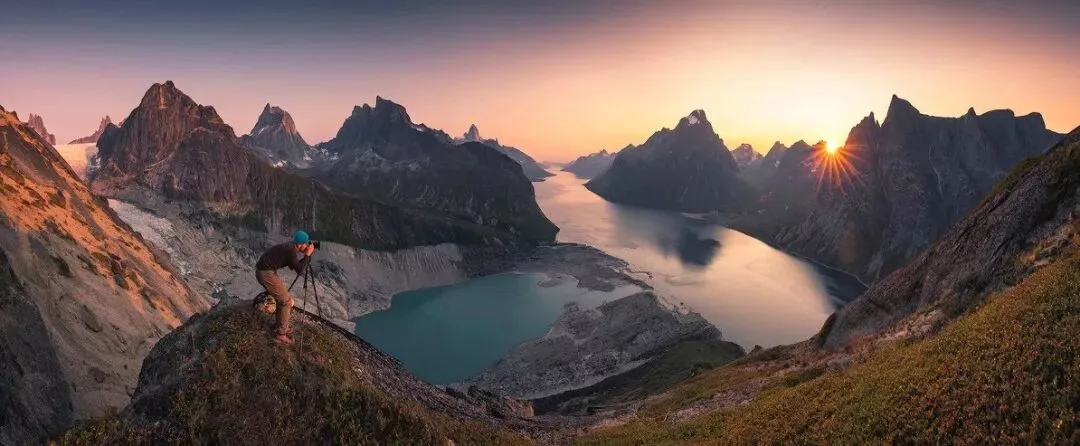
Benjamin, a Westerner, is deeply influenced by Eastern philosophy. The people in his frames walk into the scene, even dwell in it — they merge with the landscape, becoming the 'unity of man and nature.'
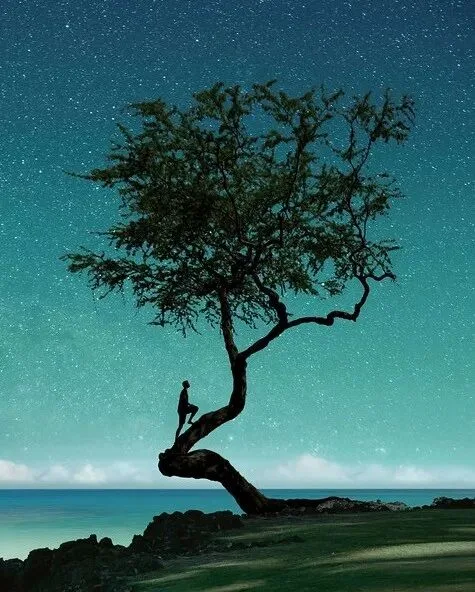
Once you see this difference in philosophy and content, you understand not only our distinct 'figures in the frame,' but also why I favor wide angles and even panoramas while Benjamin excels at medium-to-long focal scenes; why my grading is richer while his is airier; why my tones lean low-key and moody while his lean high-key and natural.
Next I'll analyze Benjamin's style across composition, tone, color, technique and gear. But remember Qi Baishi's warning: 'Those who learn from me live; those who merely imitate me die!'
If you copy Benjamin only at the level of composition, grading and technique, you achieve likeness in 'form' alone — value: 0-20.
If you read Laozi and Zhuangzi and then borrow his techniques and colors, you can be alike in both 'form' and 'spirit' — value: around 60, a fine exponent of the style.
If, after truly absorbing Eastern philosophy, you express that spirit through different visual means — alike in spirit, different in form — or ground his techniques in your own life experience, or treat him as just one reference and diverge entirely, then you've truly digested Benjamin's work and founded your own style — value: 90-100, as original and decorated as he is.
2
Composition
A photo's formal structure breaks down into composition, tone and color. I'll analyze all three next. For definitions, I'll be lazy and use screenshots from my book Foundations of Landscape Photography Post-Processing.
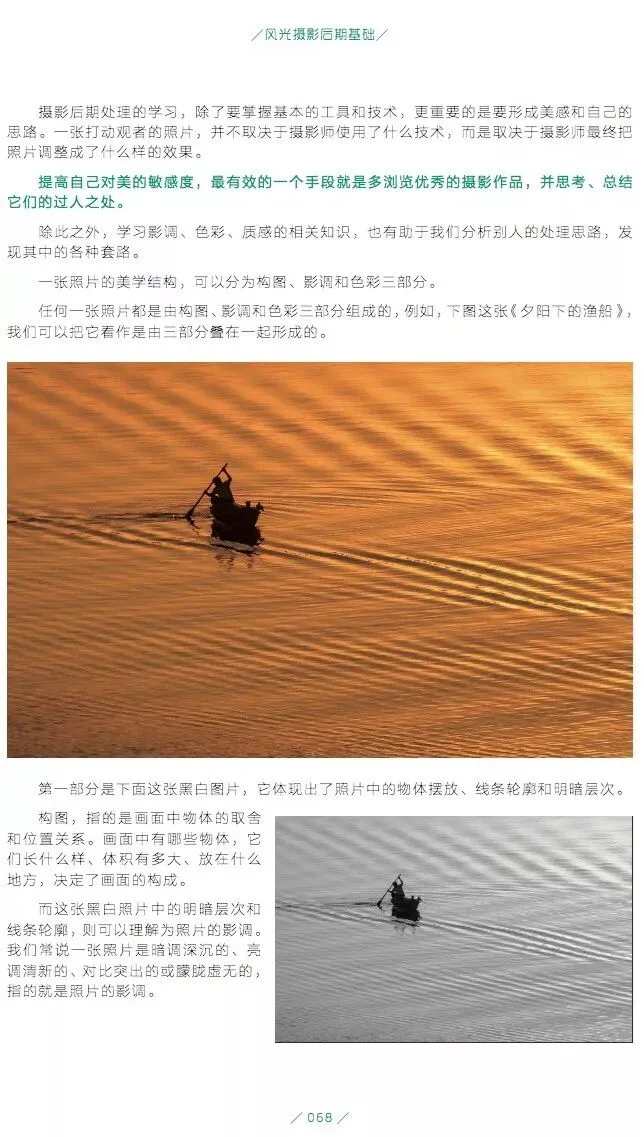
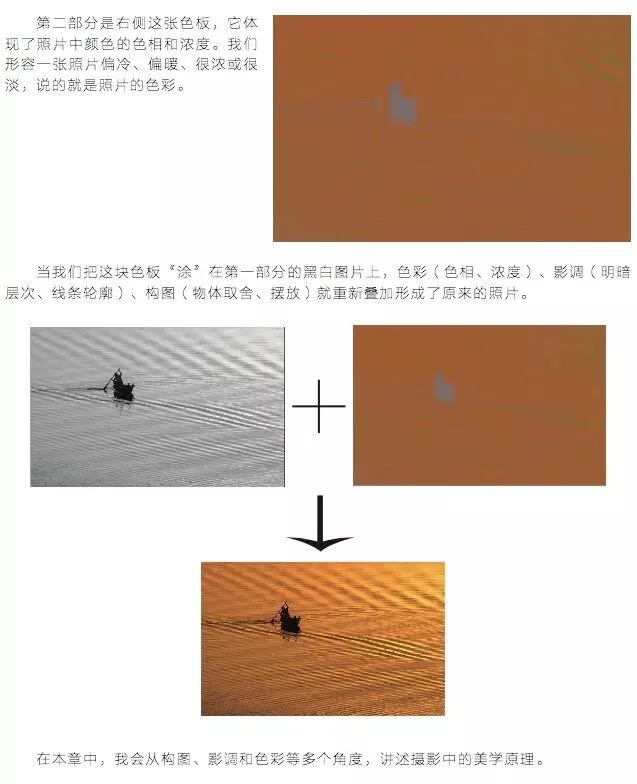
Benjamin shoots mostly at medium-to-long focal lengths (compositing within that perspective), and he's a master of negative space (or low-detail solid areas) — reducing visual elements so the mood feels airy and quiet.
His compositions often use the landscape photographer's three-layer method: foreground, midground, background.
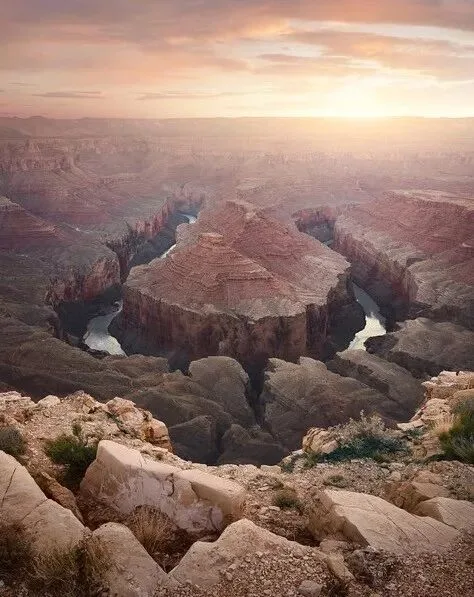
Or a two-layer, midground-plus-background telephoto composition.
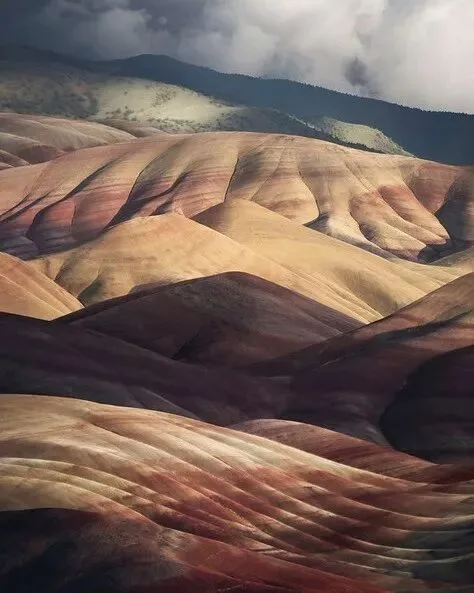
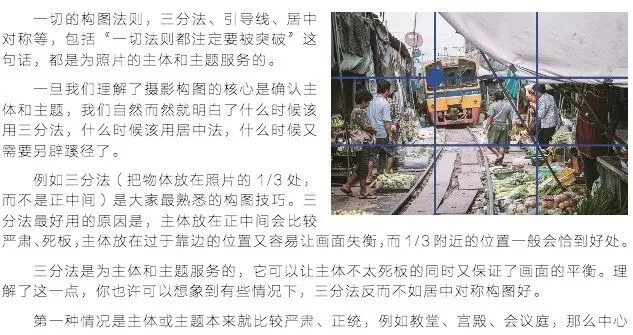
When there's a strong point of interest — a person, animal, or striking plant — he mostly places it by the rule of thirds, especially against busy backgrounds.
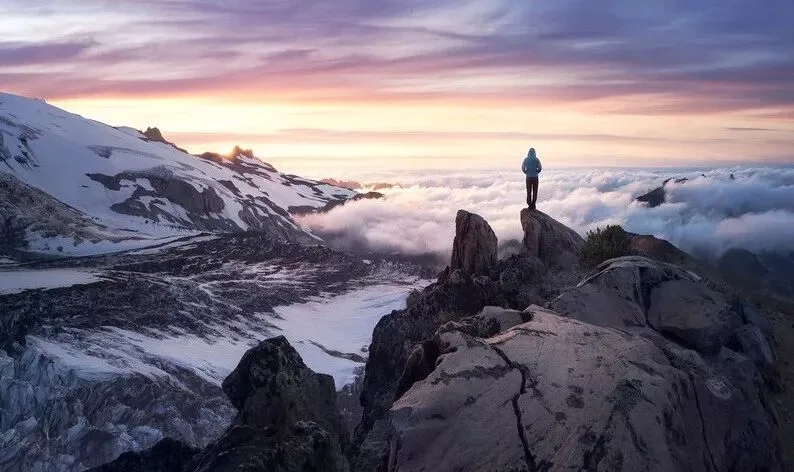
When the frame is dominated by negative space, he pushes the figure past the thirds toward the edge, achieving a more dynamic visual balance.
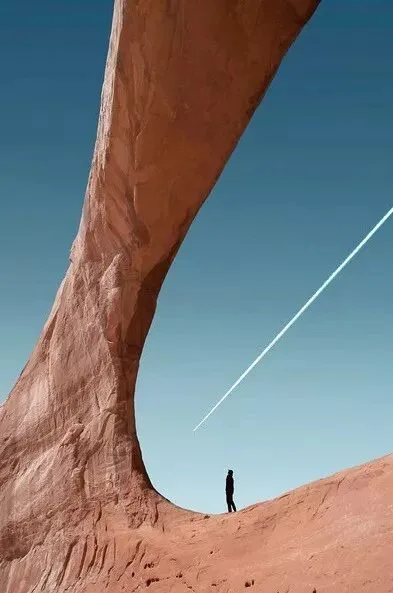
When to use the rule of thirds and when not to depends on the subject and the frame's structure — I cover this in detail in my book too:
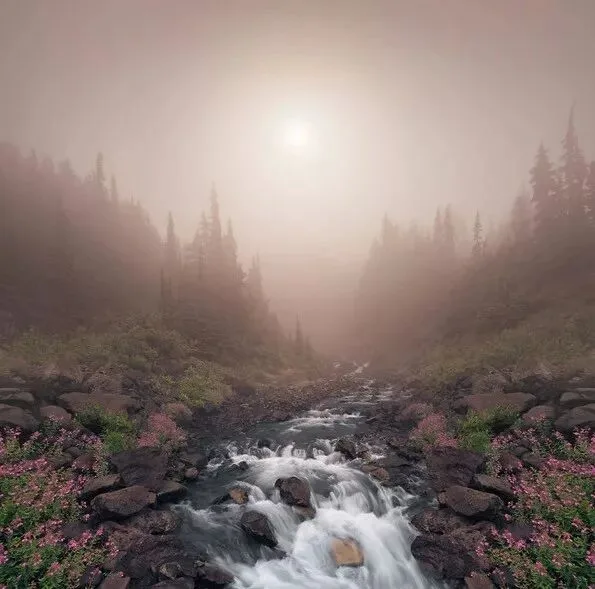
Though Benjamin works mainly at longer focal lengths, his images are remarkably layered, because he masterfully constructs depth through occlusion, overlapping and aerial perspective:
First, understand occlusion and overlap:
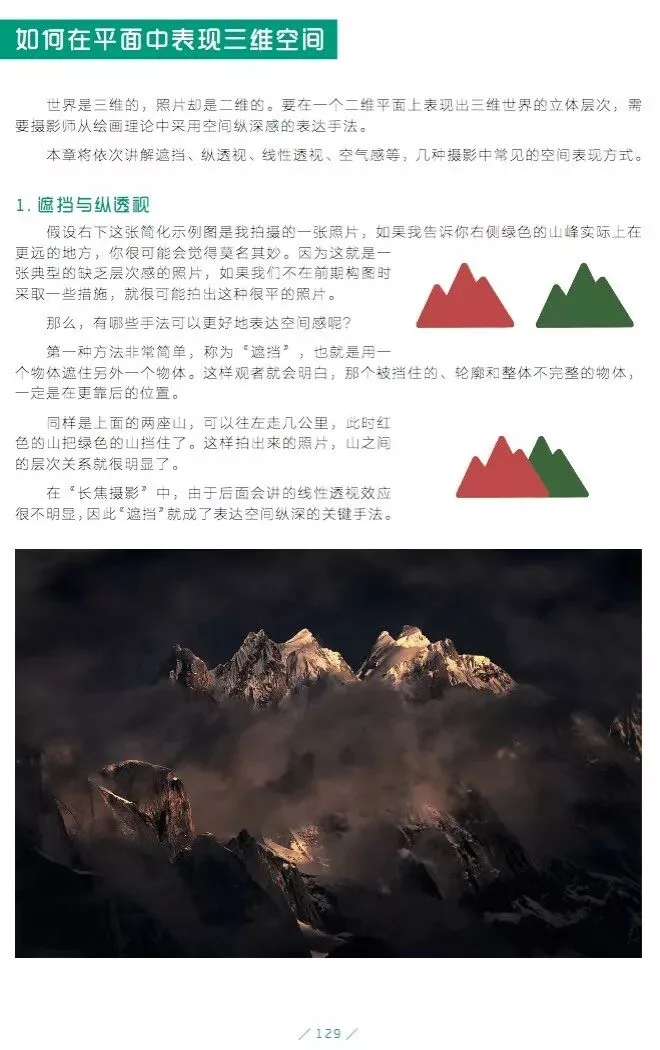
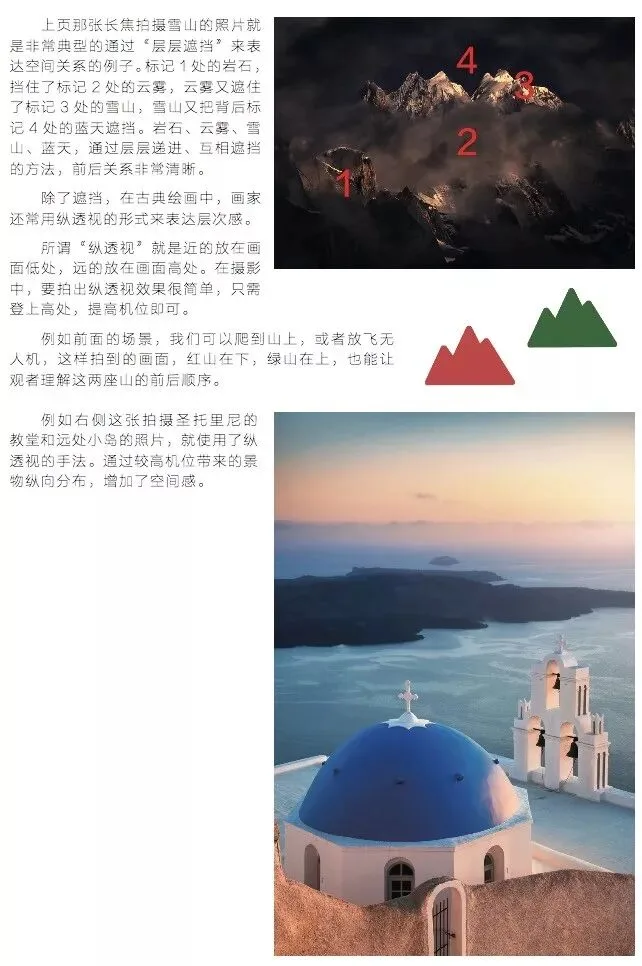
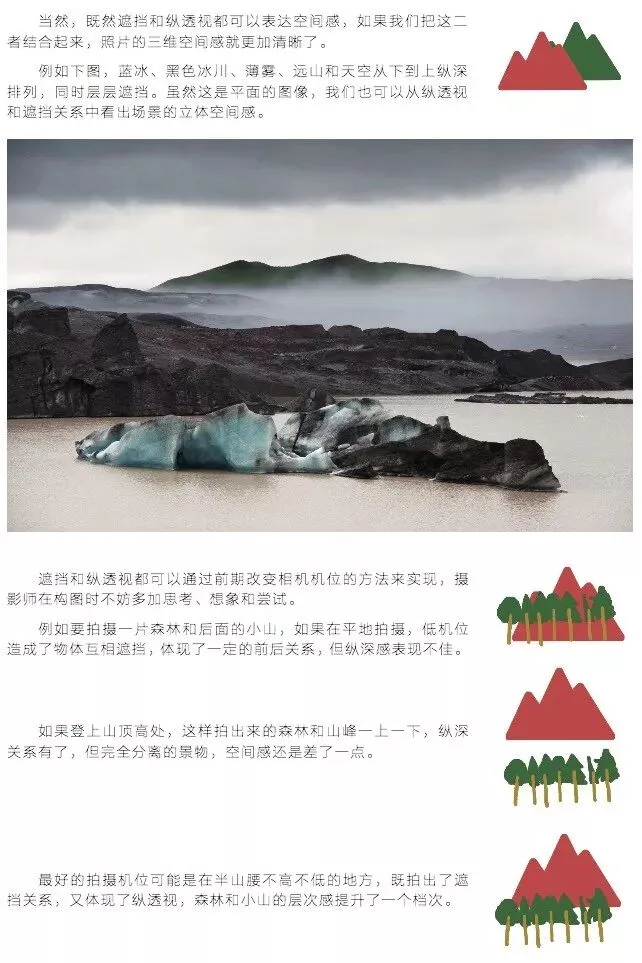
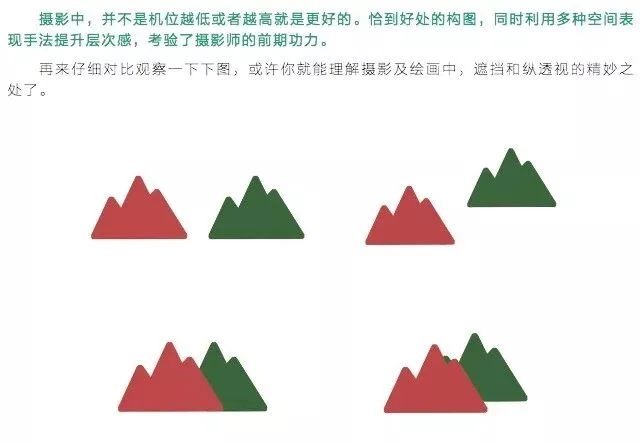
Now look at Benjamin's compositions — sense the familiar pattern?
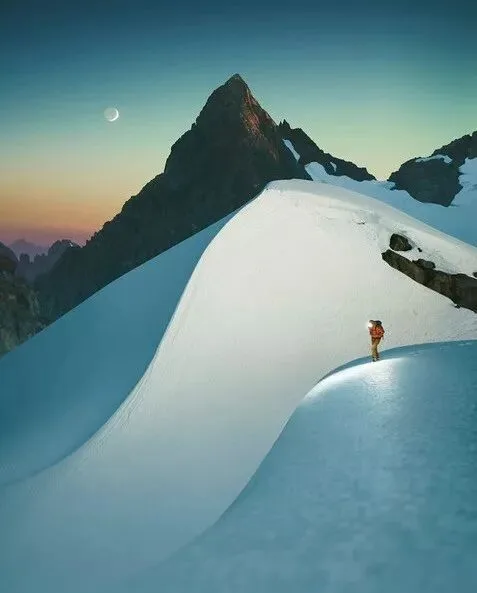
The next image adds aerial perspective on top of occlusion and overlap.
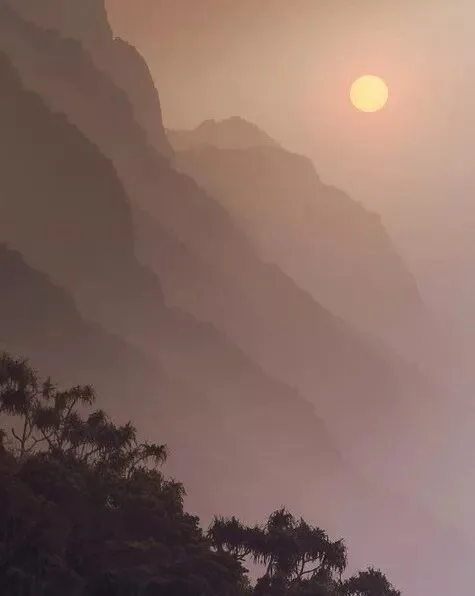
And what is aerial perspective?
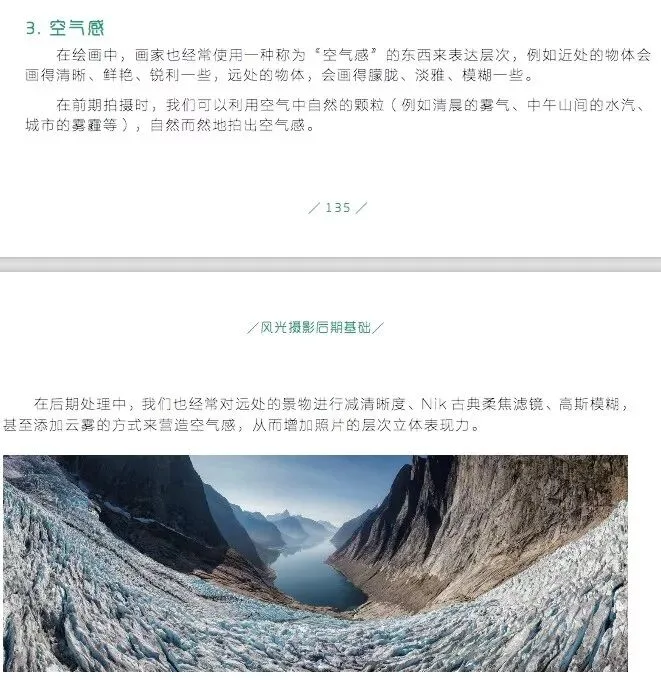
Learn by analogy — that's how knowledge truly sticks.
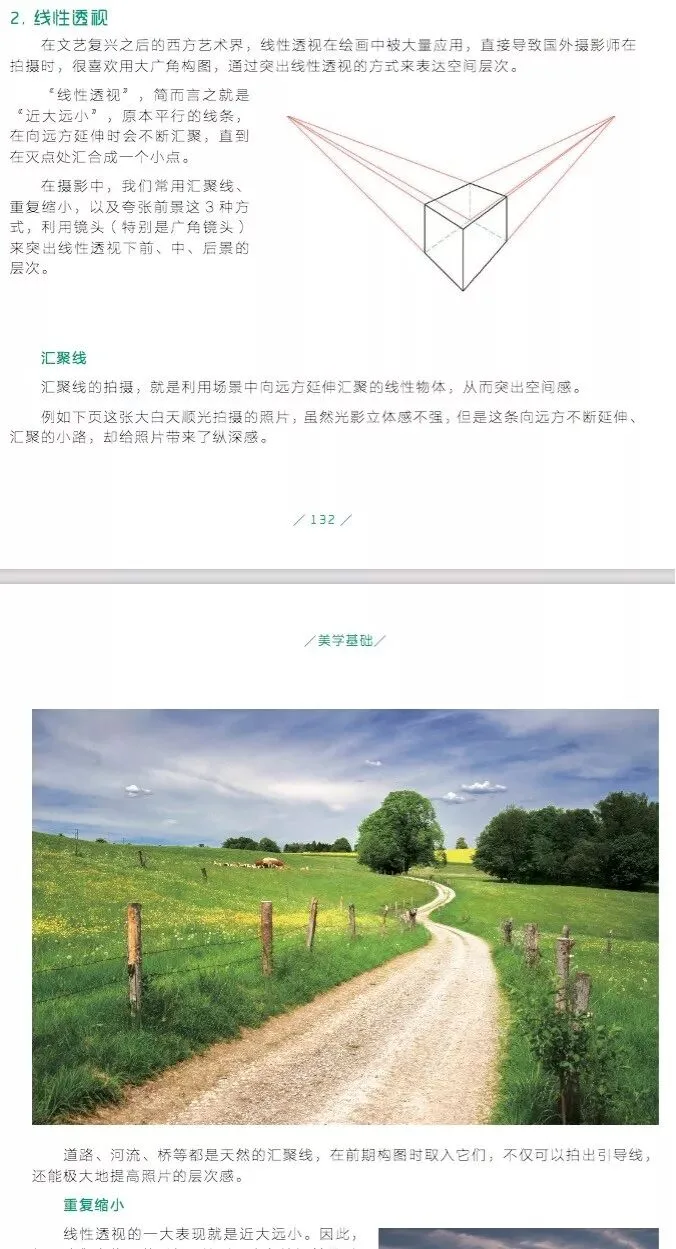
And of course the linear perspective Western photographers love:
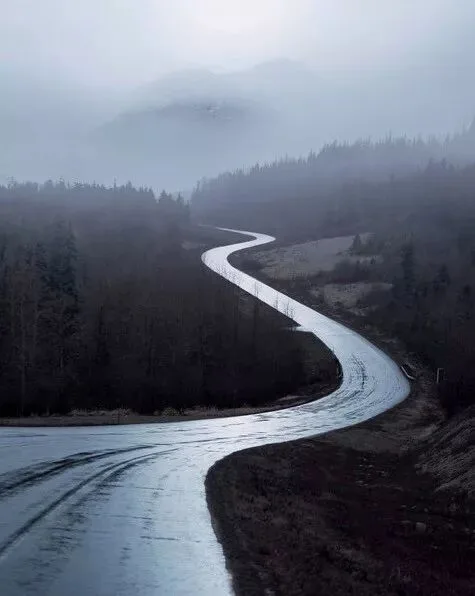
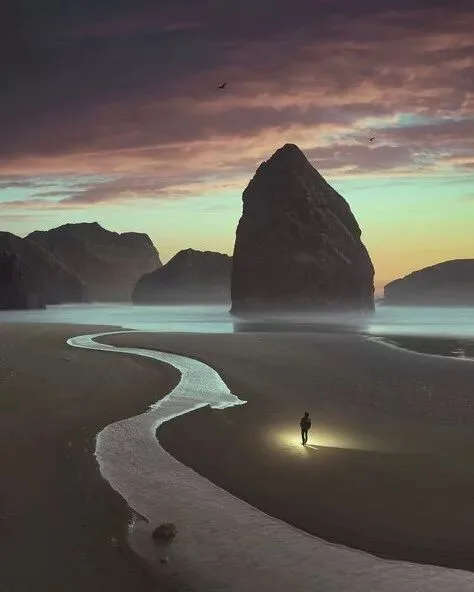
Examples abound — here are just a few casual screenshots of his linear perspective in action:
3
Tonal Range
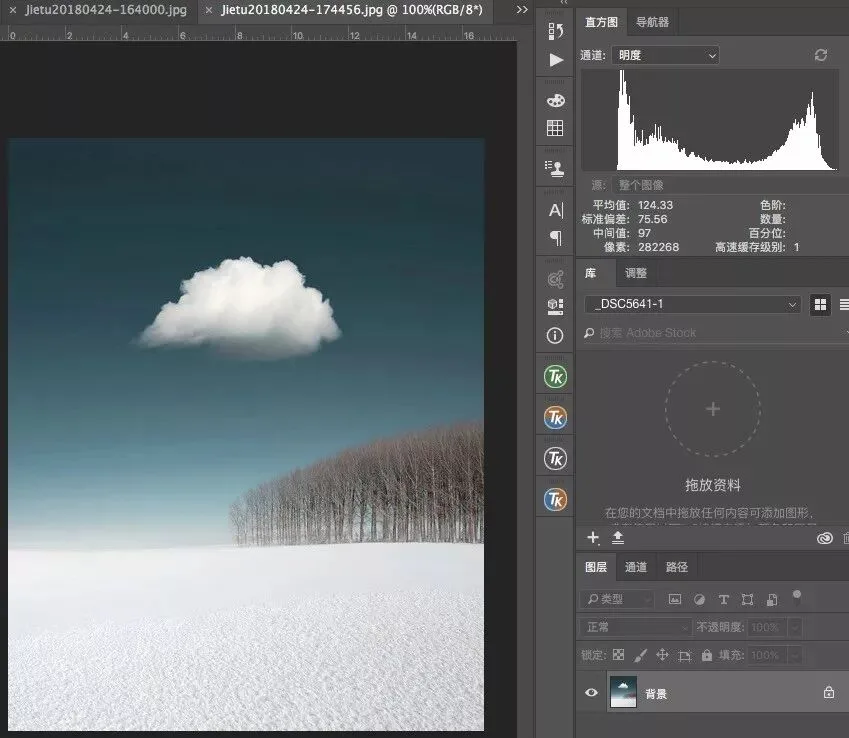
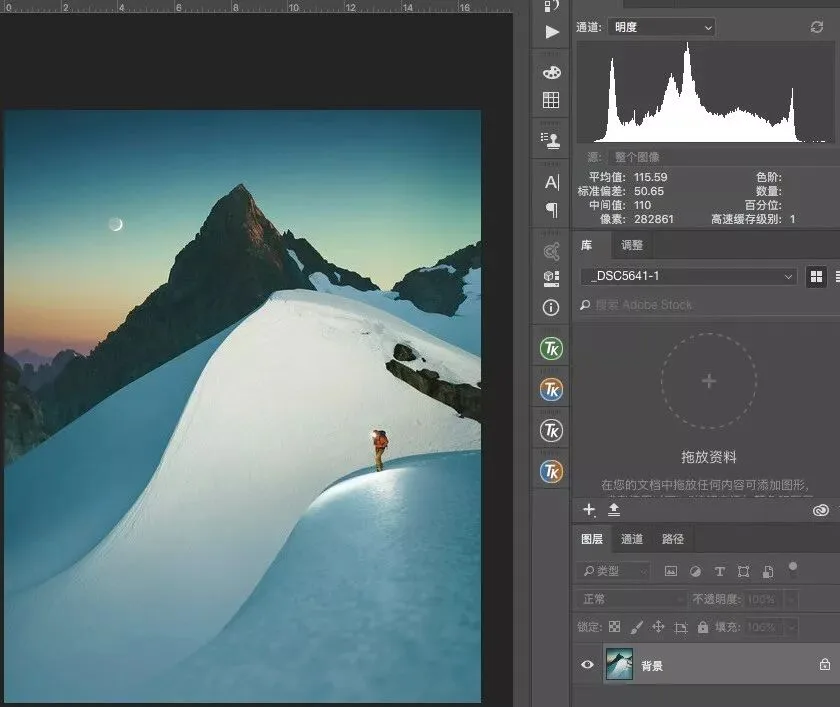
Benjamin's tones are mostly long-scale, with no pure black or pure white; high, mid and low key all appear, but mid-tones dominate, overall contrast is low, and local detail is finely drawn. If you're unfamiliar with high/mid/low key or long/mid/short scales, see the explanation in my book:
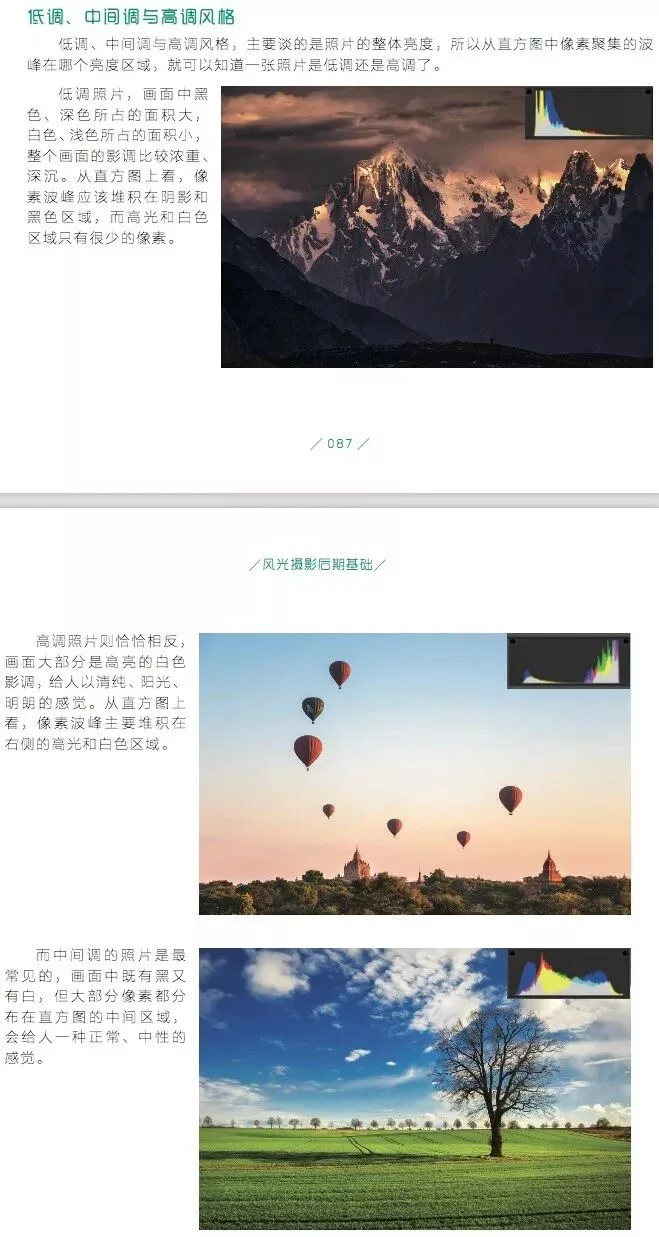
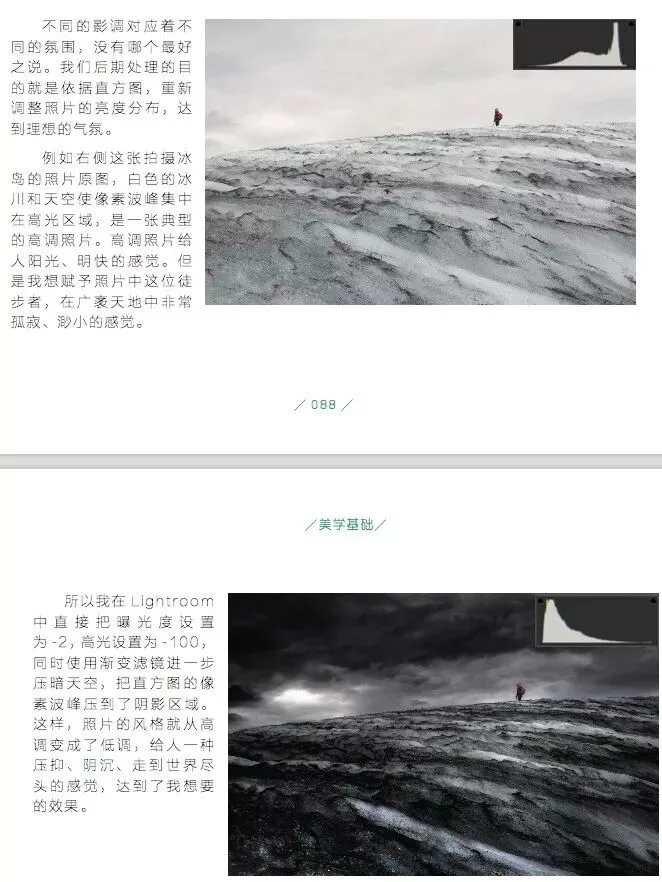
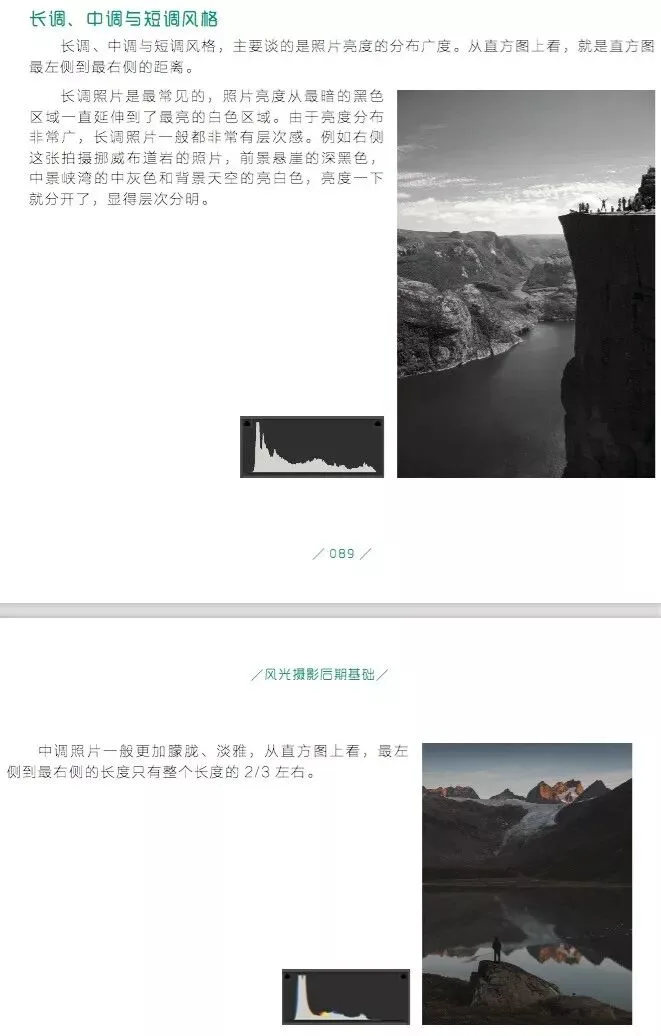
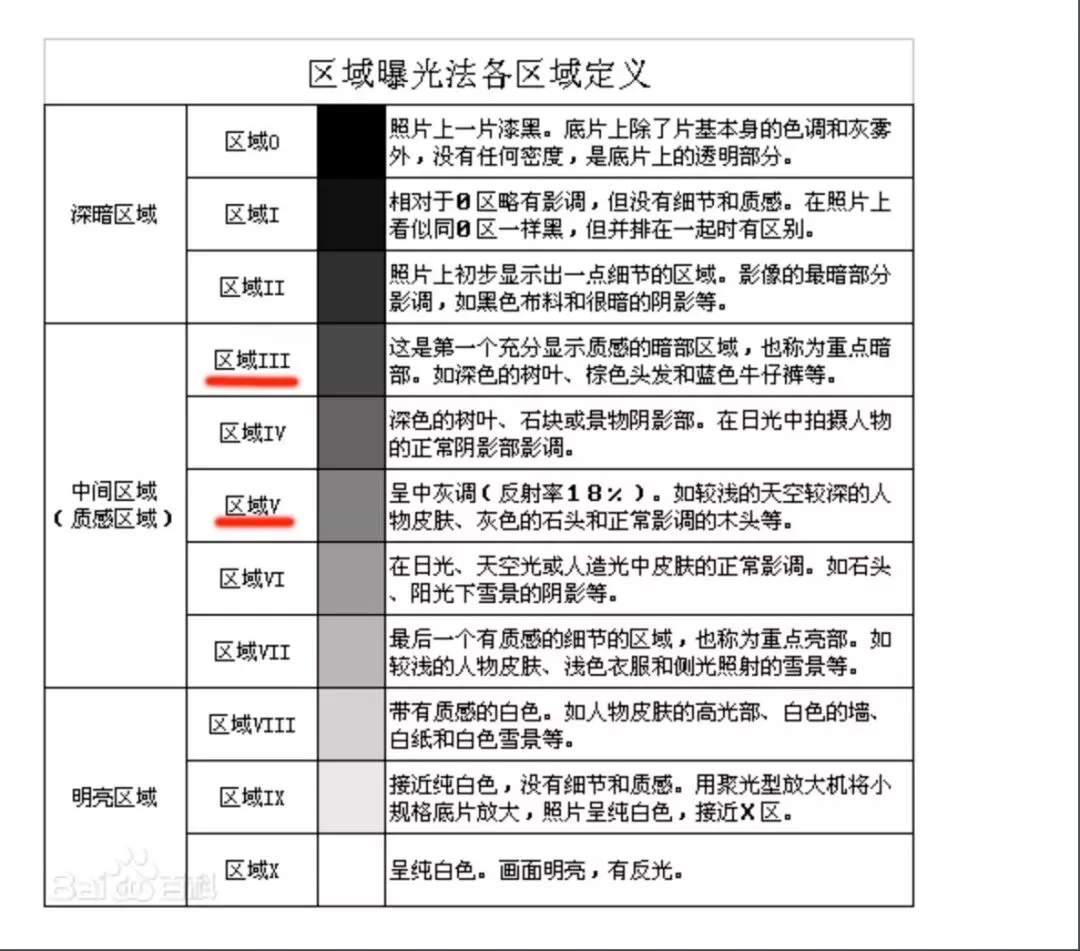
Note the phrase 'no pure black or pure white' — he essentially works within zones 2-8 of the Adams Zone System:
To study his tonality, screenshot his images and open the histogram in Photoshop. For photographers I admire, I often screenshot their work, analyze the histogram, and even sample colors with the eyedropper to decode their grading patterns.
4
Color
An image's mood is largely defined by its dominant colors. A blue photo versus a green one, a monochrome versus a multicolor one, a high- versus low-saturation one — each feels entirely different.
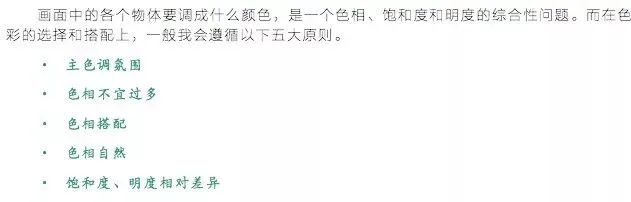
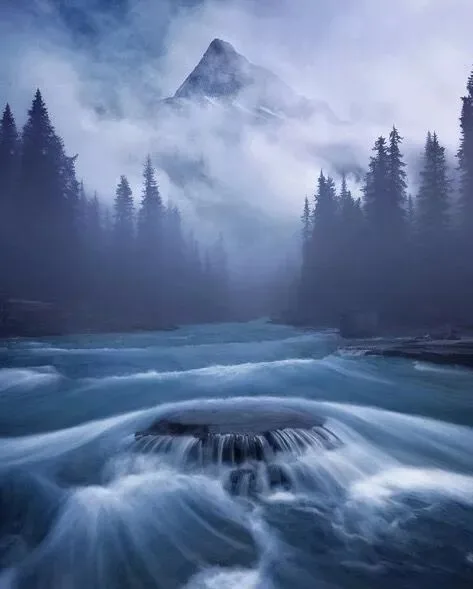
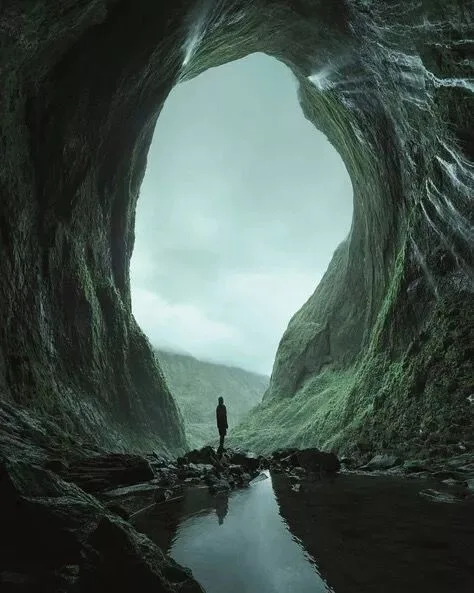
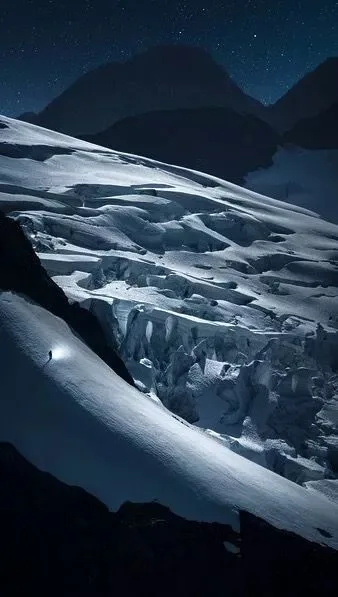
Most of Benjamin's works use only 1-2 colors (excluding the neutral black, white and grays here and below). With a clear dominant hue, the emotional register is strong.
His grading is almost always low-saturation. High saturation feels fervent; low saturation feels serene. To convey an Eastern sensibility, low saturation is the natural choice.
His color schemes generally follow three patterns:
1) Monochrome (a single color)
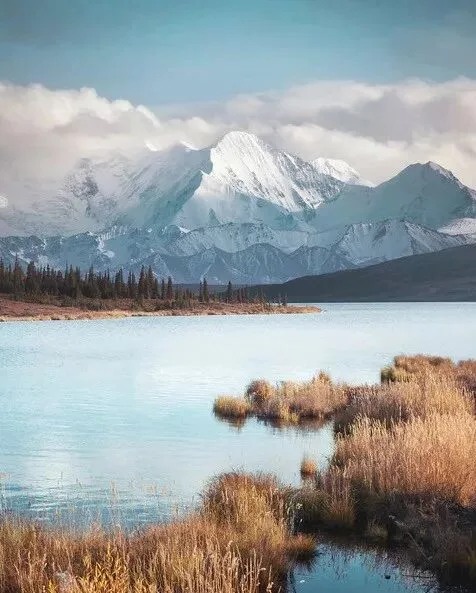
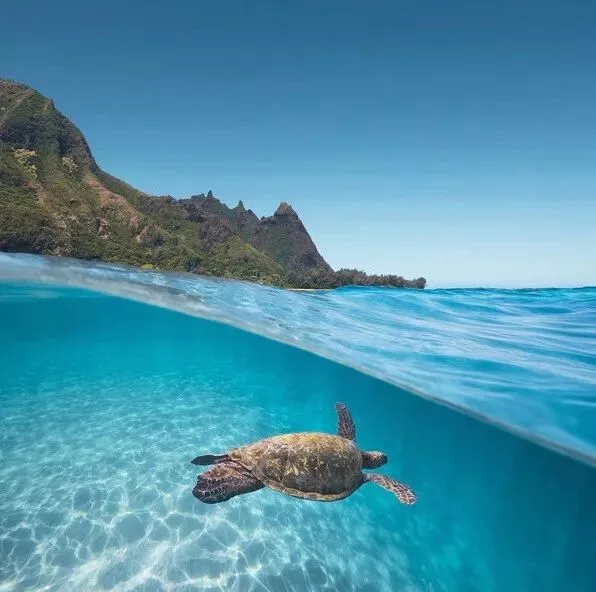
2) Complementary / warm-cool pairs (two colors)
3) Analogous colors (two to three colors)
Monochrome:
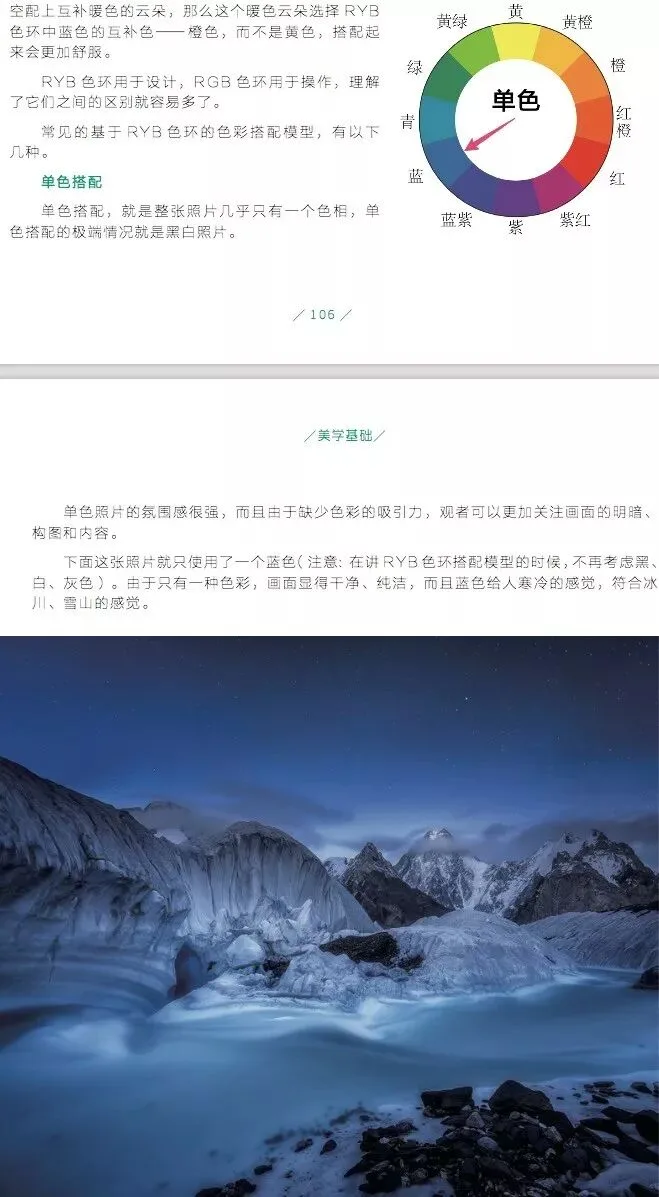
Benjamin's monochrome examples:
Complementary / warm-cool:
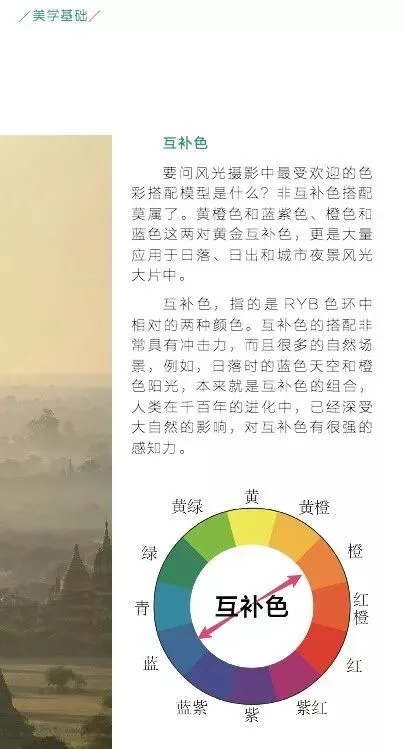
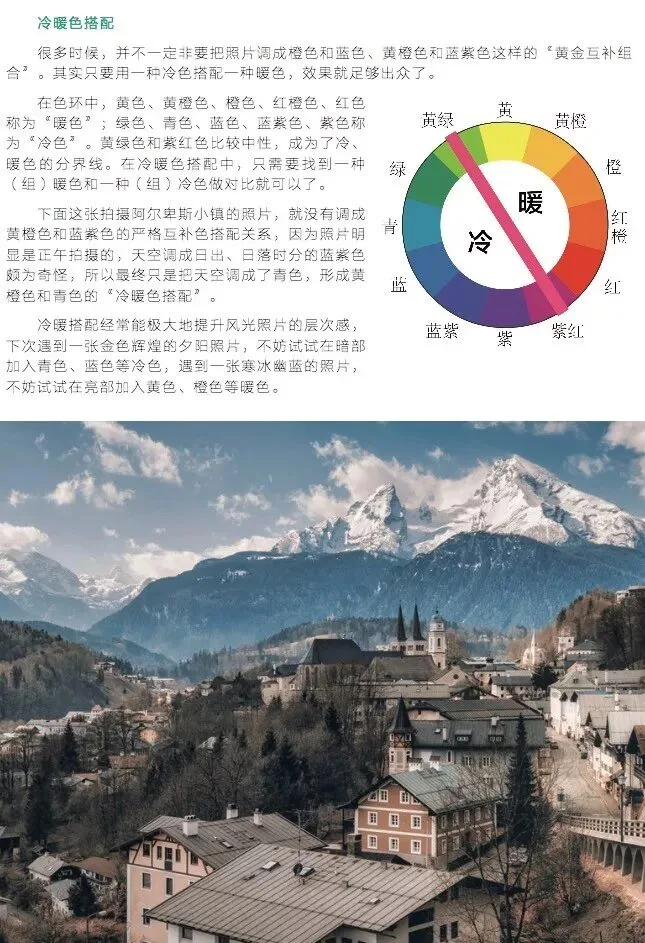
Benjamin's complementary / warm-cool examples:

Analogous colors:
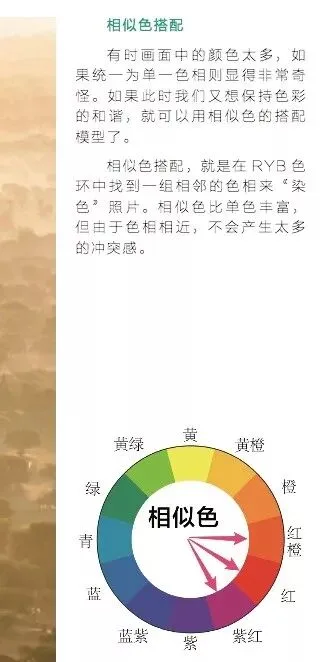
Benjamin's analogous-color examples:
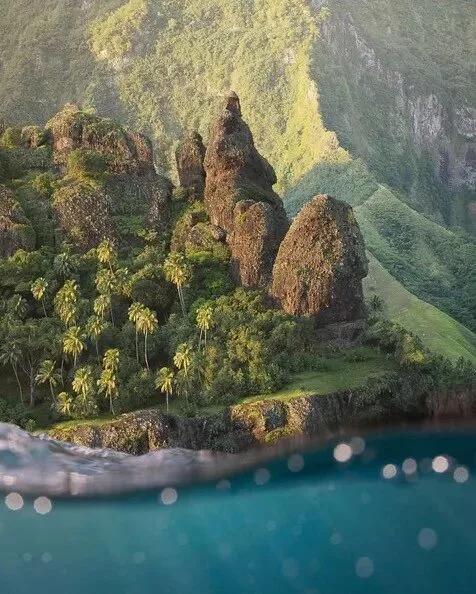
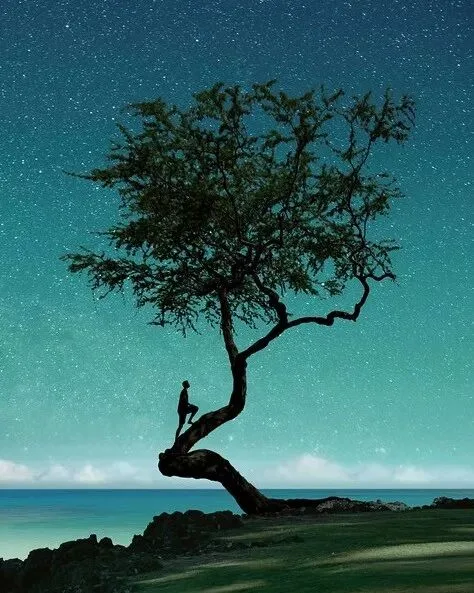
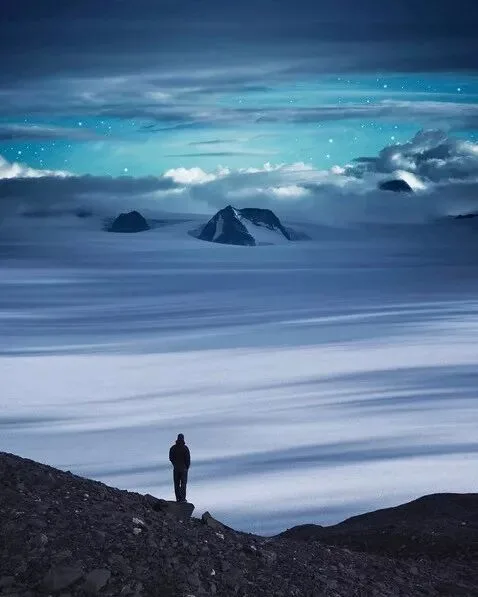
The magic of color lives in the unity and refinement of every detail. Why does the person wear orange in one image below and teal in the other? Nothing is accidental.
In the first image, the orange echoes the sky's orange to unify the palette — and simultaneously, as the complementary of the surrounding teal, it separates the figure from the environment. The second image works the same way.
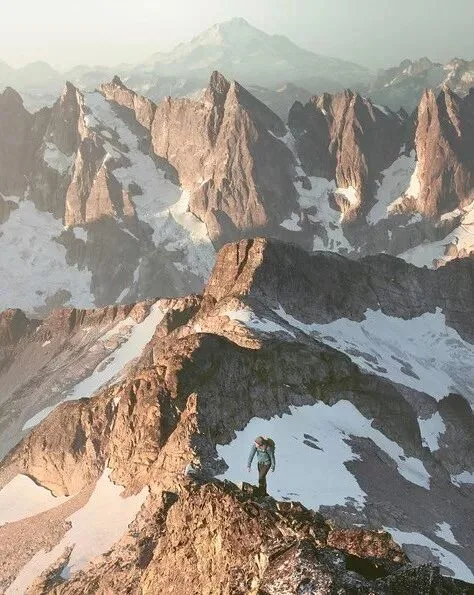
Unity overall, difference in the details — a core principle of post-processing refinement.
5
Technique
Technique serves form; which specific technique is used matters far less than why — the intended effect. Here I'll cover just one technique Benjamin uses: dodge & burn for detail rendering.
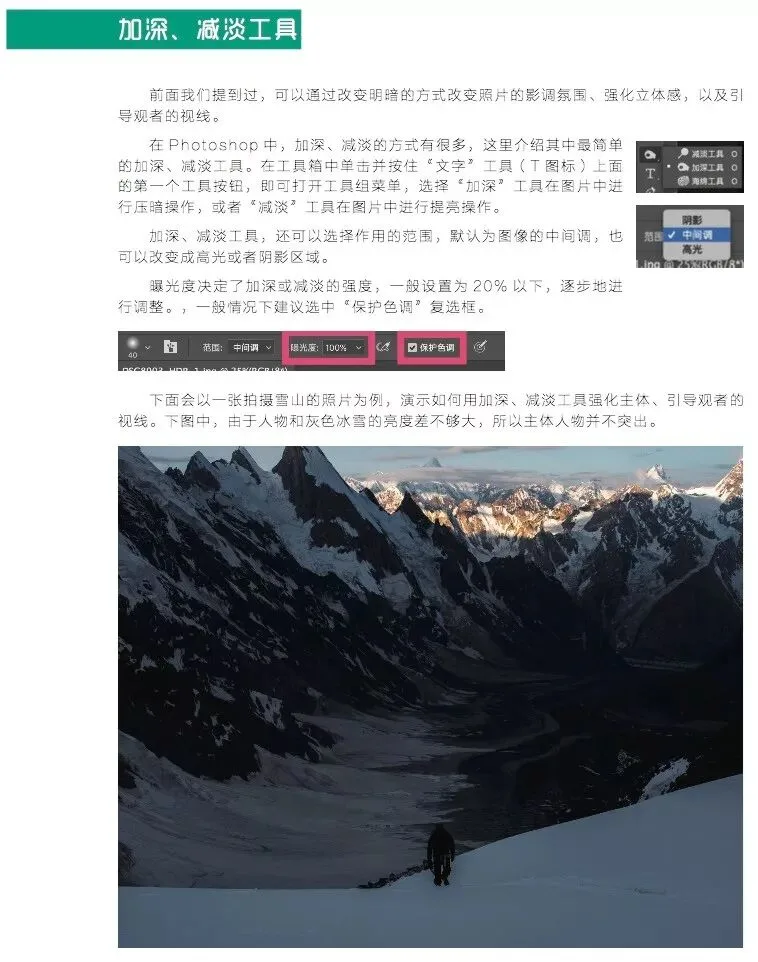
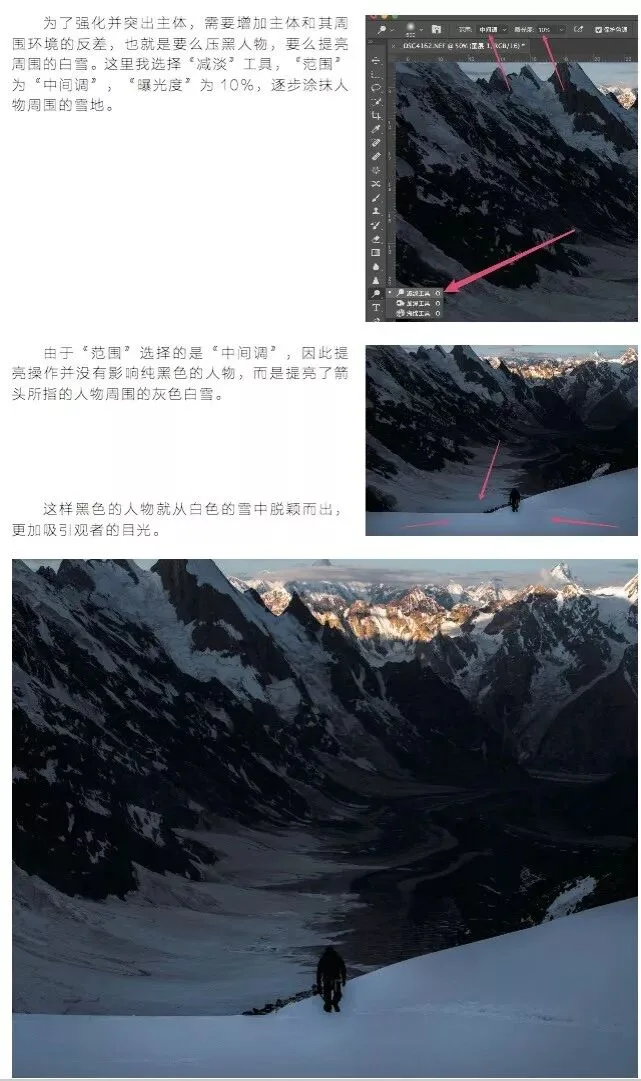
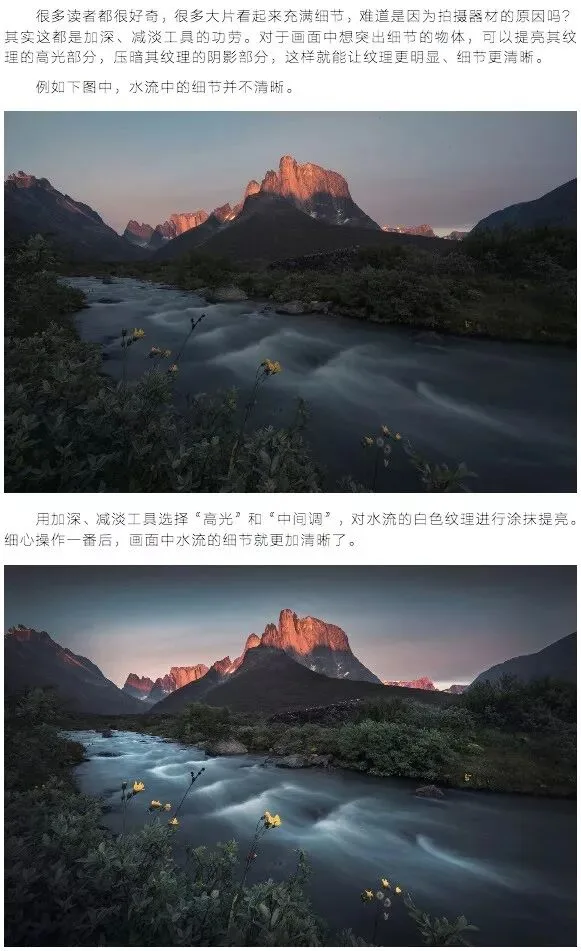
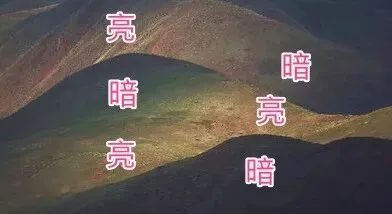
Look again at Benjamin's highly detailed images — crisp rock textures, mountain ridges emerging layer by layer — all patiently sculpted with dodge & burn (or curves with selection masks, luminosity masks with mid-gray overlay layers, etc. The specific technique doesn't matter; the effect does).
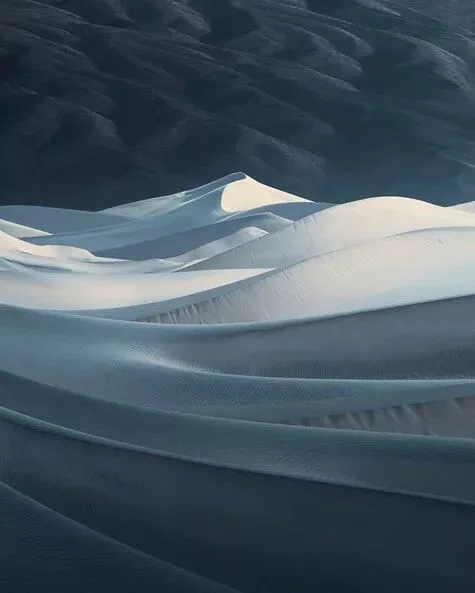
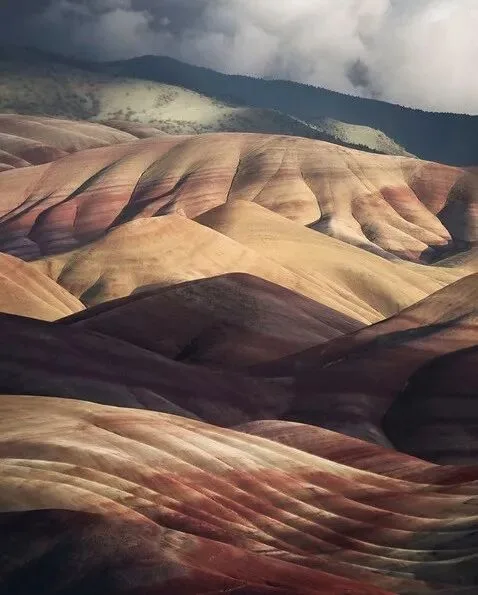
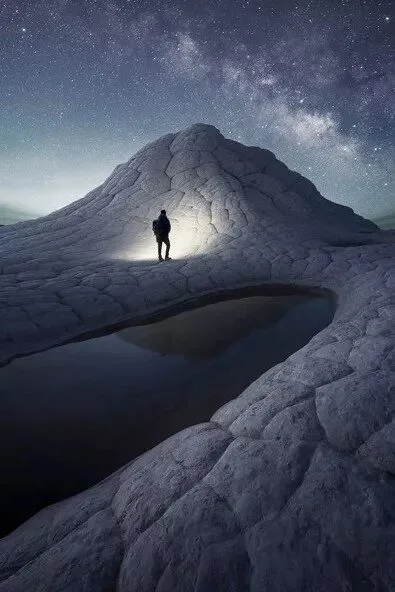
How meticulous should dodge & burn be? Look at the close-up below:
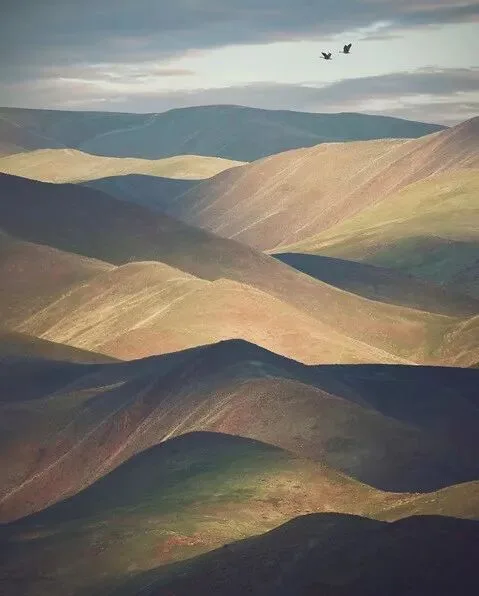
Every brightening and every darkening has its reason.
6
Conclusion
When analyzing a photo or a photographer's style, work through 'content → form → technique → gear' in order. Don't open with 'What lens did you use?' 'Can you share the filter settings?' or 'How do I copy this grade?' First feel and reflect: 'What is the author showing? What are they expressing?'
When we then analyze form, we can work from tone, color and composition — from the global down to the details.
Planning, shooting and editing a single photo can take hours, days or longer. Even the placement of a small stone, a color, a shift of brightness reflects the photographer's deliberation. The closer you look and the deeper you think, the more you can truly savor and learn from an image.