Photography Tutorial · 2019-01-06
How to Give Photos a New Atmosphere Through Post-Processing - Photo-Editing Mini-Contest, Episode 6 Review
Thomas Chu Photo
The pre-shoot is composing, and post-processing is performing. From the same original, different things photographers want to express and present, and different personal preferences, all make the results vastly different.
With the pre-shoot structure already determined, seeing diverse post-processing approaches and exploring different post-processing emotions and atmospheres is Thomas's original intention in holding the photo-editing mini-contest.
Let's review the original from the 6th contest: a photo of the Maeklong Railway Market in Thailand, shot with a Nikon D90.
The original download address can be found in the article "Photo-Editing Mini-Contest, Episode 6 - A Fairytale-Like Photo, How Should It Be Edited?" (《修图小赛第6期 - 童话般的照片,后期怎么修才好?》).
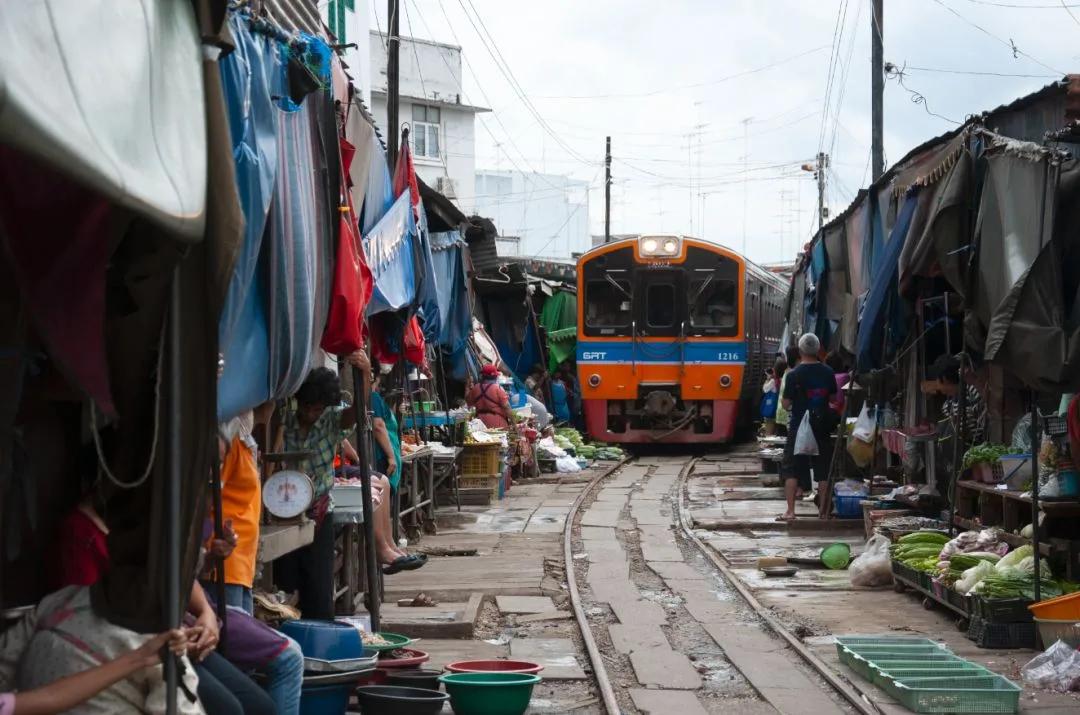
In the final selection, Thomas categorized the works into "the fairytale market," "the chaotic market," and "the magical market," so everyone can more clearly understand how post-processing gives different subjective interpretations to the same photo.
1 The Fairytale Market
The fairytale style emphasizes a dreamy feel, like scenes that appear in comics, often using brighter tonality as well as more saturated and richer colors. Dreamy elements such as sunlight, lights, and rainbows also often appear in this style.
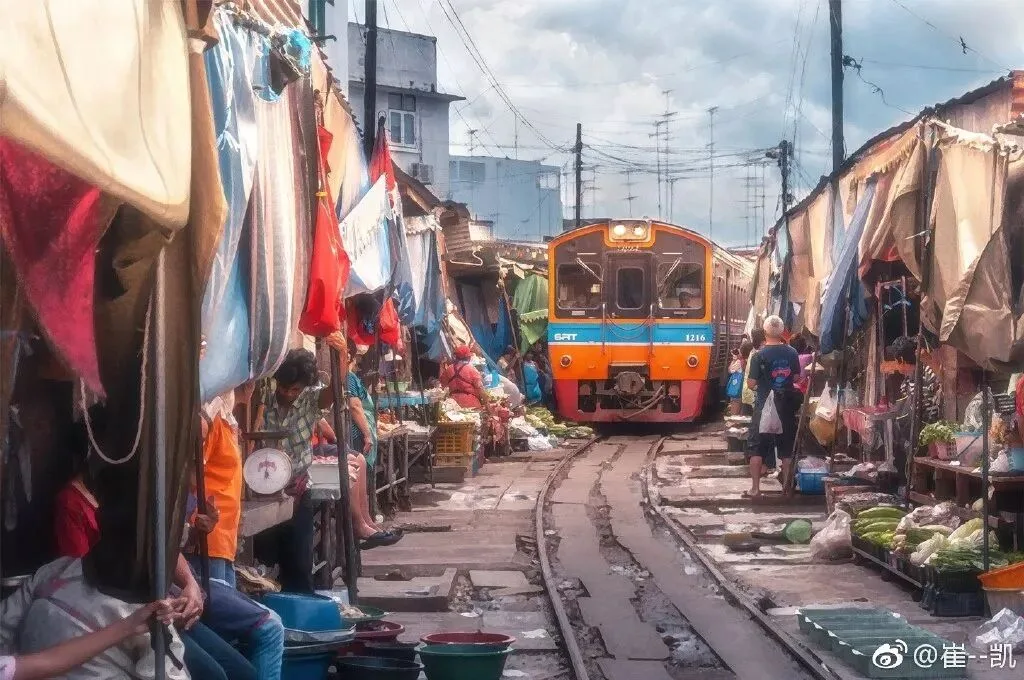
Selection Award: 崔--凯
Among the fairytale-style submissions this time, there were many brilliant works that made it hard to choose. In the end, Thomas selected 崔凯's submission for the Selection Award.
Among a group of works that all excel in overall color, tonality, and atmosphere, a photo's highlight often determines whether it can stand out.
In 崔凯's work, the highlight is its rendering of sunlight. And this rendering isn't the ordinary approach of using a radial filter to paint a circular glow. Instead, it cleverly uses reflective objects in the photo to create the effect of sunlight shining on them.
At the three spots 1, 2, and 3 in the image below, the author brightened and added warm color, evoking the delicate feeling of seeing sunlight burst through a gap in the clouds and illuminate part of the environment.
Of course, the sunlight rendering at spot 3 is illogical. The light at spots 1 and 2 both comes from the right side; spot 3 is at most some ambient reflection, which should be weaker than spots 1 and 2. I suggest lowering the opacity of the adjustment layer here.
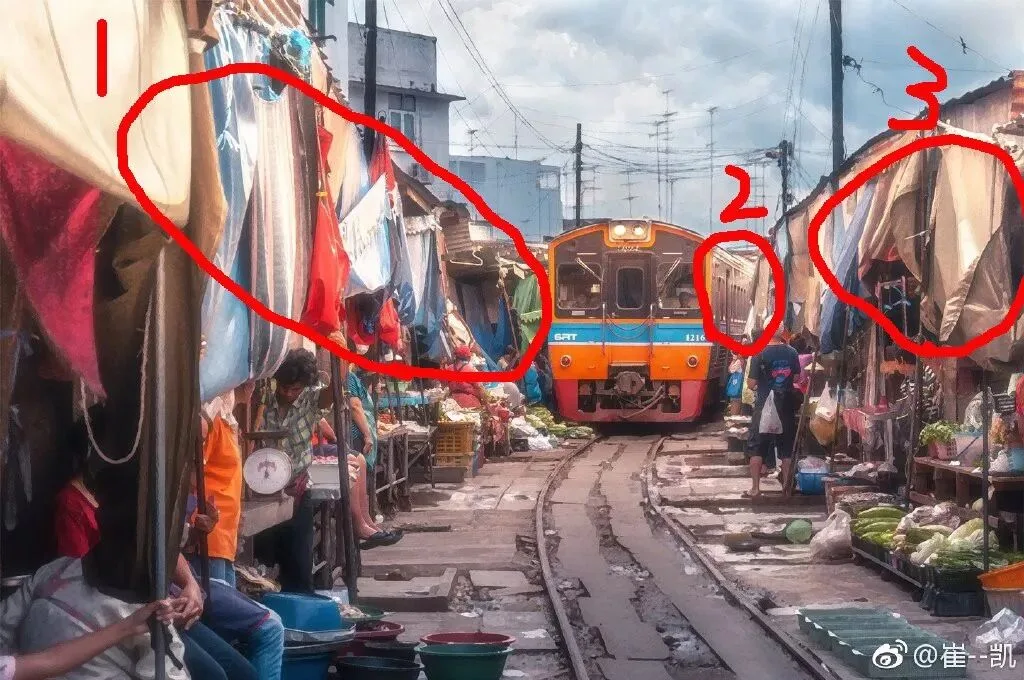
The overall color handling of the photo is also comfortable. The sky and the jeans, plastic sheets, and other elements in the foreground are unified into cyan-blue, serving as an excellent foil for the warm sunlight.
Red within warm colors is a tricky point to handle. If the hue is unified into orange, the image easily becomes too monotonous. If the hue is kept, the red's saturation and luminance must be just right, or it will jump out. The author handled the red in the frame very well and effectively distinguished the colors in sunlight from those in shadow.
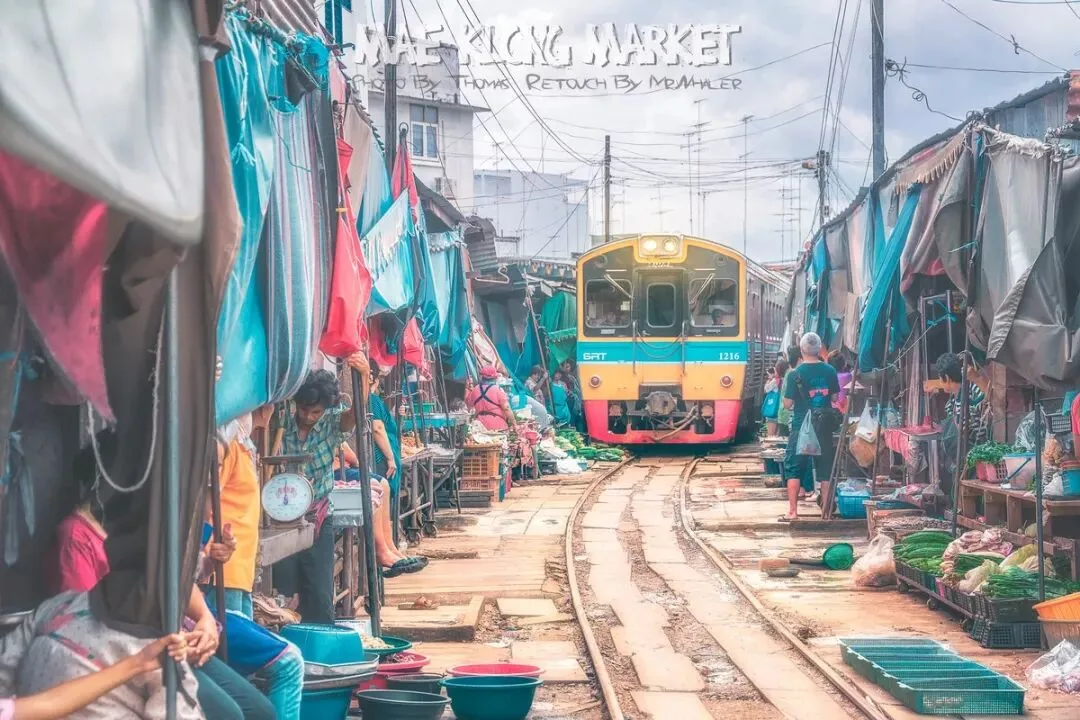
Excellent work: MR WHALER
Whaler's work is also excellent. Adding text to a photo is a technical craft, and the author did well in font selection, placement, and size matching.
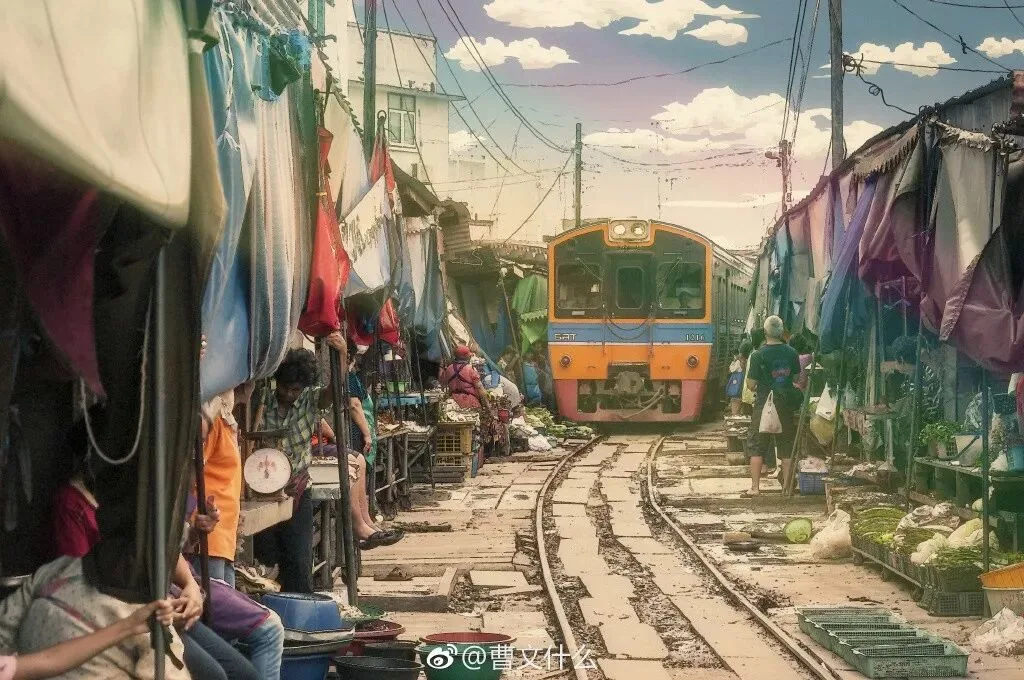
Excellent work: 曹文什么
曹文什么's idea is also unique; the addition of colored glows effectively enhances the fairytale feel, though the overall brightness of the photo could be higher.
The three works below, as well as more submissions not selected due to space, are also quite good.
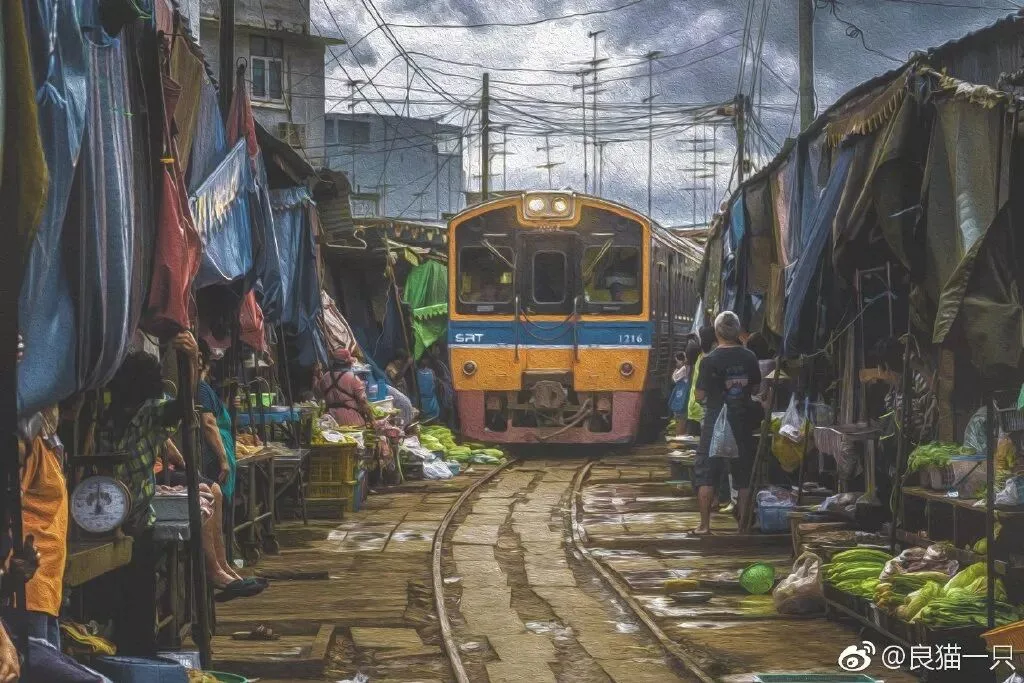
Excellent work: 良猫一只
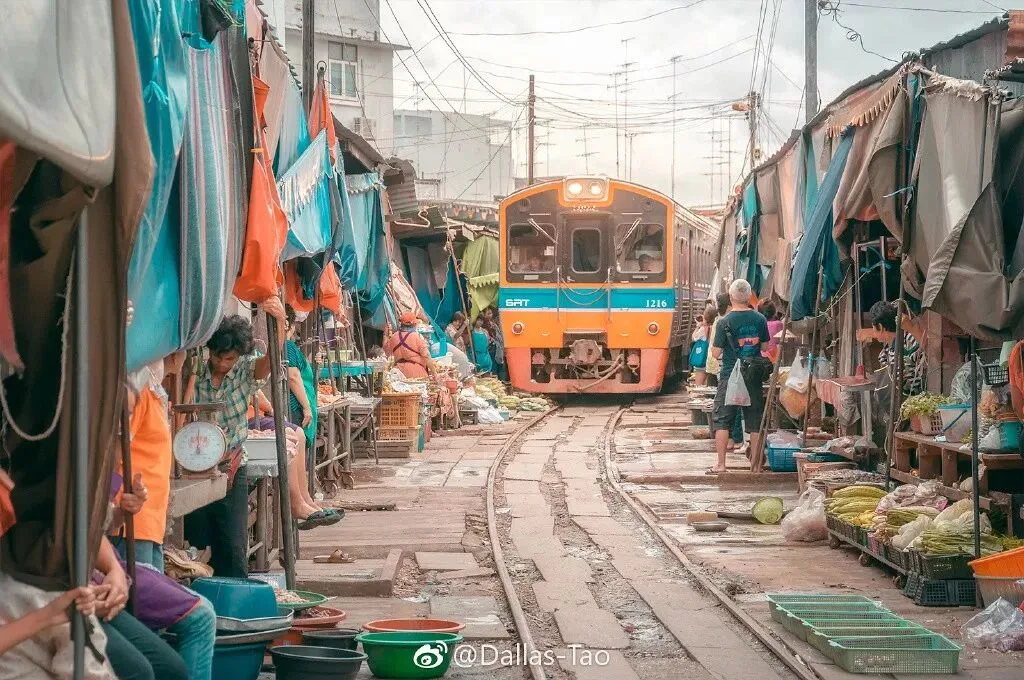
Excellent work: Dallas-Tao
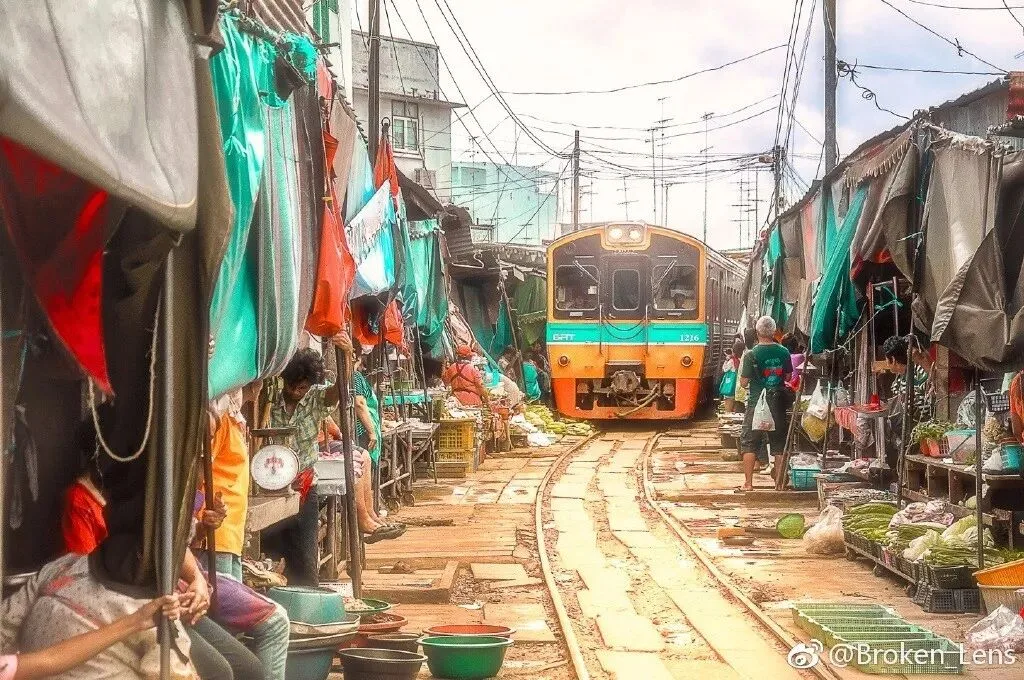
Excellent work: Broken-Lens
2 The Chaotic Market
The Maeklong Railway Market is packed with dense vegetable and fruit stalls, messy plastic sheets, tourists and vendors in varied outfits, and a railway running right through it, giving an overwhelming sense of chaos.
To further emphasize this sense of chaos in post, you can use various methods such as darkening the luminance, reducing saturation, and adding color tones.
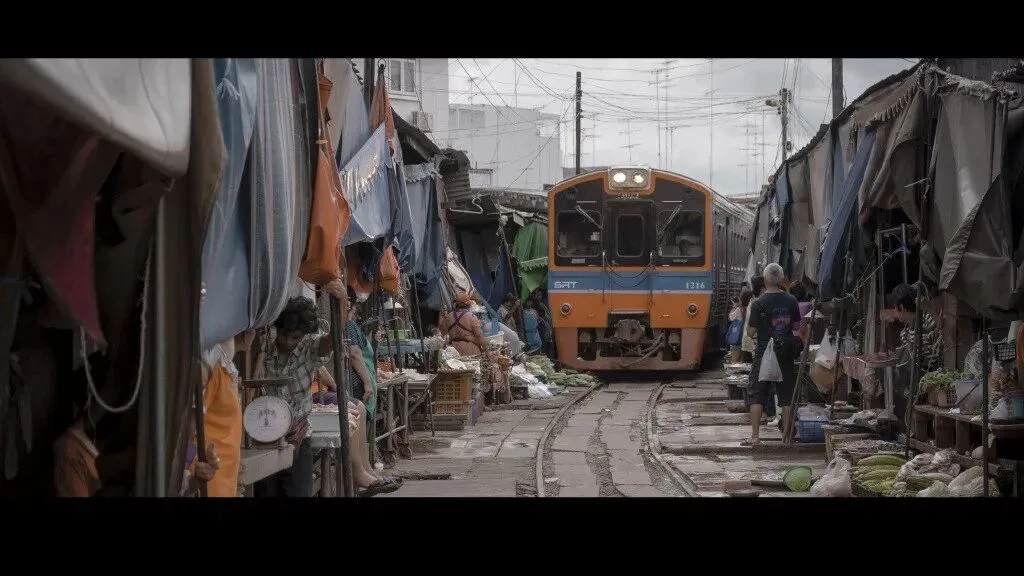
Selection Award: ayyyyyyyyyyyyyy点com
ay's work has very thoughtful recomposition: using a nearly 2:1 ratio, it weakens the vertical perspective, removes the sky and railway, yet strengthens the horizontal extension, greatly highlighting the market stalls and the train while imitating a cinematic feel.
A sense of chaos in atmosphere doesn't mean chaotic composition. Removing the sky above and the pots and pans below, and focusing on the highlights of the frame, actually expresses this feeling better. Of course, the author's color and tonality are also handled comfortably.
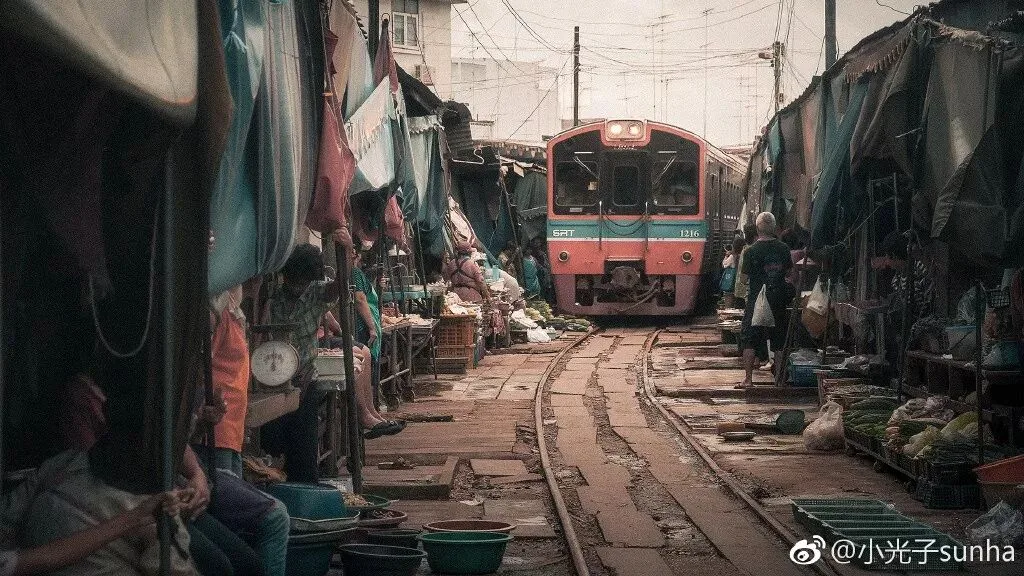
Excellent work: 小光子sunha
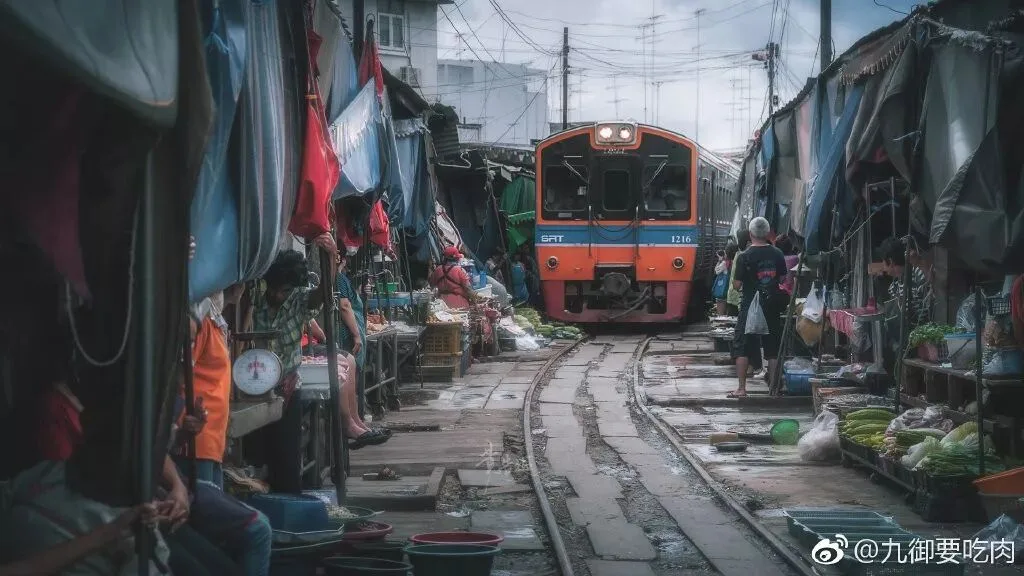
Excellent work: 九御要吃肉
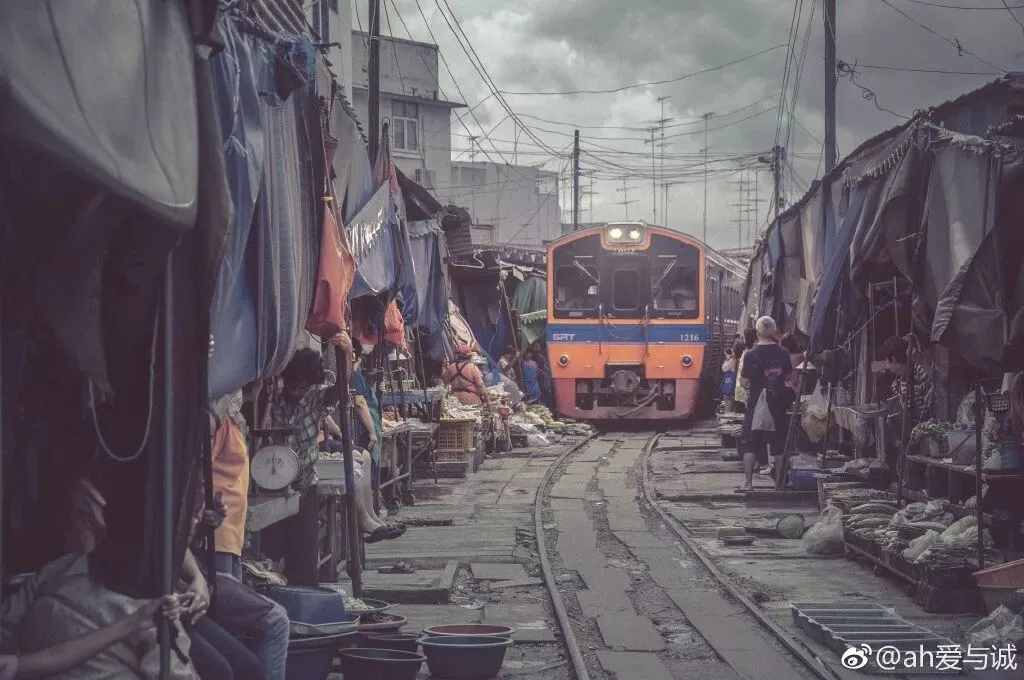
Excellent work: ah爱与诚
The three excellent works above embody three different approaches, with dominant tones of warm, cool, and low-saturation colors respectively.
Warm colors carry a dusty feel and nostalgic atmosphere, which is a thoughtful choice for this image. Cool colors make it feel colder and more objective. The low-saturation overall tone gives a sense of decay and dilapidation.
As you can see, there is no standard answer in photography post-processing; different subjective approaches can entirely produce different results. In learning post-processing, we should not only learn various tools and techniques but also understand the concepts, emotions, or atmospheres of photos.
The next few works are also representative excellent works.
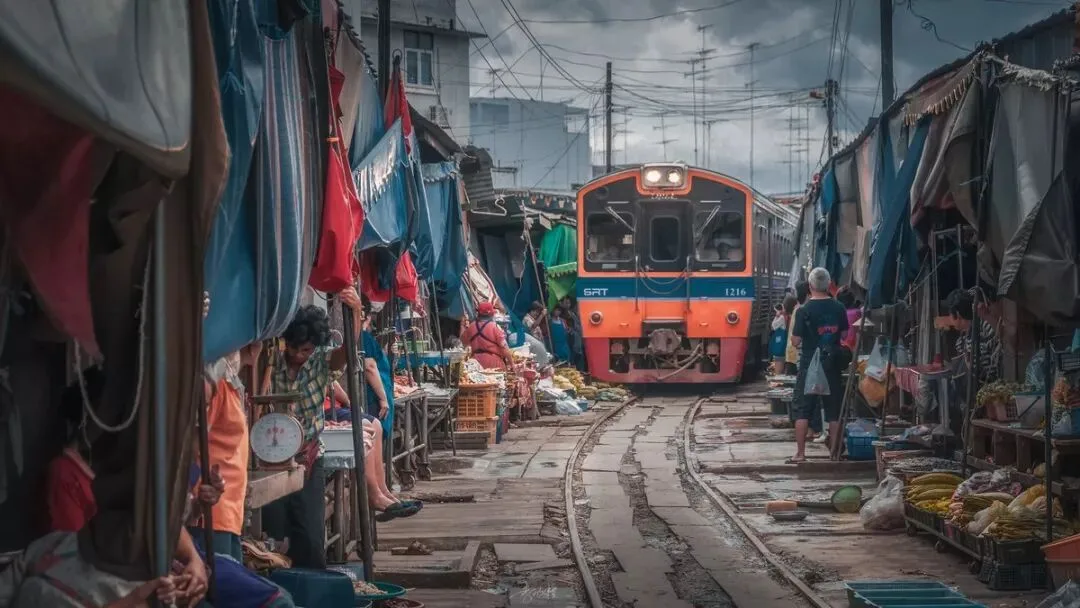
Excellent work: 青紫唇丹
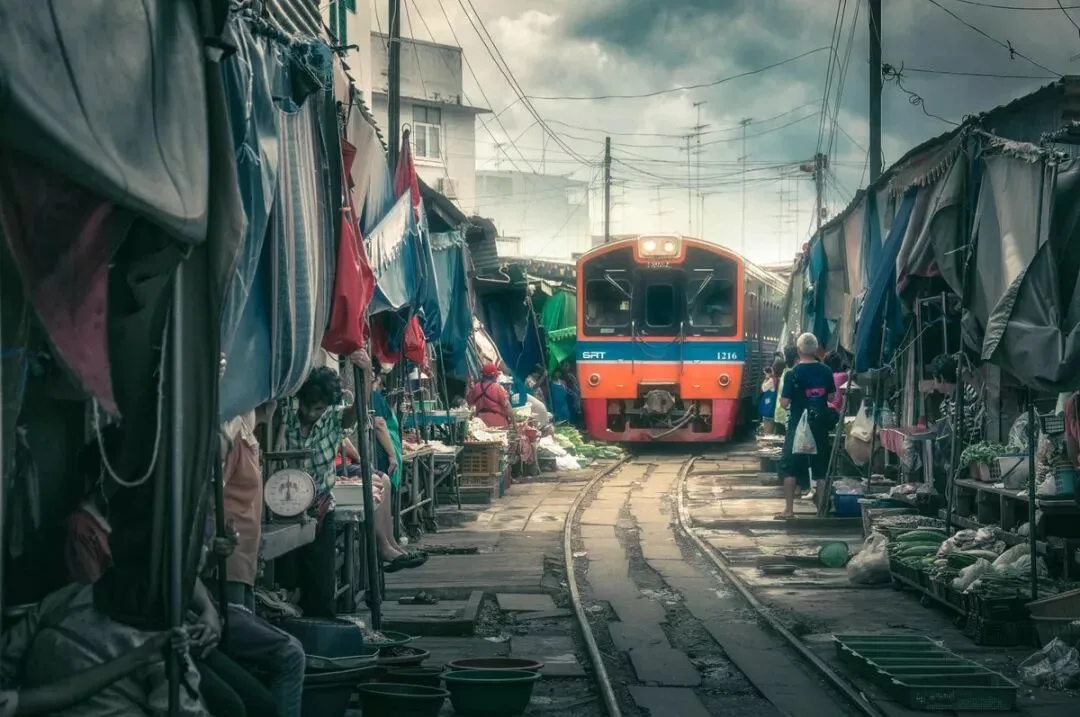
Excellent work: 1枚沙丁鱼
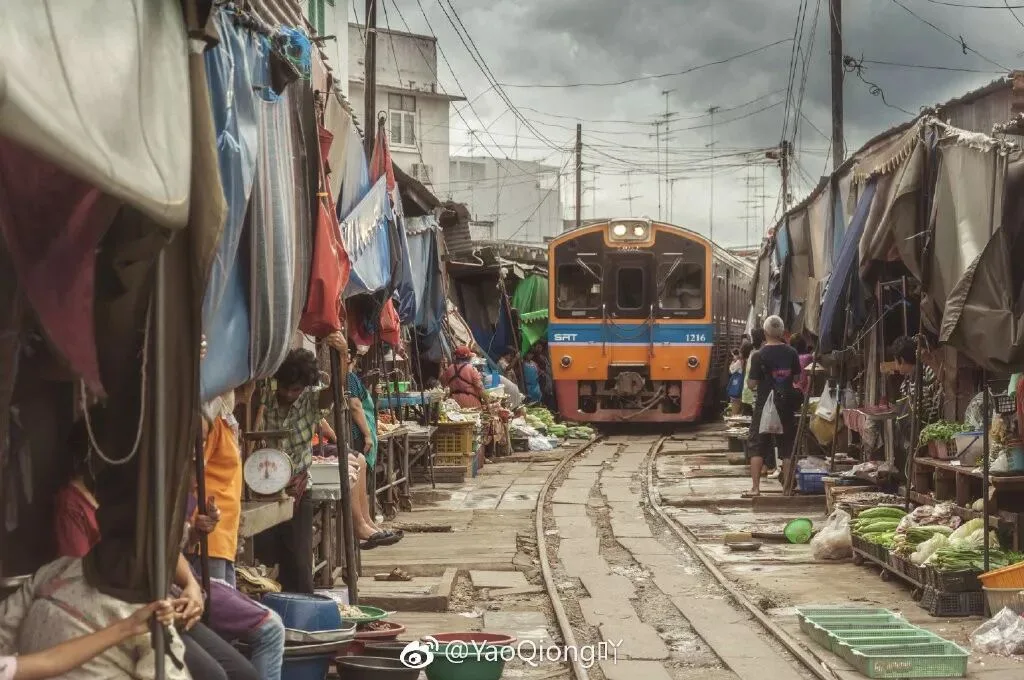
Excellent work: YaoQiong吖
3 The Magical Market
Magical-style photography often appears in natural landscapes. Through dark-tone treatment, light rendering, detail polishing, and other methods, photographers give photos a mysterious atmosphere.
On this time's original, which is similar to urban street photography, there were also many magical-style edited works, full of ideas.
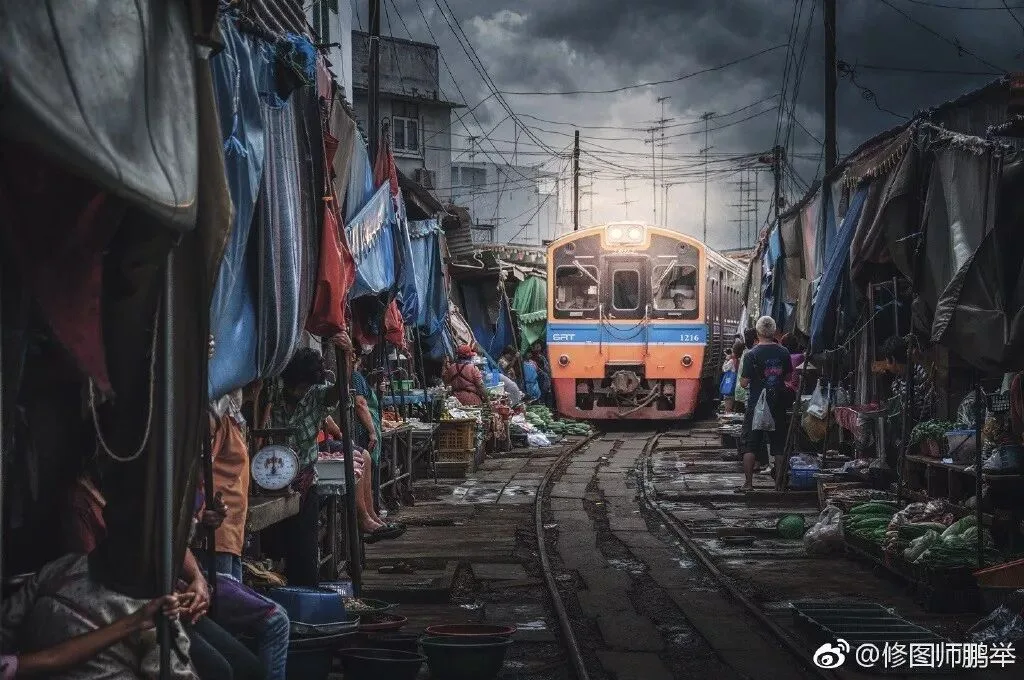
Selection Award: 修图师鹏举
修图师鹏举's work is overall a dark-toned, high-clarity treatment, like a hellish market. The train's lights in the middle have been greatly intensified; although somewhat unnatural, they effectively enhance the atmosphere while giving the frame a strong sense of depth.
The excellent works below also follow similar approaches - some with weaker surreal effects, some with stronger ones, and some that create a sense of motion - all thoughtful edits.
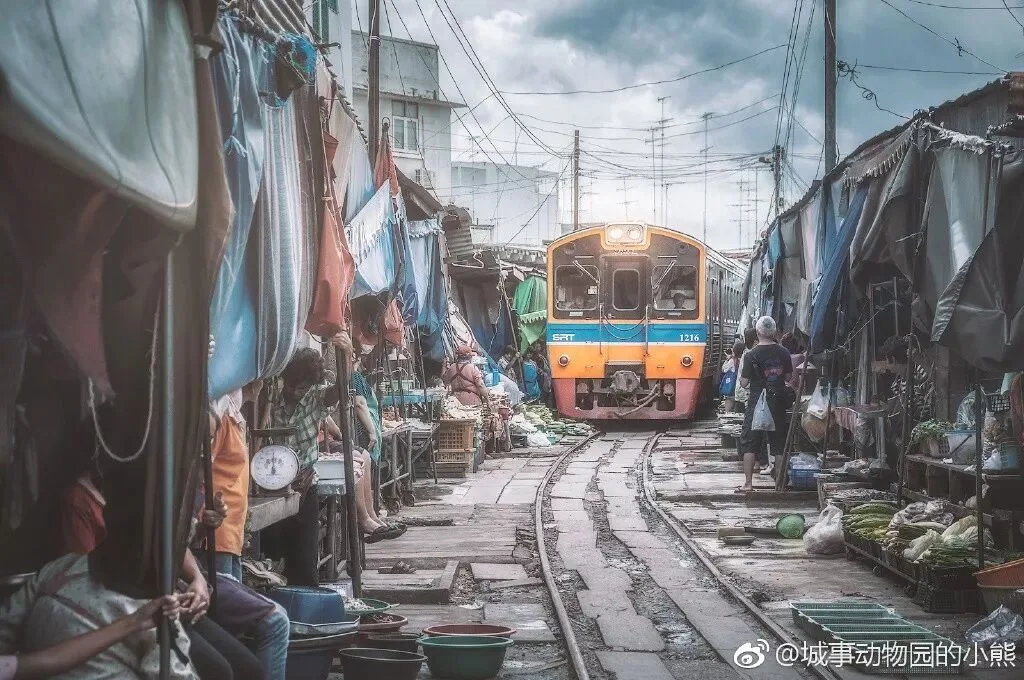
Excellent work: 城事动物园的小熊
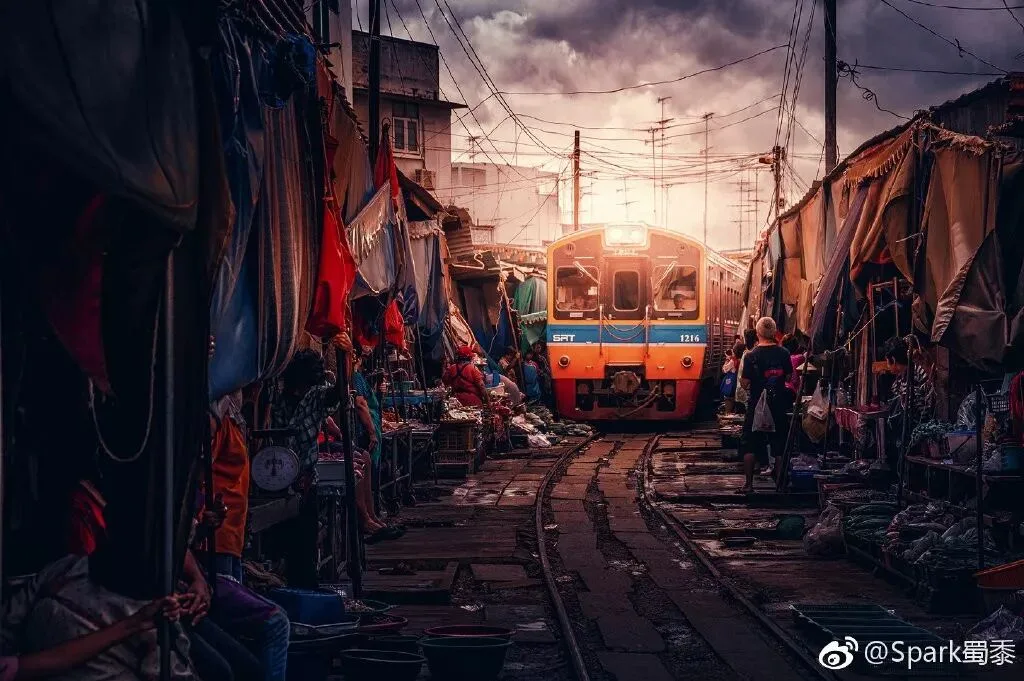
Excellent work: Spark蜀黍
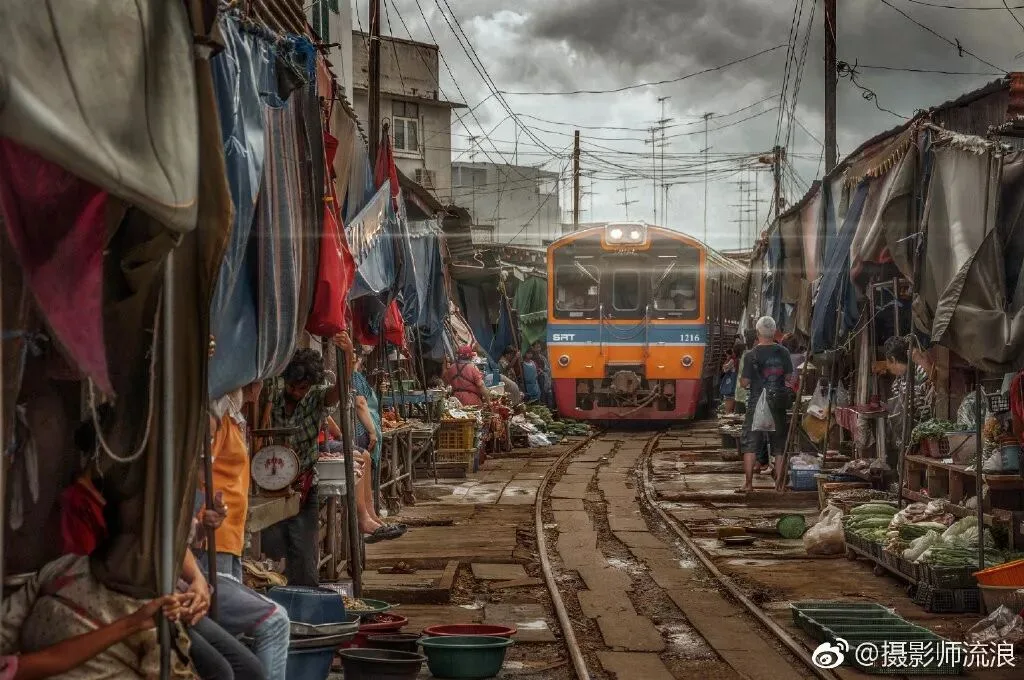
Excellent work: 摄影师流浪
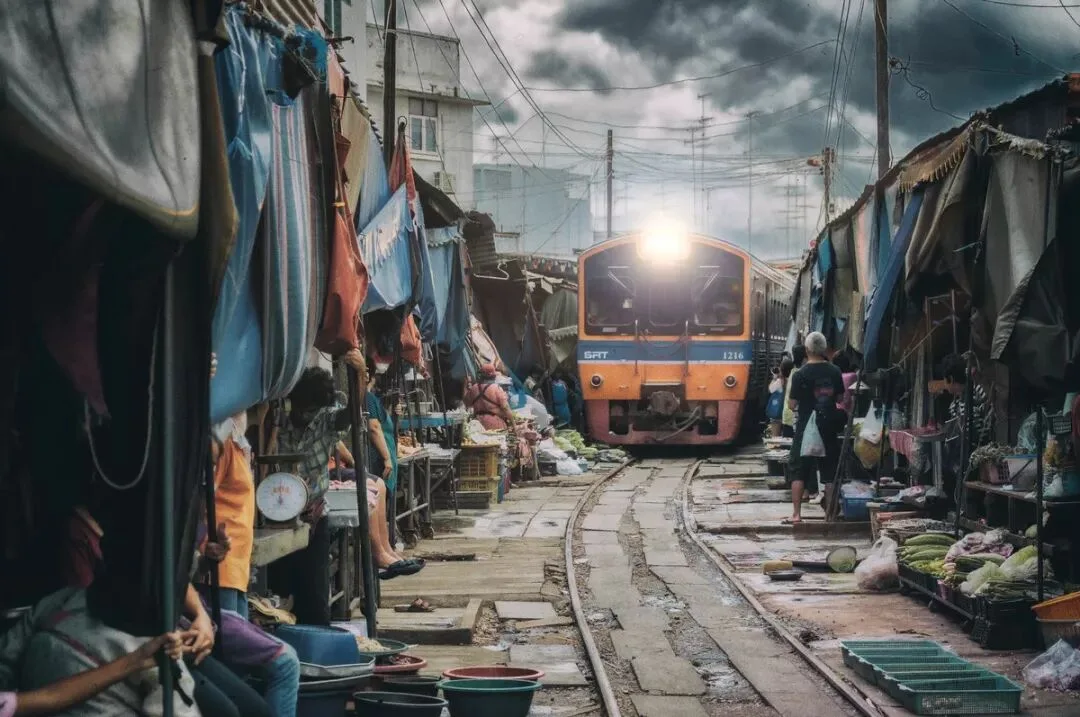
Excellent work: Mlrac1e
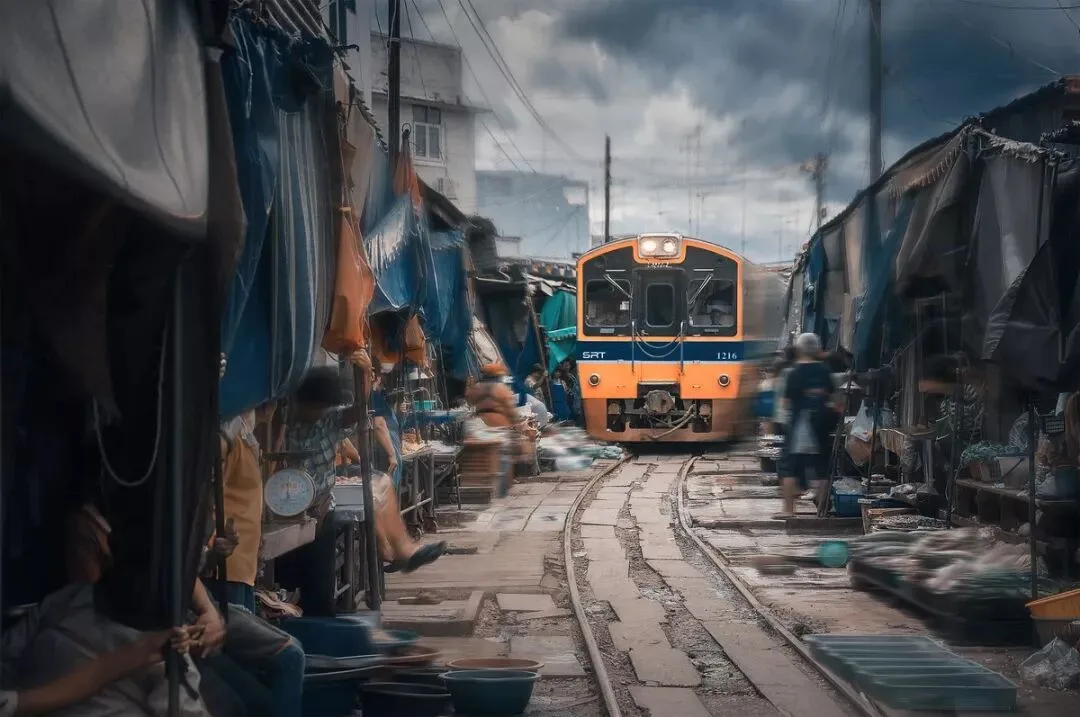
Excellent work: FreiShaw
There is no standard answer in photography post-processing, nor is there a "best" - there are only different ideas and creativity.
So the selections above are all Thomas's personal preferences. Everyone is welcome to discuss in the comments:
For you, which works suit your taste best?
Thomas's Selection Award x3
崔--凯
ayyyyyyyyyyyyyyy点com
修图师鹏举
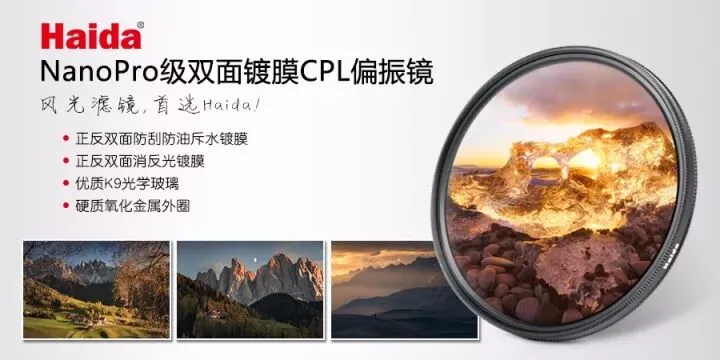
Prize: the same Haida high-quality polarizer Thomas uses
Past episodes:
"So Many Effects from the Same Image? The Winning Works of the First Photo-Editing Mini-Contest Are Out!"
"Can You Imagine Editing It Like This? Thomas's Photo-Editing Mini-Contest, Episode 2 Exhibition"
"How to Control Color Combinations in Photos - Photo-Editing Mini-Contest, Episode 3 Review"
"Post-Processing Should Go from the Whole to the Parts, with Selection and Omission - Photo-Editing Mini-Contest, Episode 4 Review"
"Overcast Days Can Be Edited Like This! Photo-Editing Mini-Contest, Episode 5 Review"