Photography Tutorial · 2017-03-12
HSL Grading in Practice: The Urban Black-and-Gold Look
In last week's tutorial, "Master Color Grading by Understanding the HSL Panel," Thomas covered the basic theory and operation of HSL.
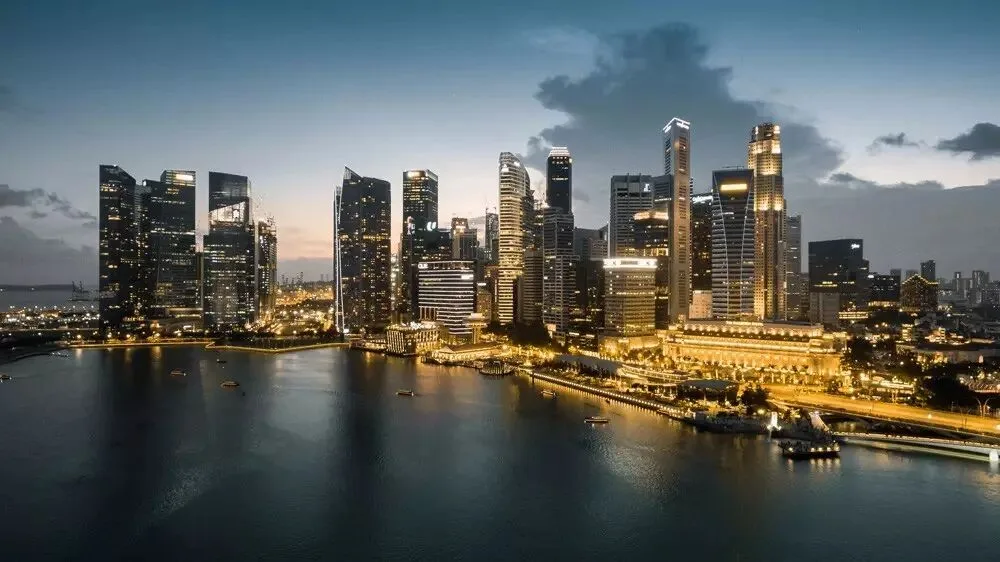
Today I'll demonstrate the HSL tool in action using the hugely popular urban black-and-gold style.
Video Tutorial
Ultra-HD video link:
https://v.qq.com/x/page/z0383c7gua4.html
Text Summary
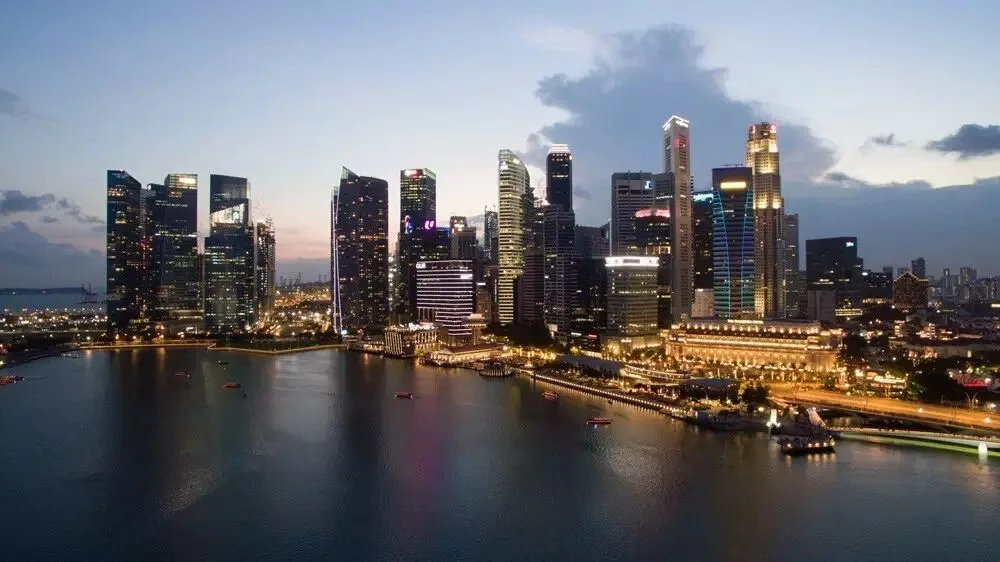
Below is a typical urban nightscape. Aesthetically, the colors are messy and there's no clear visual focus.
The color wheel below shows the photo's hues and saturation. Too many hues conflict with each other and make an image chaotic. The essence of the black-and-gold style, therefore, is unifying the hues.
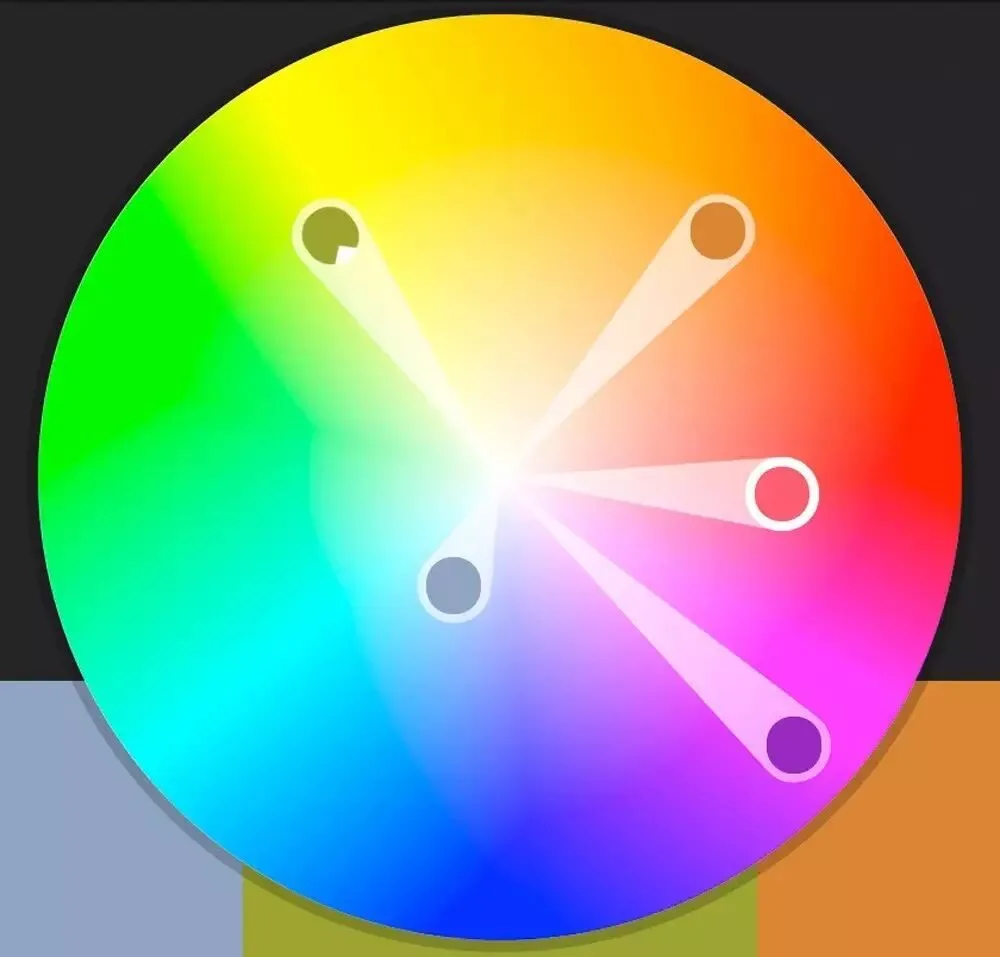
The black-and-gold recipe can be summed up in one sentence:
Shift every warm hue toward gold; drop every cool color's saturation to grey-black.
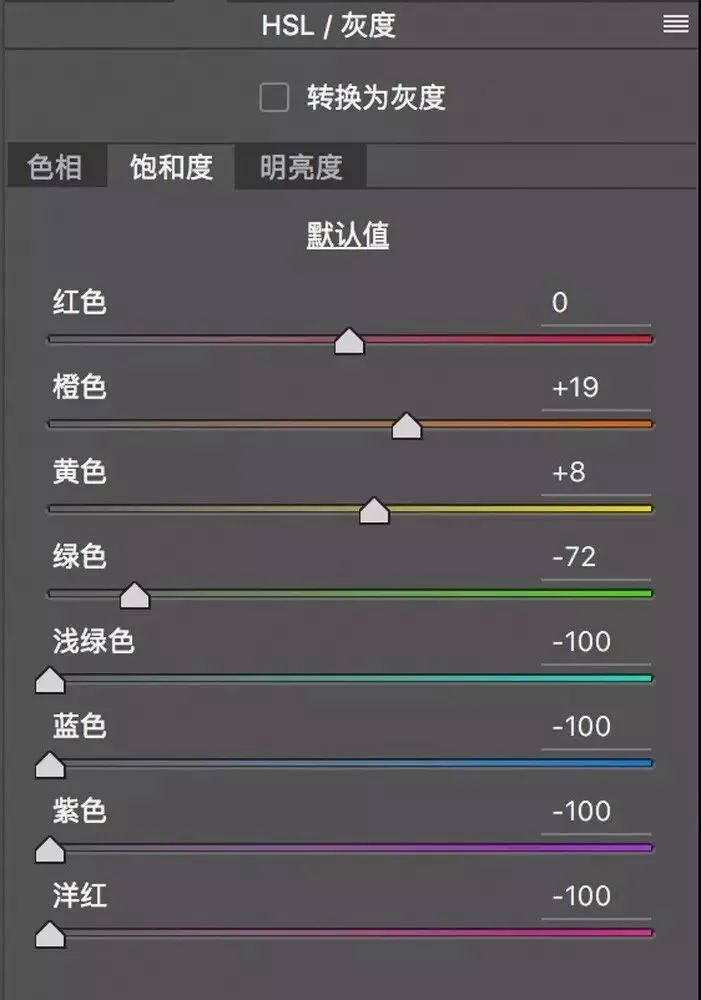
Generally, moving the Red and Orange hue sliders right and the Yellow and Green hue sliders left in the HSL panel unifies the warm tones — completing the "gold" half of "black and gold."
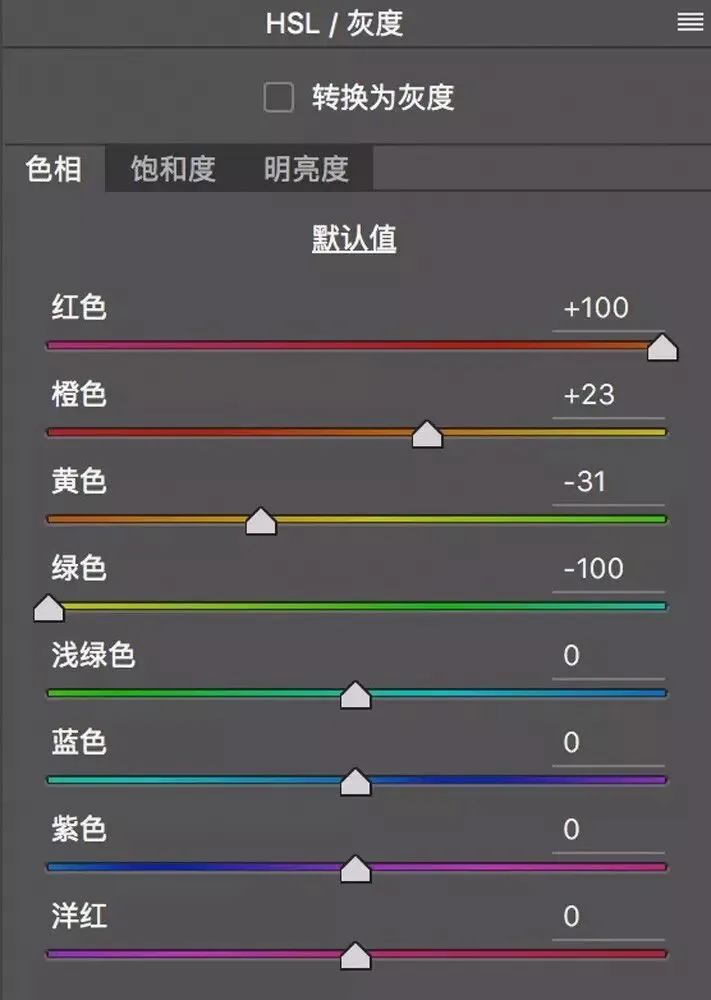
For aqua, blue, purple, and magenta, we lower their saturation — usually all the way to 0 — forming the "black" half of the style.
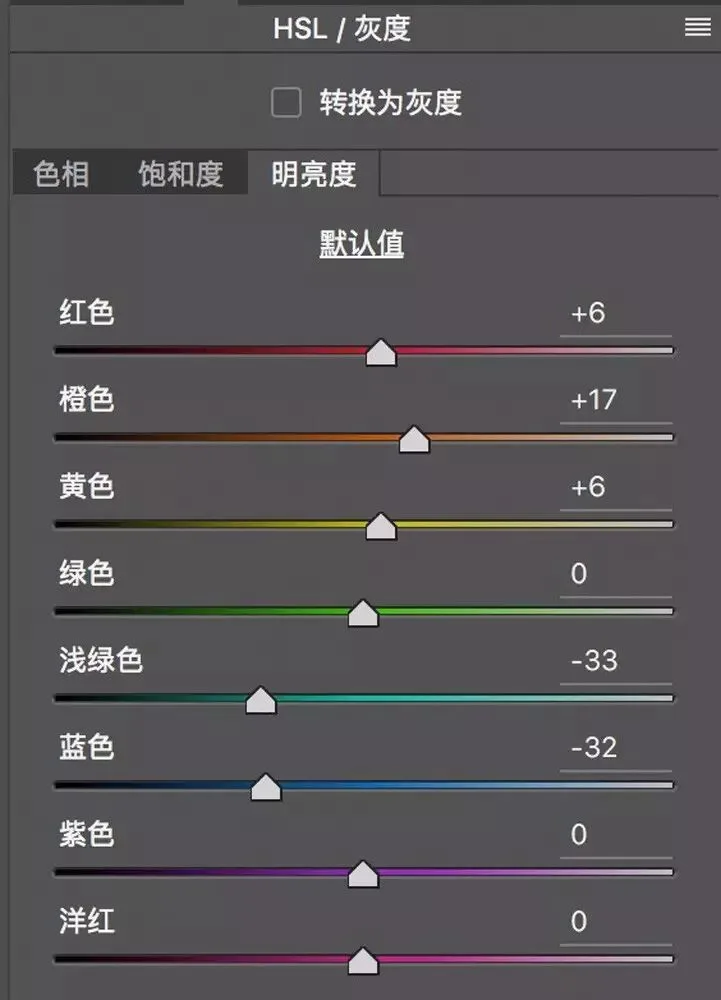
For luminance, we generally brighten the warm colors and darken the cool ones, separating warm from cool by brightness.
Through HSL adjustments alone, we achieve the basic black-and-gold look.
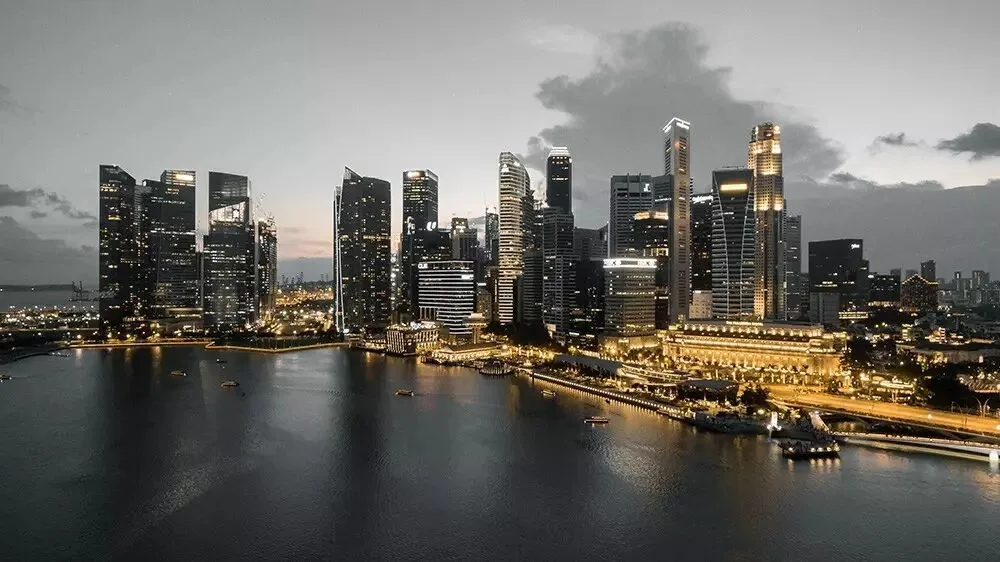
We can go further: use Radial Filters to intensify the golden glow of the city lights, and Graduated Filters to give the sky and water a faint dark teal-blue tint.
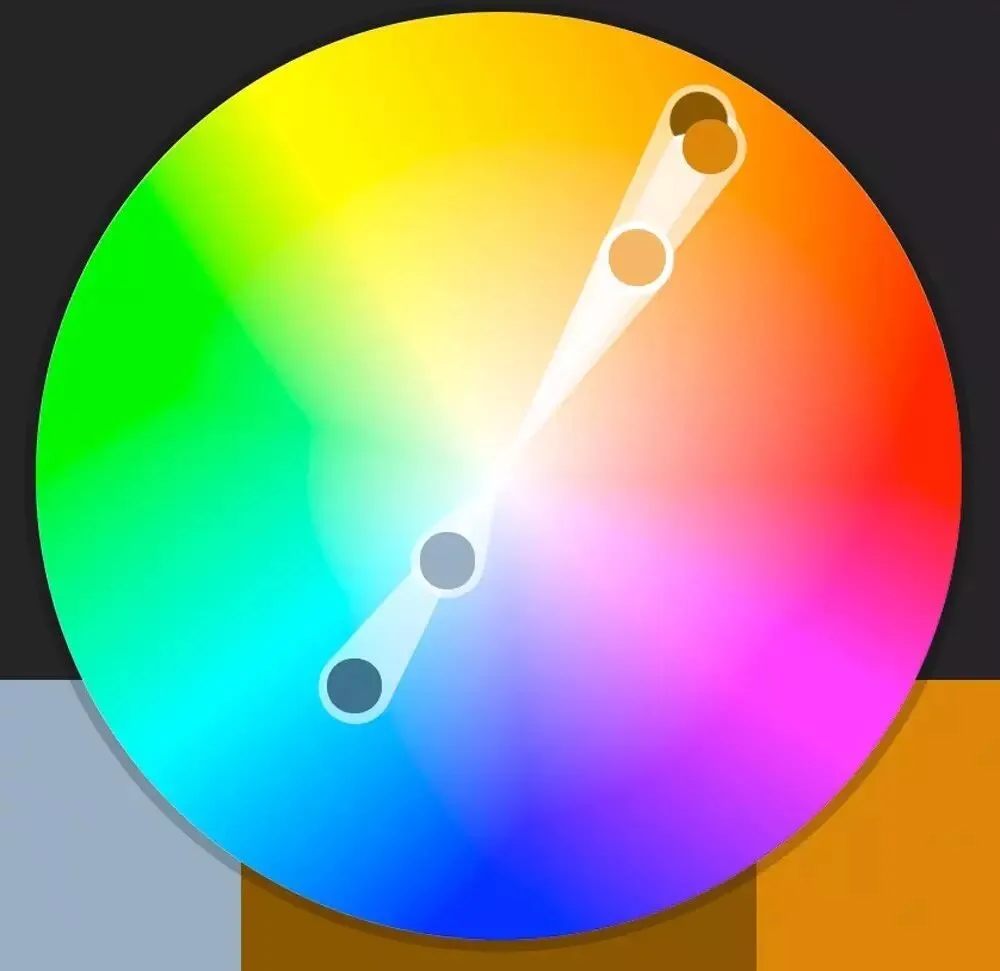
Above is the finished black-and-gold grade, with its color wheel below. The colors have unified into the complementary pair of teal and gold; with no stray hues interfering, the image feels grander, cleaner, and more enduring.
The raw practice file for this photo is available on my WeChat public account thomaskksj — reply with the keyword "raw14" to download it.
Follow @Thomas Chu Photo, and learn one photography skill every week.