Photography Tutorial · 2023-11-14
How to Take Great Photos with a Phone? Appreciating the 2023 Huawei Image Awards!
More and more smartphone photography competitions have become subjects of my long-term study and attention, thanks to their strong panels of judges and brilliant winning works.
In today's photography tutorial, Thomas will appreciate and analyze this year's Huawei Image Awards winning works with everyone, and discuss from three aspects how to take more powerful smartphone photos.
Video
▶ Watch the video tutorial on Bilibili
This is the fully illustrated companion to the video above. Thomas has long followed the Huawei XMAGE Awards — its strong jury and outstanding winning photos make it a perennial study in mobile photography. This year's theme is "XMAGE, the Power of Imagery": he walks through the winners first, then talks about three ways to make phone photographs feel more powerful.
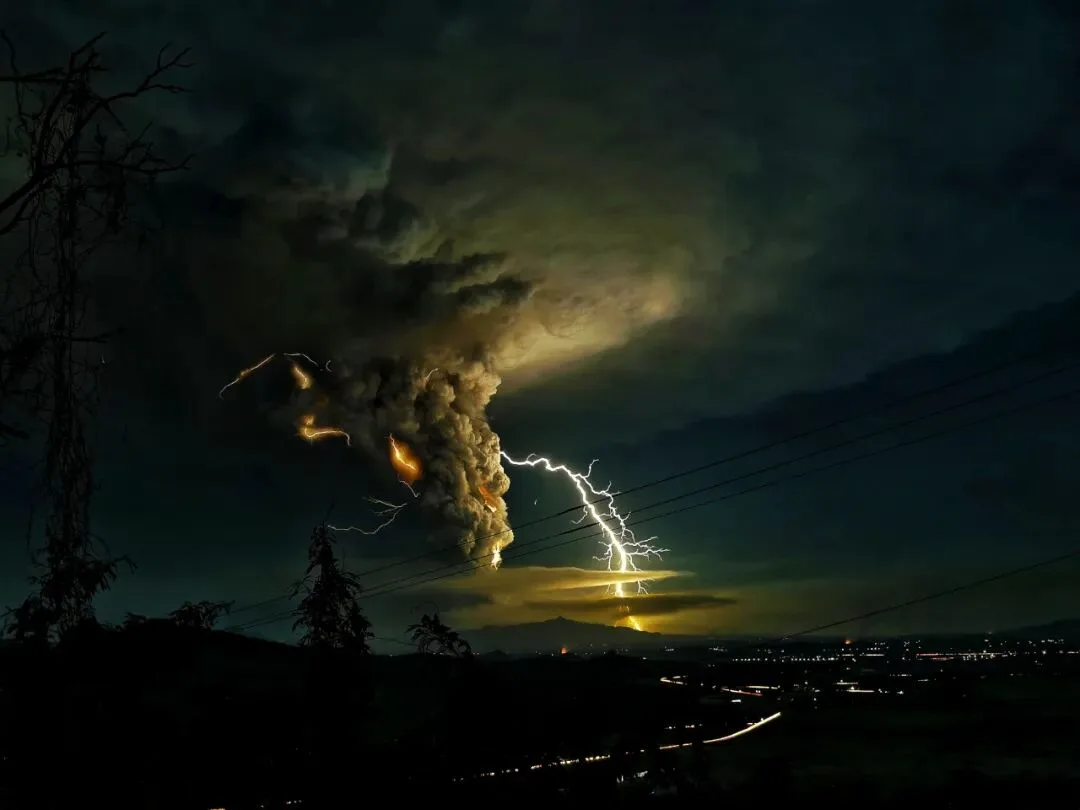
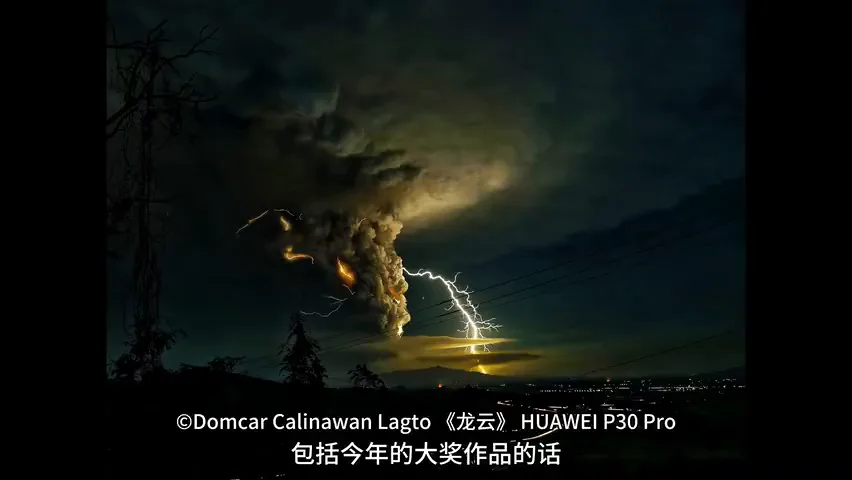
Start with the Grand Prize winner: monstrous storm clouds churning over a lightning bolt splitting the night — nature at its most unpredictable and sublime (at 0:49 in the video). Note the human trace the photographer kept — the city lights in the lower corner. We think of our cities as vast, yet under such clouds and lightning they dwindle to scattered specks, a contrast that makes nature feel only more imposing.
01 The Power of the Moment: Catch What Happens Once
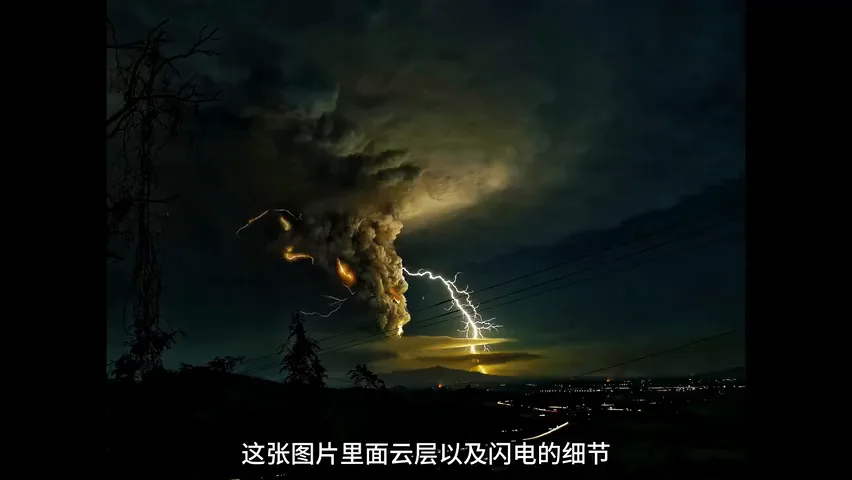
The first way to build power is to capture unique moments (at 0:44 in the video). Ever since Cartier-Bresson framed "the decisive moment," it has been photography's signature aesthetic. Photographers once worked streets with small 135 cameras; today the phone serves that role even better. And for those worried about phone image quality: zoom into this winner's clouds and lightning and the detail remains astonishingly crisp (at 1:44 in the video).
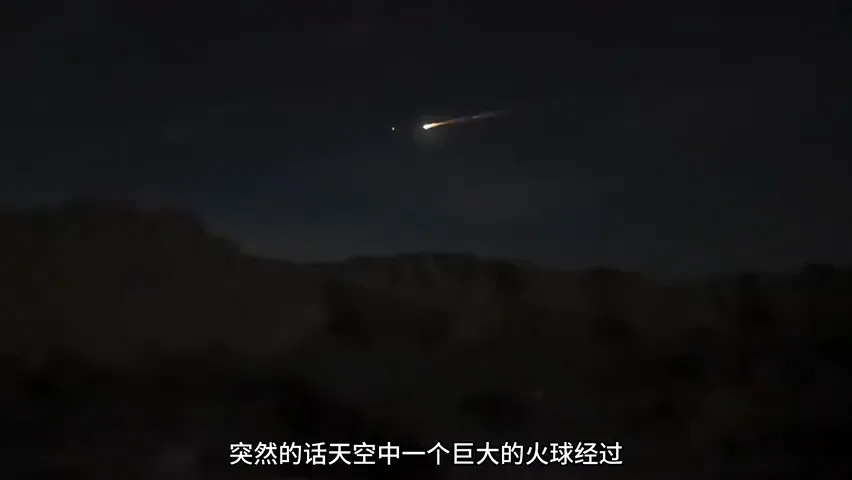
Thomas had a similar experience just days ago: while shooting poplar forest under moonlight, a huge fireball tore across the sky — the re-entry capsule of Shenzhou-16, he later learned. Re-aiming the tripod-mounted camera, resetting parameters and refocusing would have missed it entirely; in the end he grabbed the shot on a Huawei Mate X5 (at 1:53 in the video). That is the phone's core advantage: the remarkable moment can happen anywhere, anytime — provided you are ready for it.
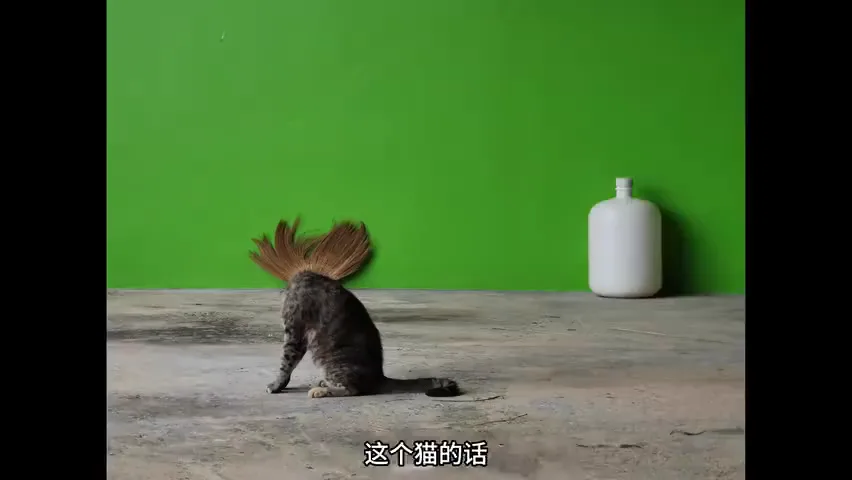
The second winner is delightful: against a clean backdrop, the photographer found an angle where the cat overlaps the leaves behind it, then patiently waited for the instant the cat lowered its head to groom — and the leaves became its mane, turning the cat into a punk with a blowout hairdo (at 2:31 in the video). That witty, observant angle plus the perfectly timed overlap is exactly what won it a prize.
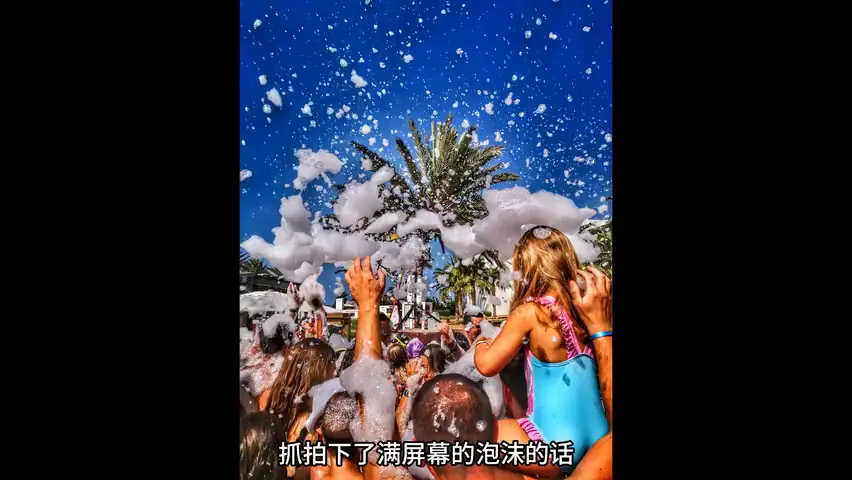
The third winner looks straight out of Martin Parr: a screen-filling wall of foam with real visual punch, shot from inside the crowd — a deeply immersive perspective (at 3:00 in the video). This is phone territory: picture hoisting a big DSLR in that crowd — heavy, conspicuous, and a constant worry about water; the phone dissolves all three problems. Three winners, three unique moments — precisely where phone photography shines.
02 The Power of Imagination: Subjective Expression
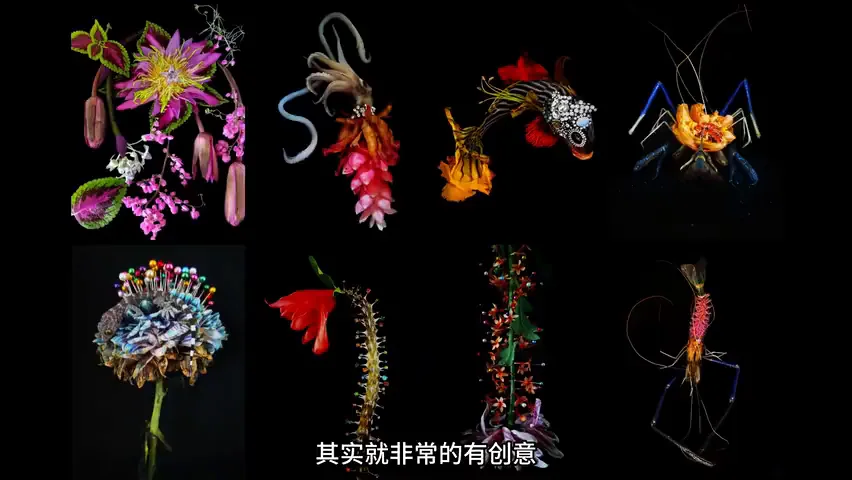
Images do more than record the objective world — they can carry subjective expression (at 3:39 in the video). This eye-catching series is wildly inventive: those vividly colored "plants and animals" do not exist in nature. The photographer plays creator, assembling fragments of living things with man-made objects: flowers and gems form a fish, a shrimp's body is replaced by petals, and its claws and legs take on a metallic sheen (at 3:47 in the video).
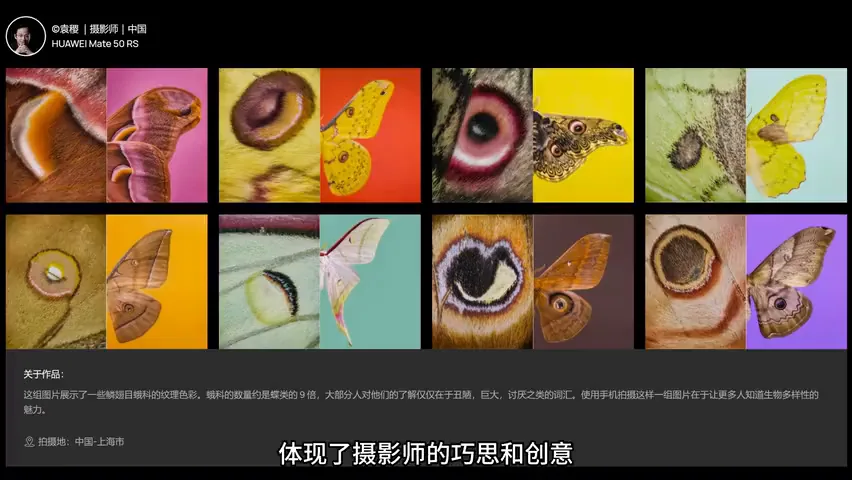
The next wildlife series (shot on the Mate 50 RS) builds creativity on top of faithful capture through editing and presentation: every frame is a butterfly wing, yet macro close-ups of the wing patterns are paired with shots of the whole wing, set against carefully chosen, color-coordinated backgrounds for a singular viewing experience (at 4:22 in the video). It opens a question: must animal photography stop at the animal's natural state?
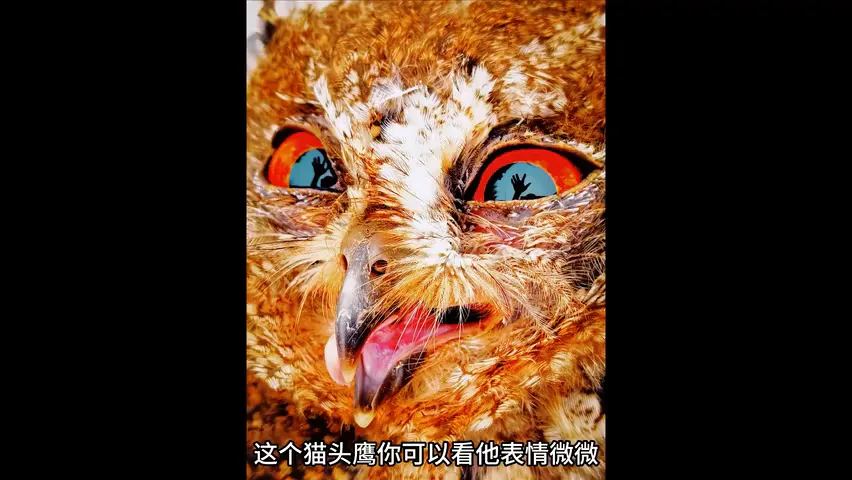
In this awarded owl portrait, the most striking detail is the human figure reflected in its eye: the photographer holds the phone in one hand and extends the other palm as if to receive the bird — and the scene rebounds from the owl's eye with real intensity (at 5:10 in the video). Then look at the owl itself: beak slightly open, gaze resolute, presence commanding — the raptor's spirit captured through one clever interaction. That creative engagement is well worth learning from.
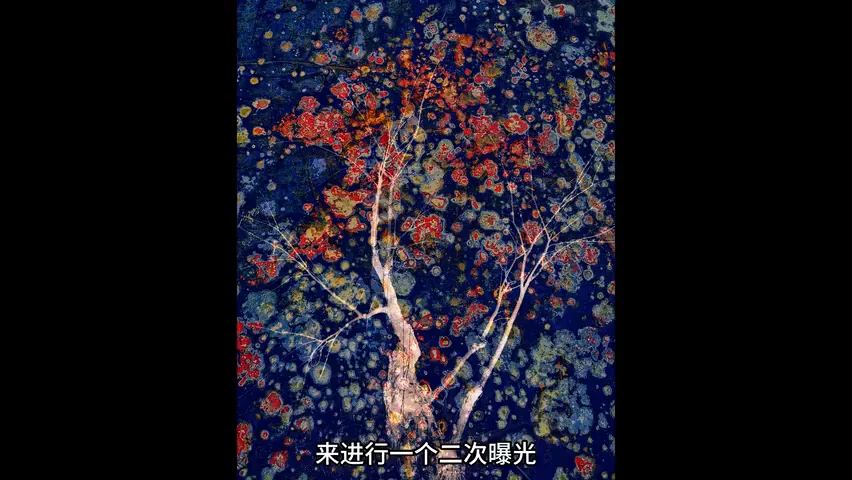
The next image shows equally singular art direction: what looks like a natural pattern is actually rust on a steel plate — its blossom-like forms inspired the photographer to shoot a tree as well and blend the two via multiple exposure (or in post), producing flowers of iron blooming on branches (at 5:51 in the video). The final two entries are near-abstract paintings: a fragment of flowing water and a fragment of a flower — order, color blocks and lines extracted from a chaotic world, a pure test of observation and imagination.
03 The Power of Everyday Details: Thinking in Series
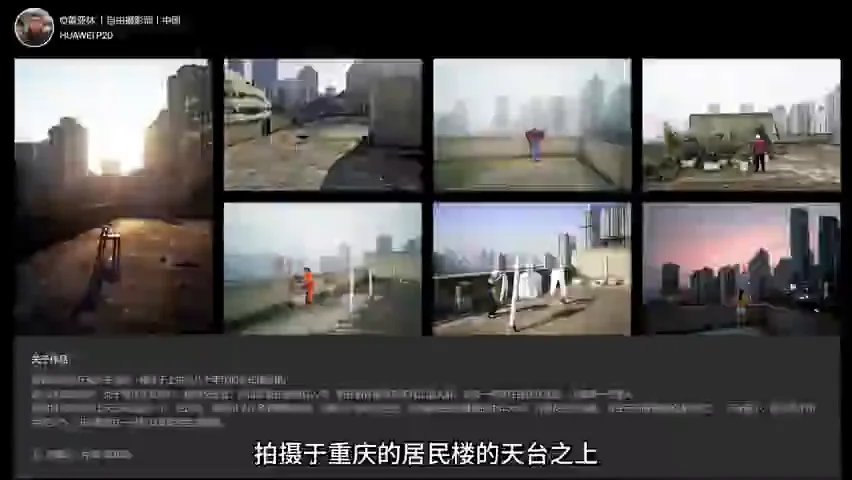
The last way: seize the details of daily life — they are full of power (at 6:42 in the video). This series was shot on the rooftop of a residential block in Chongqing: one unified setting, yet a rich cast of people — an old woman hanging laundry, a young person gazing at the horizon, a sanitation worker drying vegetables… A small scene holds the whole spectrum of life, crossing ordinary days to touch what living itself means (at 6:51 in the video).
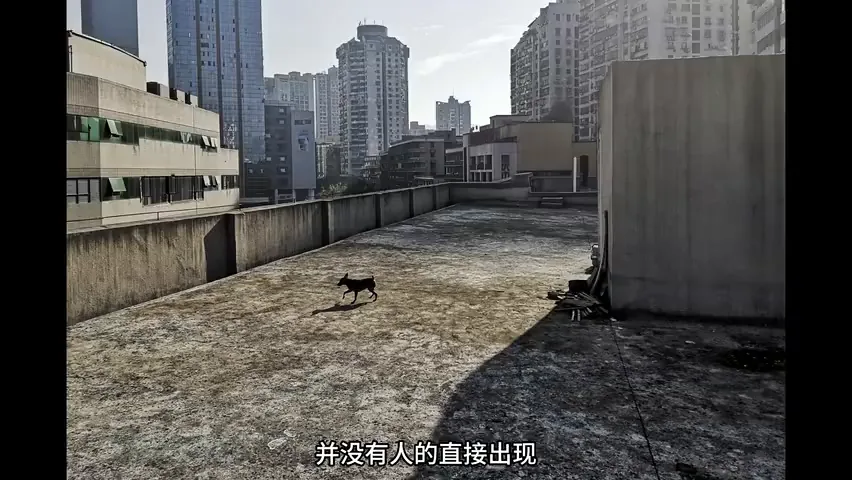
Two frames in the series are especially intriguing: no person appears at all. Who owns this dog? Why would someone keep a chair on the rooftop — for hanging laundry, or for sitting quietly now and then? (at 7:22 in the video) The pictures leave wide room for imagination. The Chinese idiom "seeing the person through their things" cuts both ways: with no one in frame, the people feel closer.
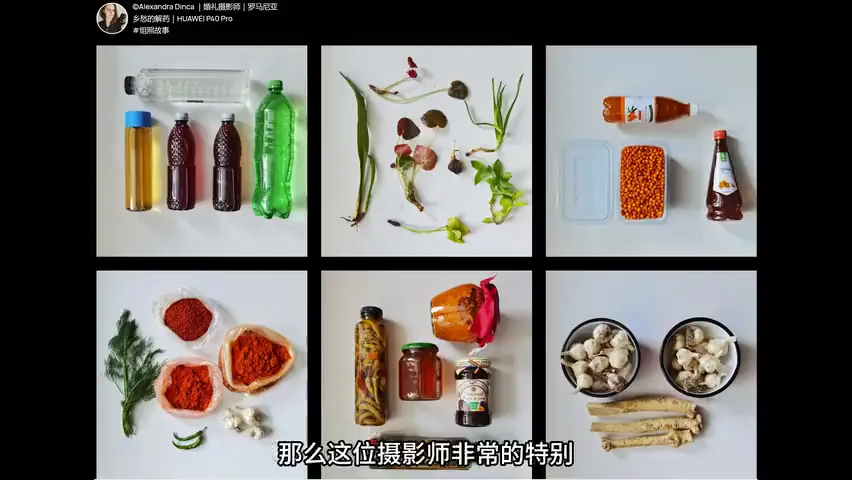
How would you photograph "homesickness"? A wanderer gazing afar, a farewell at the station — both clichés. This photographer instead shot a uniformly composed series of the foods his mother sends from home: puzzling at first, almost scientific-looking — until the accompanying text reveals they all come from his mother's kitchen, and the series turns deeply moving (at 7:52 in the video). Combining photos into a sequence, paired with words, creates an entirely new mode — and power — of presentation.
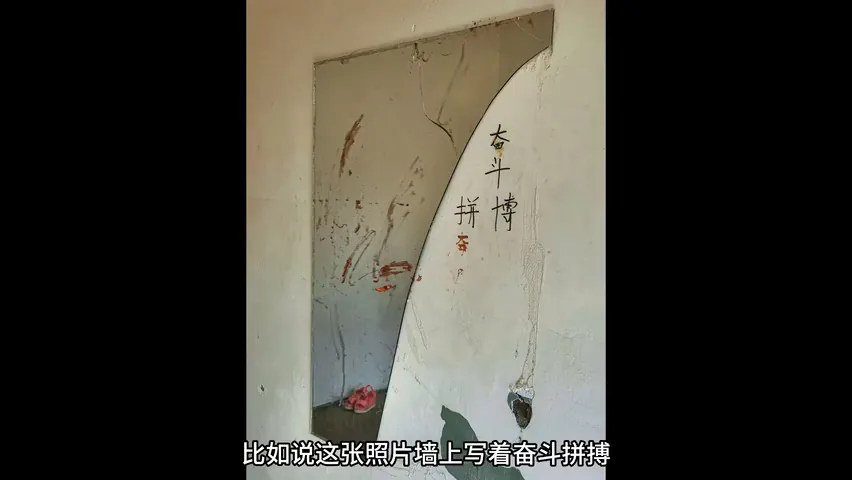
Another series photographs objects left behind — each a symbol of someone's former life, circumstances and feelings (at 8:24 in the video). The room with "strive and persevere" on the wall belonged, presumably, to a student — did they make it into the school of their dreams? The mannequin was surely a shopkeeper's; the luxury sofa against a Western-style townhouse mural speaks of an owner's old dreams and aspirations — why leave such prized things behind? (at 8:39 in the video) Through these relics, tiny details portray changing lives and a diverse world, endlessly thought-provoking. Work like this can only truly live as a series.
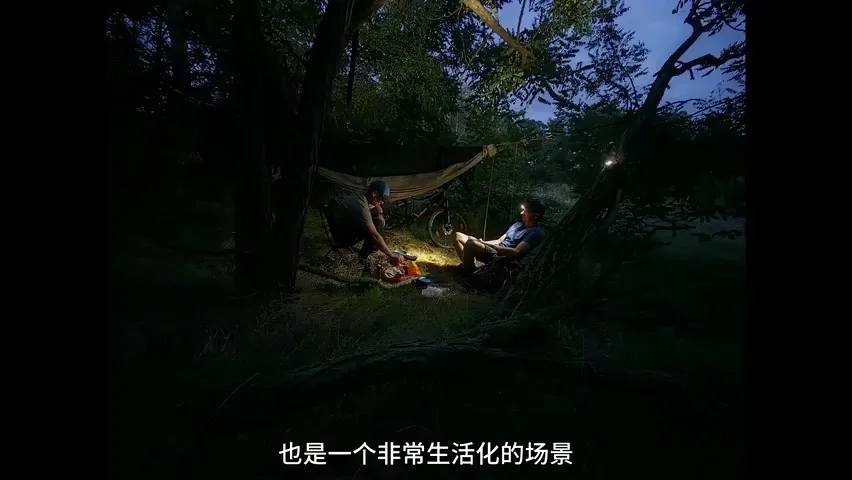
The final image is an everyday scene, shot on a Huawei P60 Pro: with the XMAGE imaging system it freezes the figure's motion in near darkness while keeping color faithful (at 9:28 in the video). What makes it stand out is the contrast between the cool-toned background and the warm lamplight — proof that everyday moments can carry real photographic power.
04 Wrap-up: Three Sources of Photographic Power
What makes an image powerful? From this year's winners Thomas distills three answers: the power of the moment, the power of imagination and creativity, and the power of everyday details (at 10:00 in the video). It is also encouraging to see how Huawei's strong macro and telephoto capture lets every ordinary creator record life through XMAGE — and pass that power on to more people (at 10:11 in the video).
Which winning image is your favorite? And what other ways can you think of to give photographs power? Join the discussion in the comments.
1. The power of the moment: catching unique instants is the phone's core strength — when the decisive moment comes, readiness beats everything; 2. The power of imagination: images can express subjectively — creator-style assemblages, series editing, multiple exposure and abstraction are all outlets for creativity; 3. The power of everyday details: small scenes hold the full spectrum of life, objects speak for their people, and series-plus-text unlocks a new expressive force; 4. Contrast creates power: city lights against storm clouds, cool backgrounds against warm lamplight — juxtaposition makes subjects stronger.
HD video:
https://www.bilibili.com/video/BV1sc411X7gA/
Scan the QR code above or click "Read More" at the end of the article