Photography Tutorial · 2022-02-13
Practical Retouching: Recolor Clothing — or Anything Else — in Post
Thomas Chu Photo
In our travel photos, the color of the clothes we wore may clash with the surroundings or with our intended grade.
So in today's tutorial, I'll teach you a practical technique for recoloring clothes of any color — even grey or white clothing can become red or blue!
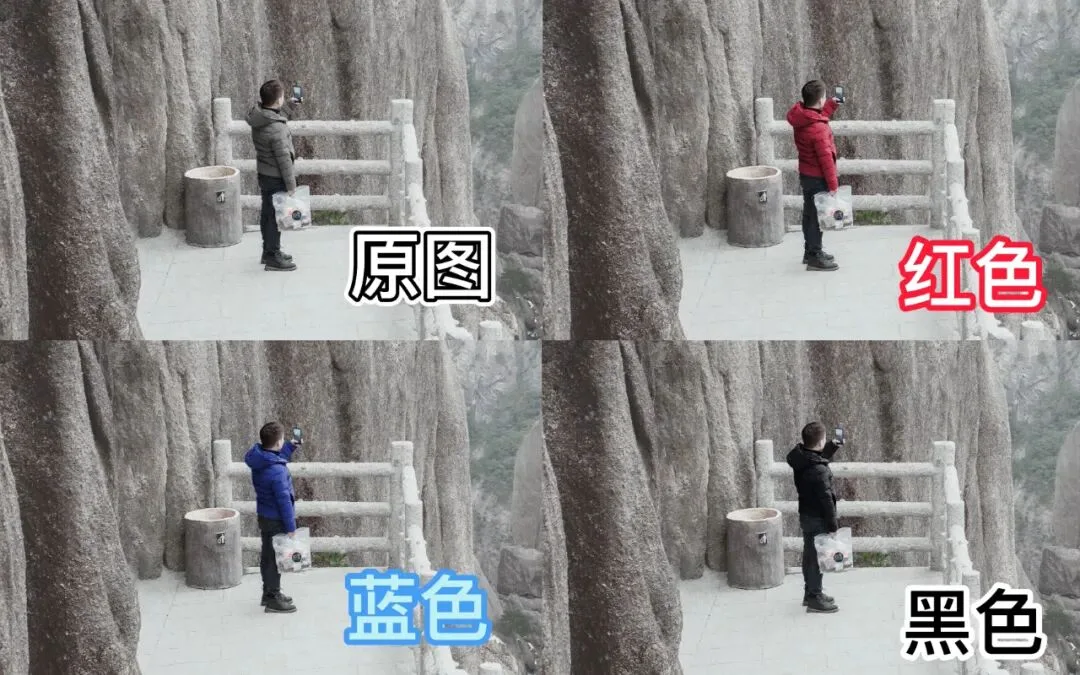
This technique works for recoloring any object, too!
Video Tutorial
▶ Watch the video tutorial on Bilibili
This is the fully illustrated companion to the video above. In travel photos the jacket you wore often clashes with the final grade, so Thomas teaches a practical trick: recolor clothes — or any object — into any color, even from grey, white or pale garments to red, blue or purple. The case study is a pale-green down jacket in a snowy Huangshan scene; the 4-minute video is broken into four steps with all keyframes below.
Start with the overview: the same Huangshan frame with the subject's down jacket recolored red and blue, each blending into the snow scene seamlessly — that is what we are building (at 0:05 in the video).
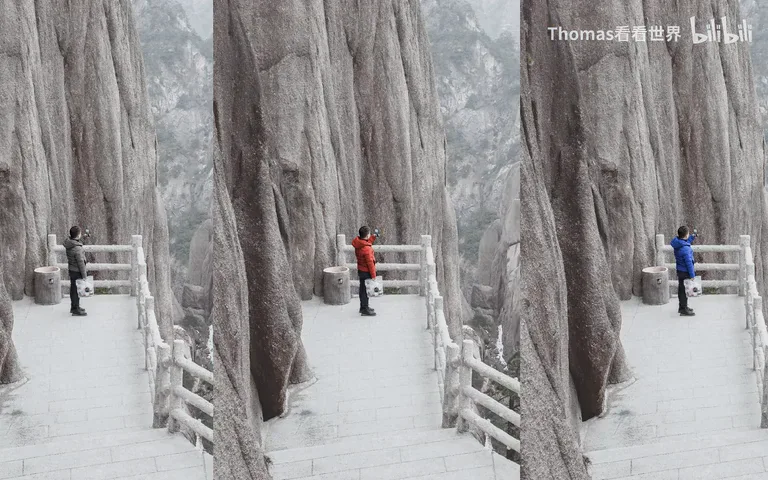
01 First, Two Cases: Colored Clothes vs Pale Clothes
If the garment already has a vivid color — like the red shell jacket in the first case — it is trivial: use the Hue/Saturation tool, target the jacket's reds, and drag the Hue slider to swap the color (at 0:34 in the video), then fine-tune lightness and saturation until it looks natural.
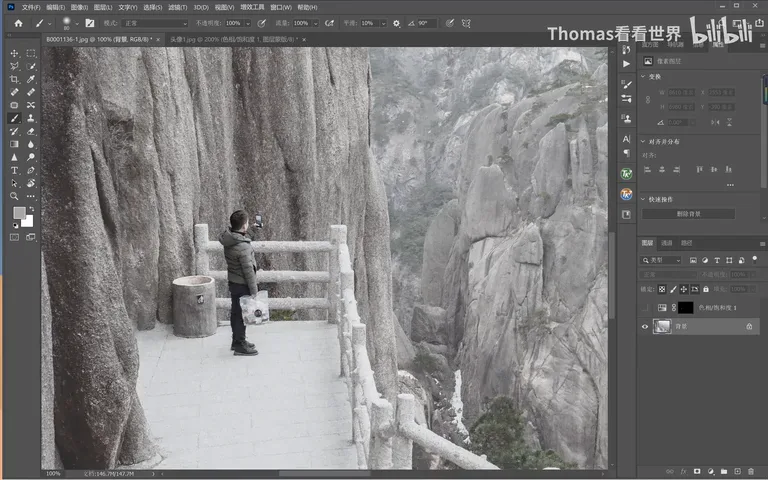
The more common case, though, is black, white, grey — or the pale-green jacket worn by the gentleman in the demo, where the original color is simply too faint. No matter how you drag the Hue slider, the jacket refuses to budge (at 1:23 in the video). That is exactly the problem this tutorial solves: turning a pale garment into any color — red, blue, green, your pick.
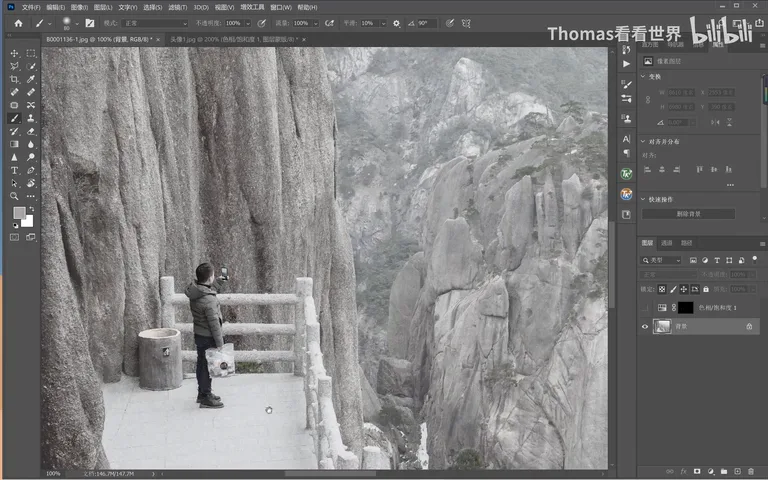
02 Select the Garment: Quick Selection, Refine with Lasso
Step one is selecting the garment off the frame. Take a rough pass with the Quick Selection tool (at 1:45 in the video), then clean the edges with the Lasso until the whole garment is inside the selection — hairline precision is unnecessary, since the mask can be refined later.
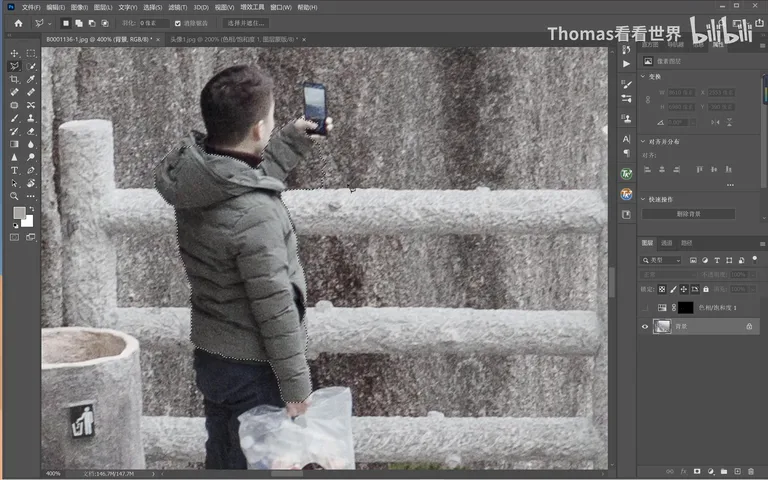
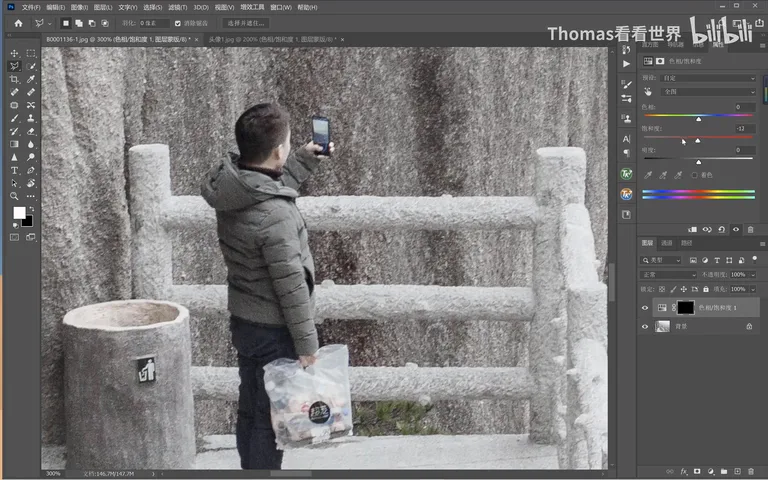
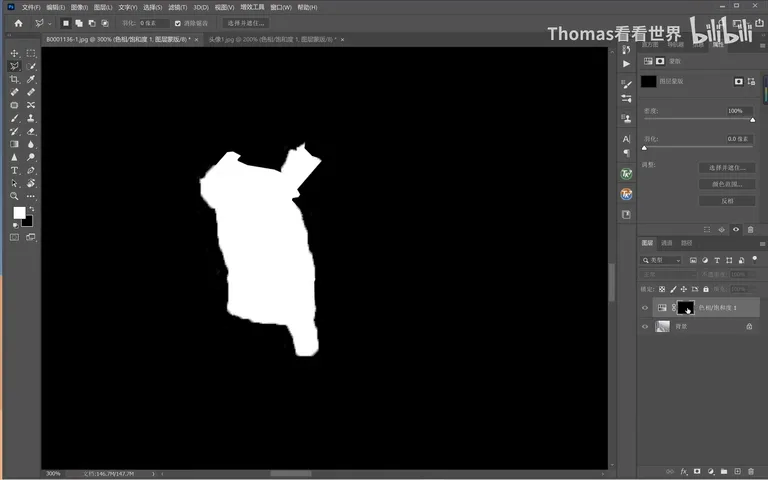
With the selection made, add a Hue/Saturation adjustment layer and pull the Master saturation all the way down — limited by the mask, this only strips the faint green out of the jacket, leaving a colorless garment ready for fresh color (at 2:03 in the video).
03 Solid Color Layer + Overlay: The Heart of the Trick
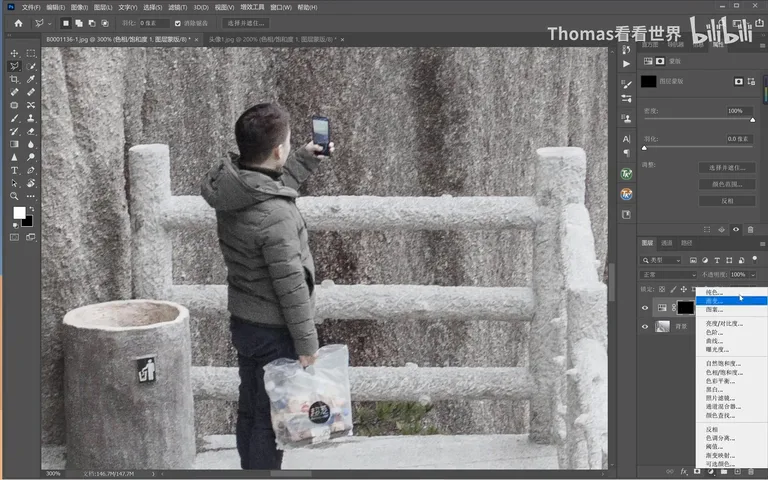
Next, create a Solid Color fill layer (at 2:26 in the video) and pick the target jacket color in the picker. Resist the 100%-saturation, 100%-brightness neon swatches — no such clothes exist in real life; a slightly darker, deep red reads like actual fabric (at 2:33 in the video).
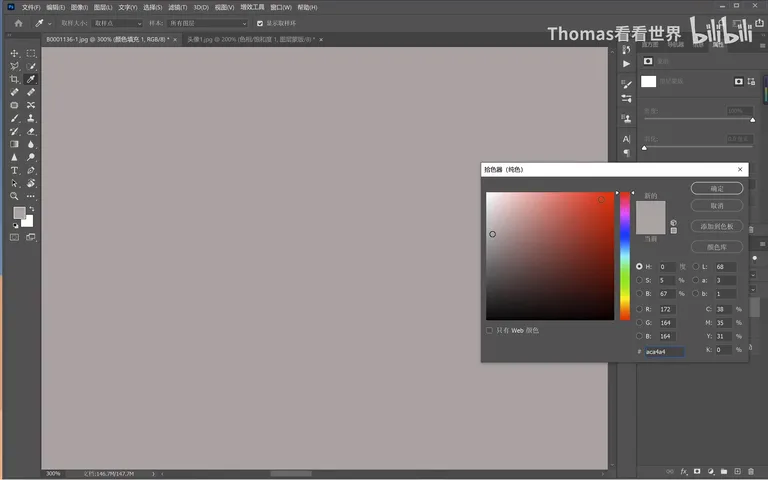
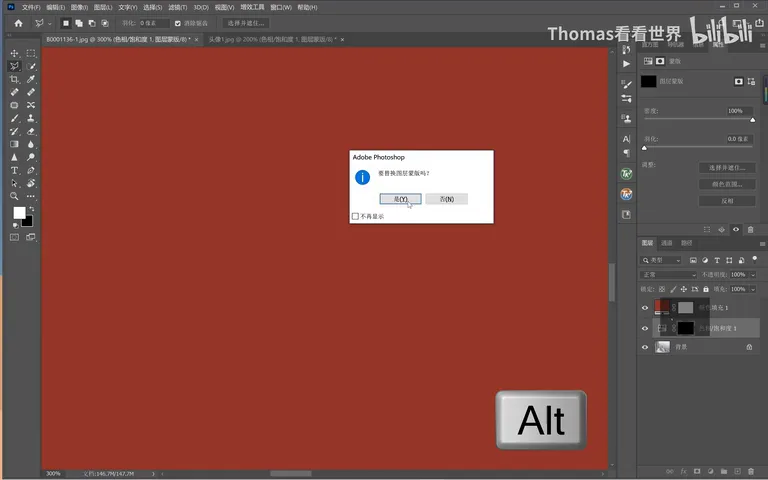
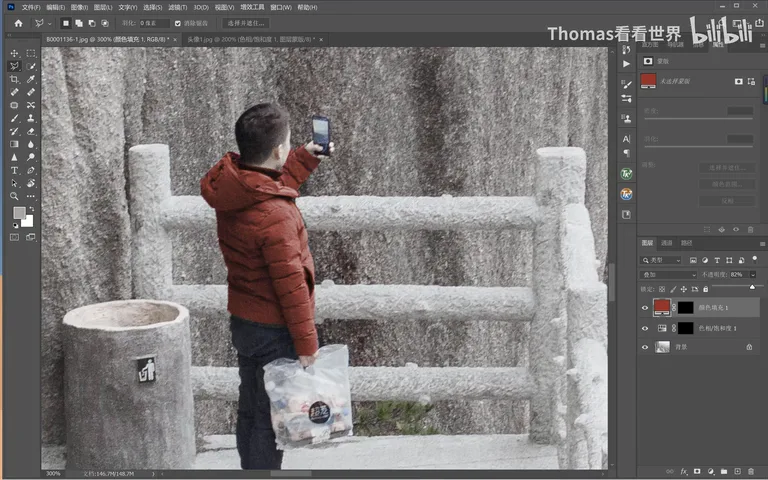
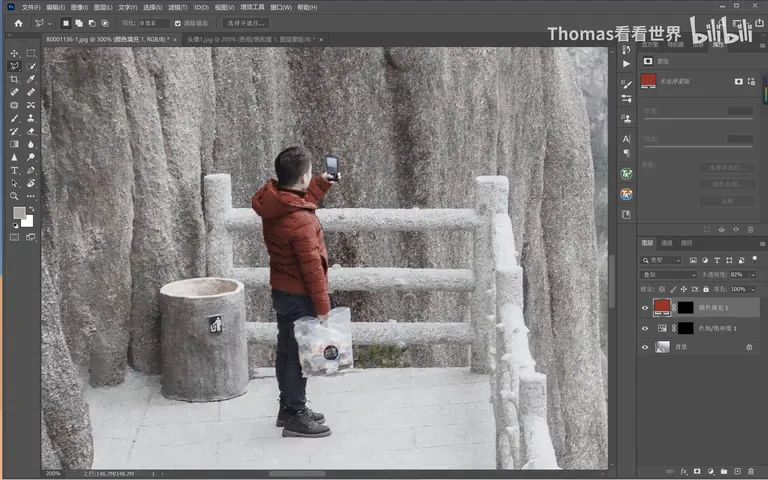
Then hold the Alt key and drag the garment mask from earlier onto the solid color layer to copy it over — the jacket area is instantly coated in red (at 2:52 in the video). The crucial move: change the layer's blend mode to Overlay, the single most useful blend mode for recoloring — worth memorizing (at 3:04 in the video); then lower the opacity a touch so the light falls naturally.
04 Any Color You Like: Match the Frame's Mood
Check the result: the red down jacket now sits in the snowy frame quite naturally; if the red feels a touch dark, double-click the solid color layer and raise both saturation and brightness (at 3:30 in the video).
Better still, the color is arbitrary: switch the fill to blue and you have a blue down jacket; green and purple work the same way (at 3:41 in the video) — you decide what the subject 'wears' based on the frame's overall palette. And the same method recolors any object in the picture, far beyond clothing.
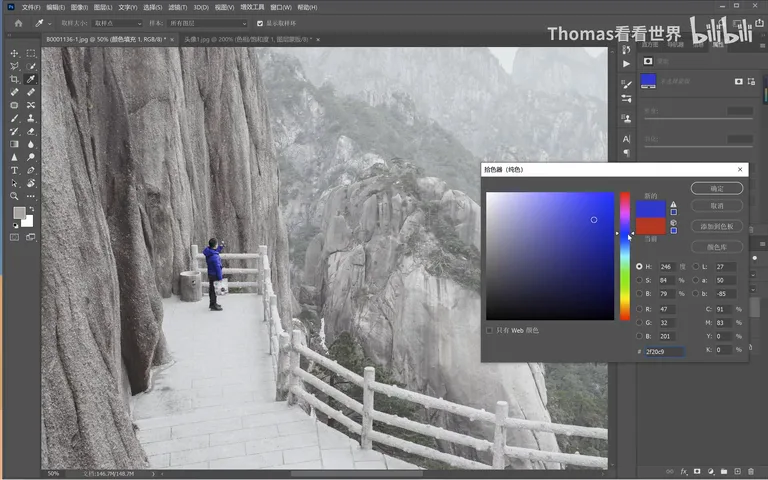
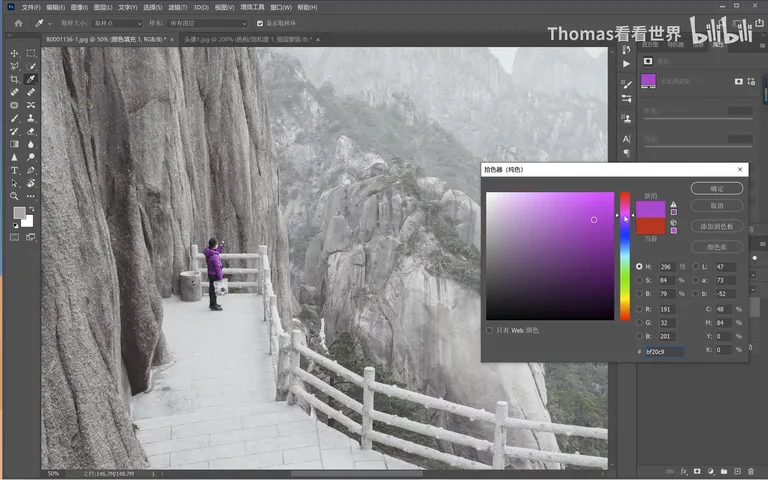
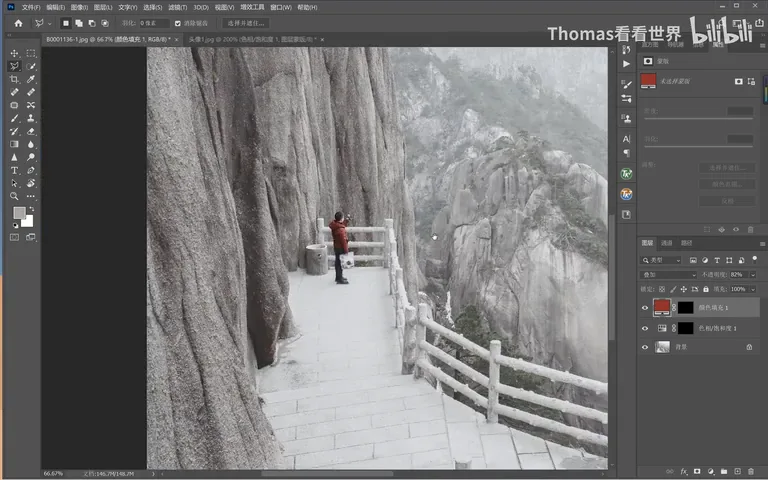
1. Vivid garments recolor directly with Hue/Saturation plus lightness tweaks; black, white, grey and pale ones ignore the Hue slider and need the full workflow; 2. Rough in with Quick Selection, clean with the Lasso, then desaturate the garment completely with a Hue/Saturation layer to prep it for new color; 3. The core trio: a Solid Color layer (pick a deep, believable fabric tone) → Alt-drag to copy the garment mask → set the blend mode to Overlay and ease the opacity; 4. Color is arbitrary from there: double-click the fill to flip between red, blue, green or purple so the outfit serves the frame's palette — and the method works on any object, not just clothes.